miruji (@miruji@mastodon.gamedev.place)
I think it’s a phobia of things that shouldn’t happen and of high speeds 😨
#gamedev #godot #godotengine #indiedev #indiegame #steam #phobia #scream
Show Original Post
DoodleDonut (@DoodleDonut@equestria.social)
Finally got the dialogue system hooked up in my project. I'm using Dialogue Manager (a great addon I've used a few times before). For now it's the default bubble but I plan to go for a Paper Mario style, hence the line going down to the talking character.
To accomplish that I just add any character scenes to a "Character" group, and whenever a line of dialog changes, I do a get_tree().get_nodes_in_group("Character") to find that character. Then I can unproject their position to figure out where to draw the line.

Show Original Post
mr_daemon (@mr_daemon@untrusted.website)
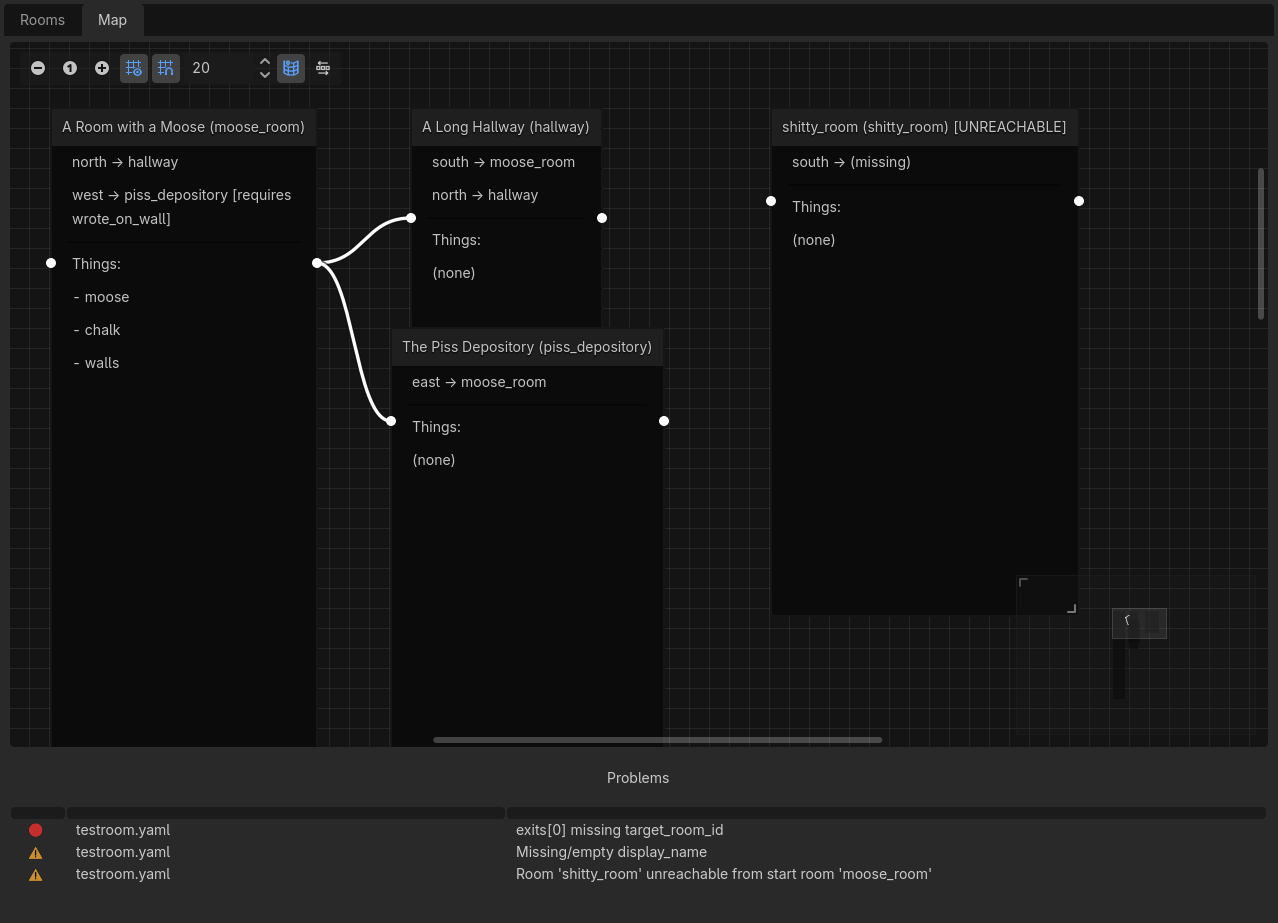
Got a burst of available spoons in the evening so I made myself a bunch of nice little tools within Godot for my text adventure game, and as always, tools are a joy to make always, especially if they visualize something you've built.
(please don't mind the actual contents, it's all test stuff, even though that is playable)
#godot #gamedev #InteractiveFiction
Show Original Post
EnterName (@EnterName@mastodon.gamedev.place)
Hello Mastodon, I just joined and getting a feel of it all. Recently I have been really getting in deep on learning 2d Development in #godot
Show Original Post
ravanon (@ravanon@mastodon.scot)
I've been playing with Godot (4.6), working on a Fire Emblem-ish tactical RPG prototype. Mostly to reinvigorate my slightly atrophied programming skills, and learn a new engine.
I'm having fun! But I've a long way to go, and this probably won't ever be more than a demonstrator. But I can dream...
(At least I can provide my own character art! As long as most of the cast are tieflings and women with big hair and horns...I think I probably need to diversify my art more.)

Show Original Post
Niwl (@Niwl@mastodon.gamedev.place)
We're starting a series of blog posts on various gamedev topics.
Here's @khaleer telling us about his workflow for stylized lowpoly assets using Blender and #krita.
https://niwl.games/posts/texturing-process/
If you'd like a deeper dive on a particular technique let us know in the comments.
#b3d #gamedev #blender #indiedev #indiegame #texturing #handpainted #godot #godotengine

Show Original Post
Craigp (@Craigp@mastodon.social)
Anyway, now to completely redo how screens work.
Still, this is much nicer than the way I was doing it, which involved spawning everything INSIDE THE SCREEN.
Why is there no render texture, #Godot? Just let me tell a camera to print to a texture instead of a screen!
Let me render a VIEWPORT to a texture! ANYTHING. TO A TEXTURE.
Show Original Post
Craigp (@Craigp@mastodon.social)
HOOLLLY SHIIIIIIIT I have been into the Arcane Wizardry corner of #Godot and let me talk about it.
I want to assign viewport texture targets on the fly, because I want my screens to point to any viewport I want.
Well, guess what? Creating a new viewport texture and assigning it? Breaks the material. Having a preloaded viewport texture and assigning it? Breaks the material.
Having an @ export variable viewport texture and assigning it? Works FINE.
For some reason it has to be IN AN EXPORT VAR
Show Original Post
patricktcoakley (@patricktcoakley@mastodon.gamedev.place)
I just updated my friendly #Godot version manager, fgvm, with some minor fixes for Windows users: https://github.com/patricktcoakley/fgvm/releases/tag/v2.0.1! Check it out!
Show Original Post
morphingames (@morphingames@mastodon.social)
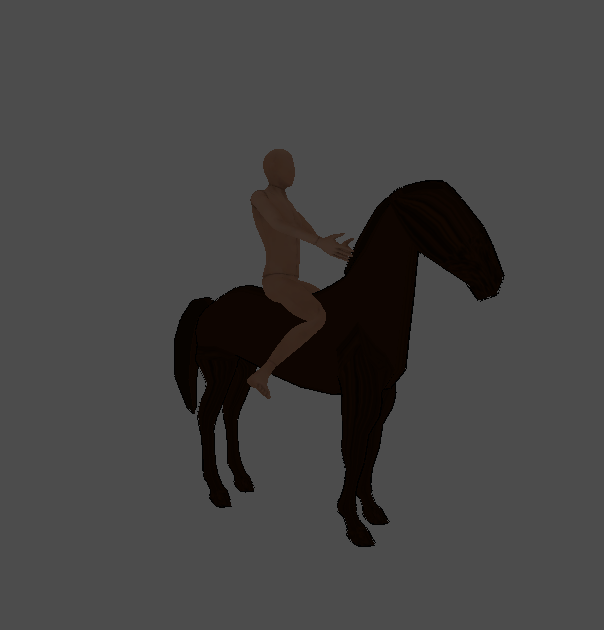
Now that's some proper pose 🐎
#inversekinematics #godot #IndieDevs
Show Original Post
Craigp (@Craigp@mastodon.social)
Sigh. Any #Godot nerds know the answer? I just want to render to a texture that I can use anywhere.
Is there something I'm missing? The scene definitely exists in the game world, so it SHOULD be rendering, but all I get is purple.
I should probably create a new project and test this until I understand it.
Show Original Post
eobet (@eobet@oldbytes.space)
Updating my Unreal Engine Pivot Painter 2.0 port to #Godot and debugging it with pretty colors. Each color represents that quads position in 3D. 🌈

Show Original Post