BlueCut (@BlueCut@mastodon.social)
Aujourd'hui, j'apprends à installer un petit Raspberry Pi à la maison pour auto-héberger mes 2 sites web.
Le but : améliorer l'empreinte carbone en utilisant un mini ordi peu gourmand, posé dans un garage frais sans clim.
Mon site d'autrice (public français) a peu de trafic (pas de best-seller pour l'instant) et l'autre site est à mon seul usage, pas de raison que quelqu'un le trouve, donc autant l'héberger à la maison.
#raspberrypi #ecologie #greencoding #web
Show Original Post
2025 (@2025@diyelectromusic.com)
MiniDexed Raspberry Pi IO Board V2 Design
My two MiniDexed PCBs were some of the earliest ones I made and so I’ve wondered about revisiting them for a while now.
This is a respin of the SSD1306 version of the IO board that is, hopefully, slightly nicer to build a case around!
Here is the link to the original PCB: MiniDexed Raspberry Pi IO Board. There is the original version for the Raspberry Pi V1: MiniDexed Raspberry Pi V1 IO Board and scattered around the blog are boards for a Pi Zero, a RPi 400, a TX816 style device, a dual Pi version, and a version for a Pi5 that supports quad stereo audio output, among other things.
Warning! I strongly recommend using old or second hand equipment for your experiments. I am not responsible for any damage to expensive instruments!
If you are new to microcontrollers and single board computers, see the Getting Started pages.
Basic Requirements
As a bare minimum I’m after a revision of the SSD1306 version of the board that is slightly more case-builder friendly than the original.
I’d also like to add or change the following:
- MIDI TRS.
- Better audio output socket.
- Fix the minor errata from the original board.
It still has to fit within a normal “HAT” type footprint for a Raspberry Pi as I’d like to be using it with a Pi 3A+ again.
I’d also like to arrange the connectors to be on the same side as much as possible.
The Circuit
This is the same schematic as before with the addition of a TRS audio output direct from the PCM5102 module. I’ve also fixed a few of the non-functional errata such as some erroneous component values.
The GPIO map remains unchanged, although “SELECT” is now labelled “BACK”:
PCB Design
I’ve updated the MIDI socket footprint to my dual DIN-TRS footprint. I’m probably going to use the TRS version myself, but it is nice to keep DIN as an option. I’ve had to move the buttons to allow for a second TRS socket for the audio output and have consequently moved the GY-PCM5102 module back away from the edge of the board.
With this arrangement all of the IO is now on the same side of the board apart from the RPi’s own USB (and ethernet if using a B+ version).
Getting the height of the components correct will be a bit fiddly as the display and buttons will be determined by the height of the encoder’s body.
As I keep forgetting which GPIO is used for what, I’ve added details on the underside of the PCB.
As the GY-PCM5102 has an analog GND to support the analog OUT, I thought it might be prudent to keep that part of the PCB GND isolated from the main digital areas. But I’ve also seen that two GND planes separated by a thin non-conducting strip also has another name – “antenna”…
This is where my experience meets peak ignorance, so I’ll have to see how it goes and if I end up reconnecting everything, then I’ll patch something through somehow
Closing Thoughts
Ultimately I won’t know if this is any easier to use than the V1 board until I start designing a new case. But the addition of MIDI TRS at least removes the need for accommodating a large DIN socket on the board and having all the connectors on the same side will be better I think.
I have wondered about a Pi Zero version that could have DIN sockets on the underside of the PCB, mirroring what I did for the HD44780 version of my original board.
I might still give that a try as that would make for quite a nice compact unit too.
Kevin
#midi #minidexed #pcb #pcm5102 #raspberryPi #ssd1306

Show Original Post
bls (@bls@mas.to)
@zekjur I've never been a fan of putting the OS on a fixed disk (e.g., NVMe). Too much hassle when it's time to rebuild the OS. I do use NVMe disks on Pi5s as data disks, and they are amazingly fast. I put the OS on SATA SSDs, which are plenty fast for my use.
Show Original Post
askubuntu (@askubuntu@ubuntu.social)
Weird flickering and random crashes on the Raspberry Pi 5 #2404 #crash #raspberrypi #flicker
https://askubuntu.com/q/1556630/612
Show Original Post
gtronix (@gtronix@infosec.exchange)
13 Amazingly Innovative 3D Printed Cases for Raspberry Pi I Came Across
I can at least appreciate the creativity. So what if I don't have a 3D printer to print these cases.
https://itsfoss.com/raspberry-pi-3d-printed-case/
Show Original Post
espena (@espena@techhub.social)
Project weekend! PCB part placement in #KiCAD, alignment of the assembly in #QCAD and step-to-dxf exports in #FreeCAD.
My front panel "hat" for a #raspberrypi 5 is coming along.

Show Original Post
zekjur (@zekjur@mas.to)
In case you missed it, there’s now a Raspberry Pi M.2 HAT+ Compact for the Pi 5, allowing you to add an SSD *and* a fan, and still close the official case 🥳
(The old official M.2 HAT did not fit in the case.)
You still lose the GPIO pins and UART port, though, so the (third-party) NVMe base might still be the better option for some use-cases: https://shop.pimoroni.com/products/nvme-base?variant=41219587178579
I’ll probably move my main Pis from SD card to SSD soon, mainly for the better reliability.

Show Original Post
outdoorbits (@outdoorbits@mastodon.social)
Want to share on the go?
Little Backup Box can post directly to:
🐦 Bluesky
🐘 Mastodon
✈️ Telegram
#RaspberryPi #Linux #OpenSource #Backup #SelfHosted
#Photography #TravelGear #OnTheGo #DataBackup #PhotoBackup
#FOSS #Mastodon #Bluesky #Telegram
27.09.2025 07:33:10
Show Original Post
leffe (@leffe@social.linux.pizza)
I made this for my old mom in 2018, using a standard Raspberry Pi 3 kit with a 7" screen, and enclosure. A simple python script runs on startup. I never got around to adding reminders and two-way radio, but I did install ssh and vnc so I could monitor it and make changes remotely. It was very useful for a couple of years until her dementia deteriorated further.
If anyone is willing to host the description and small implementation files in a public source repo, then I would be happy to share.

Show Original Post
r (@r@fed.brid.gy)
... 3am, kinda cute ... #tv #vhs #analoghorror #liminalspace #raspberrypi #channel67 #horrorshort #creepyvibes #foundfootage #unsettlingvisuals #portal #haunting #creature #monster #halloween
Show Original Post
r (@r@bsky.brid.gy)
... 3am, kinda cute ... #tv #vhs #analoghorror #liminalspace #raspberrypi #channel67 #horrorshort #creepyvibes #foundfootage #unsettlingvisuals #portal #haunting #creature #monster #halloween
Show Original Post
posts (@posts@killbait.com)
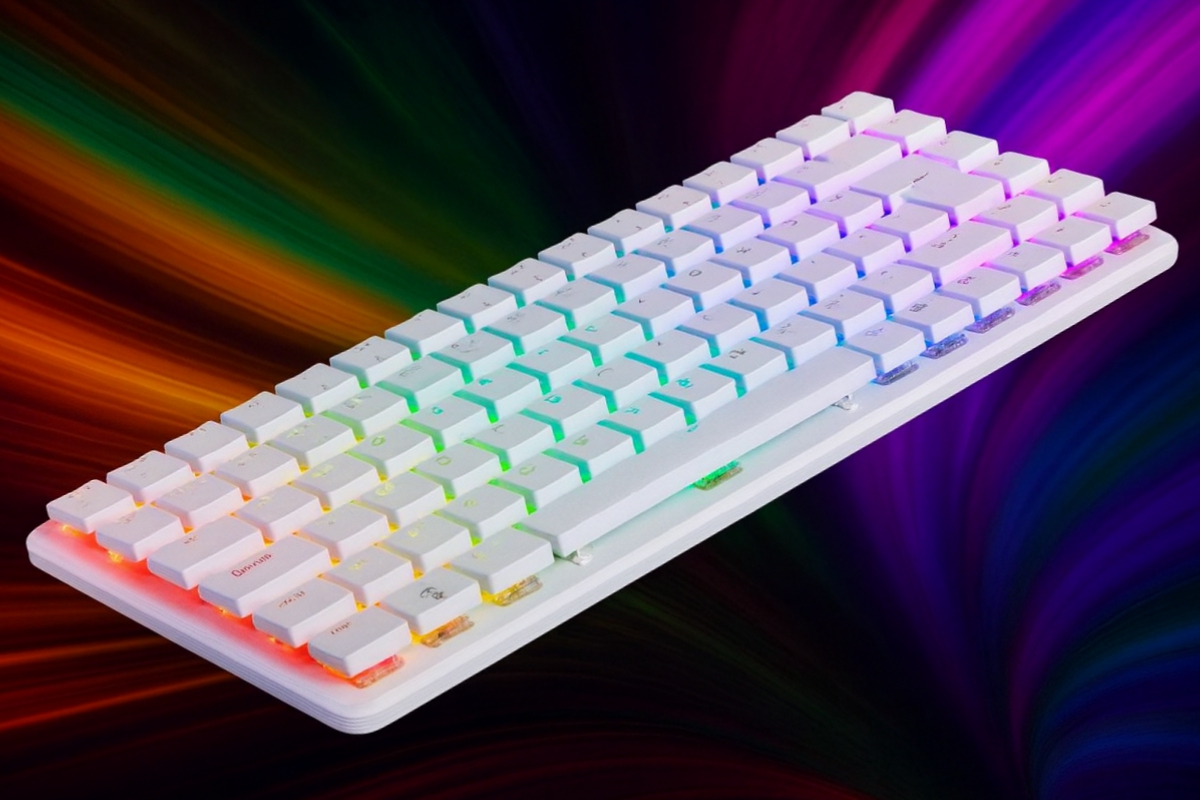
Raspberry Pi 500+ presenta mejoras clave con teclado mecánico, SSD M.2 de 256 GB y 16 GB de RAM
La nueva Raspberry Pi 500+ ha dado un salto importante respecto a modelos anteriores, convirtiéndose en una opción más potente y práctica para quienes buscan un ordenador compacto y asequible. Con un teclado mecánico de alta calidad, almacenamiento M.2 con un SSD de 256 GB y 16 GB de RAM, este equip... [Ver más]
Show Original Post