vladimirvc (@vladimirvc@fosstodon.org)
How to Build a Raspberry Pi Router
#raspberrypi #linux #diy
https://pidiylab.com/how-to-build-raspberry-pi-router/
Show Original Post
post (@post@feddit.org)
Raspberry Pi OS 6.2: Update verspricht mehr Sicherheit
https://feddit.org/post/28557222
Show Original Post
pjacock (@pjacock@fediscience.org)
Got the #RaspberryPi 5 and offical case - wasn't sure which way round the fan cable went so checked the docs. Quoting the PDF from https://www.raspberrypi.com/products/raspberry-pi-5-case/ I learn:
"... connect the fan cable to the four-pin connector labelled ‘FAN’ on Raspberry Pi 5. Take care to ensure that the cable’s connector is the correct way round when inserting it. Make sure that the fan cable is fully connected."
Gee. Thanks.
Show Original Post
maik (@maik@norden.social)
#RaspberryPi OS 6.2 deaktiviert passwortloses sudo bei neuen Installationen. Nach dem ersten sudo-Befehl erscheint eine Passwortabfrage, danach gilt eine Gnadenfrist von fünf Minuten. Bestehende Installationen bleiben unverändert, eine Option im Kontrollzentrum erlaubt die Rückkehr zum alten Verhalten. https://stadt-bremerhaven.de/raspberry-pi-os-6-2-sudo-fragt-jetzt-nach-dem-passwort/
Show Original Post
xylophilist (@xylophilist@mastodon.online)
And if you want to know what it sounded like...
#earthquake #perthshire #scotland #geology #raspberrypi #raspberryshake #citizenscience #nature
Show Original Post
xylophilist (@xylophilist@mastodon.online)
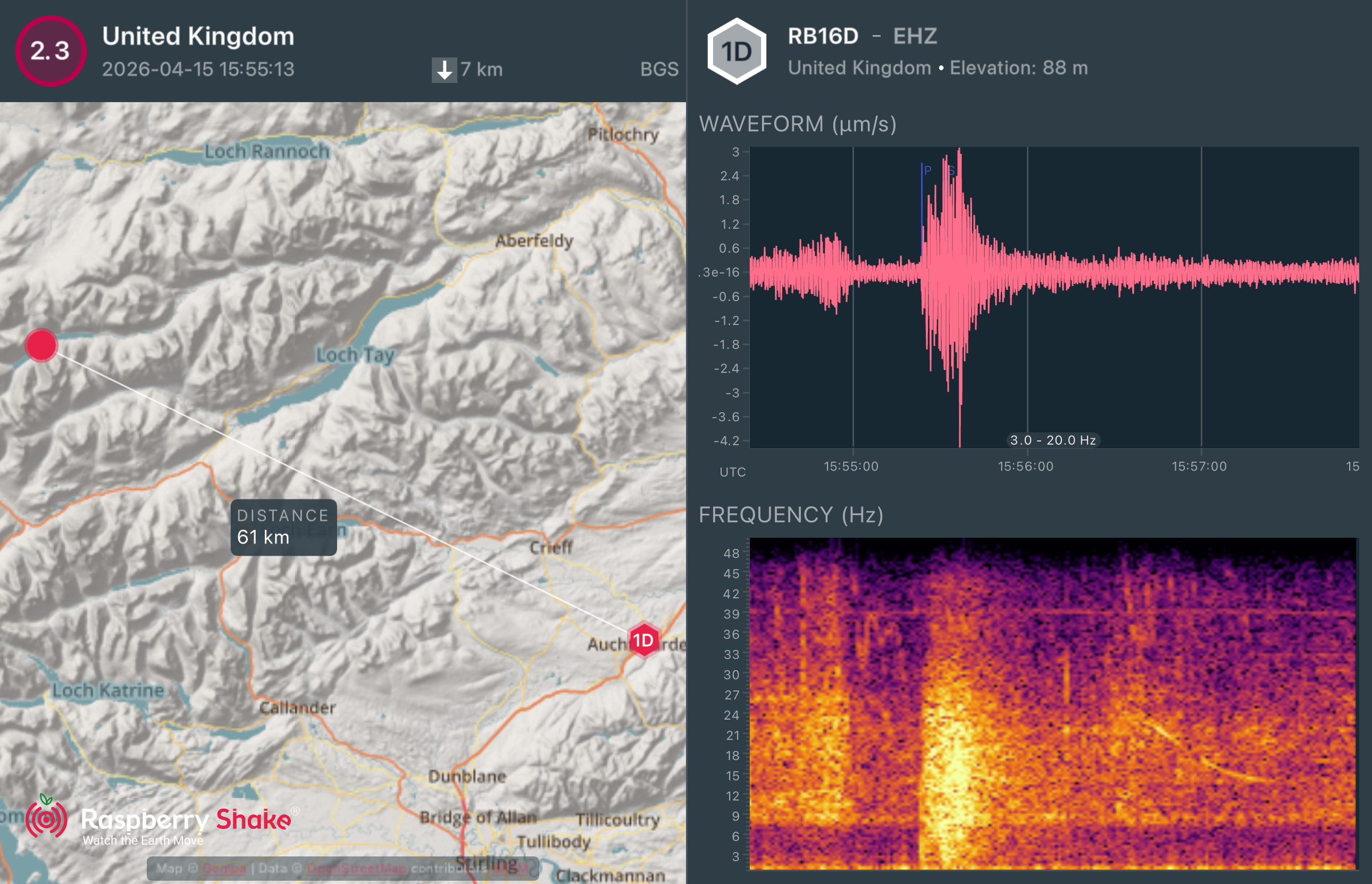
2026-04-15 15:55:13 GMT M2.3 Loch Lyon
It's early days and there's a fair chance the BGS might move it, but for now, initial impressions are it's directly on the Tyndrum fault line, which makes a change from all the other quakes around the area since last autumn.
BGS: https://quakes.bgs.ac.uk/earthquakes/recent_events/20260415155354.html
#earthquake #perthshire #scotland #geology #raspberrypi #raspberryshake #citizenscience #nature
Show Original Post
2026 (@2026@minibots.wordpress.com)
Instalación básica de ArchLinux en Raspberry Pi 5
Vamos a instalar ArchLinux sobre la placa Raspberry Pi 5. Nótese que, a fecha de hoy, no existe aún una versión oficial de esta distribución para esta SBC, por lo que tendremos que generarla por nuestra cuenta.
Primeros pasos
Lo primero será preparar una tarjeta micro SD de un mínimo de 8GB de capacidad.
Para ello, usaremos fdisk, cfdisk o gparted para crear dos particiones primarias:
- De 512 MB con sistema de archivos W95 FAT32 (LBA).
- Del resto de la capacidad de la tarjeta de memoria, con sistema de archivos compatible Linux.
Con fdisk, para la unidad sdx sería de este modo:
# fdisk --wipe always /dev/sdx << EOF o n p 1 +512M t 0c n p 2 w EOF Formateamos ambas particiones y creamos sendos directorios sobre los que las montaremos.
# mkfs.vfat -F 32 /dev/sdx1 # mkfs.ext4 -E lazy_itable_init=0,lazy_journal_init=0 -F /dev/sdx2 $ mkdir boot $ mkdir root # mount /dev/sdx1 boot # mount /dev/sdx2 root A continuación, bajaremos la última versión de ArchLinux para esta plataforma, que se encuentra disponible en la web de ArchLinux.
$ wget http://archlinuxarm.org/os/ArchLinuxARM-rpi-4-latest.tar.gz Procederemos a la descompresión del archivo en root como superusuario:
# bsdtar -xpf ArchLinuxARM-rpi-aarch64-latest.tar.gz -C root Vaciamos buffers y eliminamos los archivos de boot.
# sync # rf -rf root/boot/* Descargamos en nuestro directorio local de trabajo el kernel y módulos de RPi.
$ curl -JLO http://mirror.archlinuxarm.org/aarch64/core/linux-rpi-6.18.22-1-aarch64.pkg.tar.xz $ tar xf * $ cp -rf boot/* ../boot Adaptando la configuración a nuestras necesidades
Sin desmontar aún las particiones, configuraremos las opciones de internacionalización del sistema. Para ello editaremos el archivo root/etc/locale.gen, descomentando las líneas pertenecientes al español: es_ES.UTF-8 UTF-8, es_ES ISO-8859-1 y es_ES@euro ISO-8859-15.
#es_EC.UTF-8 UTF-8
#es_EC ISO-8859-1
es_ES.UTF-8 UTF-8
es_ES ISO-8859-1
es_ES@euro ISO-8859-15
#es_GT.UTF-8 UTF-8
#es_GT ISO-8859-1
Creamos a continuación el archivo root/etc/locale.conf con el contenido siguiente:
LANG=es_ES.UTF-8
Para las siguientes operaciones, precisamos de trabajar directamente en nuestra Raspberry Pi, por lo que desmontaremos las particiones de la tarjeta de memoria.
# umount boot root Conectando con nuestra Raspberry Pi 5
Vamos a acceder vía ssh a nuestro dispositivo a través de la dirección anteriormente asignada. La contraseña por defecto es alarm, que podremos actualizar en cualquier momento mediante el comando passwd.
$ ssh alarm@192.168.1.3 Entramos a continuación como root, con clave root.
$ su root Ejecutaremos a continuación la orden locale-gen para que el sistema tome los nuevos valores de internacionalización.
# locale-gen También ajustaremos la zona horaria a la de la región donde nos encontremos:
# timedatectl set-timezone Europe/Madrid Como ya sabemos, ArchLinux es una distribución rolling-release, lo que significa que sus paquetes están en continua actualización. Usaremos pacman para actualizar el sistema previa inicialización y configuración del depósito de claves.
# pacman-key --init # pacman-key --populate archlinuxarm # pacman -R linux-aarch64 uboot-raspberrypi # pacman -Syu --overwrite "/boot/*" linux-rpi También se recomienda la instalación de paru para poder hacer uso de AUR.
Ahora disponemos de una Raspberry Pi 5 con una configuración mínima para empezar a jugar.
Pruebas de rendimiento
Usaremos 7zip para probar la potencia de esta placa.
# pacman -S 7zip $ 7z b -mmt=1 $ 7z b -mmt=2 $ 7z b -mmt=4 Se obtienen estos resultados.
1 núcleo2 núcleos4 núcleosRaspberry Pi 5B (compresión)247455958177Raspberry Pi 5B (descompresión)3204630111549Raspberry Pi 5B (promedio)283959489863 #ArchLinux #RaspberryPi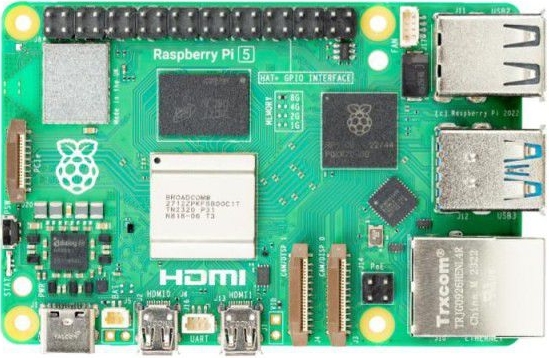
Show Original Post
x (@x@social.wrpr.us)
I barely use fedi things. yet I use #snac2 more than anything else I host other than #searx. It's time to downsize I think. The current incarnation of wrpr.us has lasted 3 years without major incident, i.e disk corruption. Which I think is pretty good for an sd card on an old #RaspberryPi. If an rpi can last this long, up-cycling a proper retired PC with a #BSD flavor will last decades. Might throw some solar panels at this thing or am I dreaming of systems like low tech magazines setup.
Show Original Post
lectronz (@lectronz@mastodon.social)
New on Lectronz: AQEX STUBBORN STAMINA LF UPS HAT for the Pi https://lectronz.com/products/aqex-stubborn-stamina-lf-ups-hat-for-the-pi
#RaspberryPi #PowerManagement #Power
Show Original Post
r (@r@fed.brid.gy)
Orange Pi Zero 3W – An Allwinner A733 SBC in Raspberry Pi Zero form factor
Show Original Post
in_sympathy (@in_sympathy@mastodon.social)
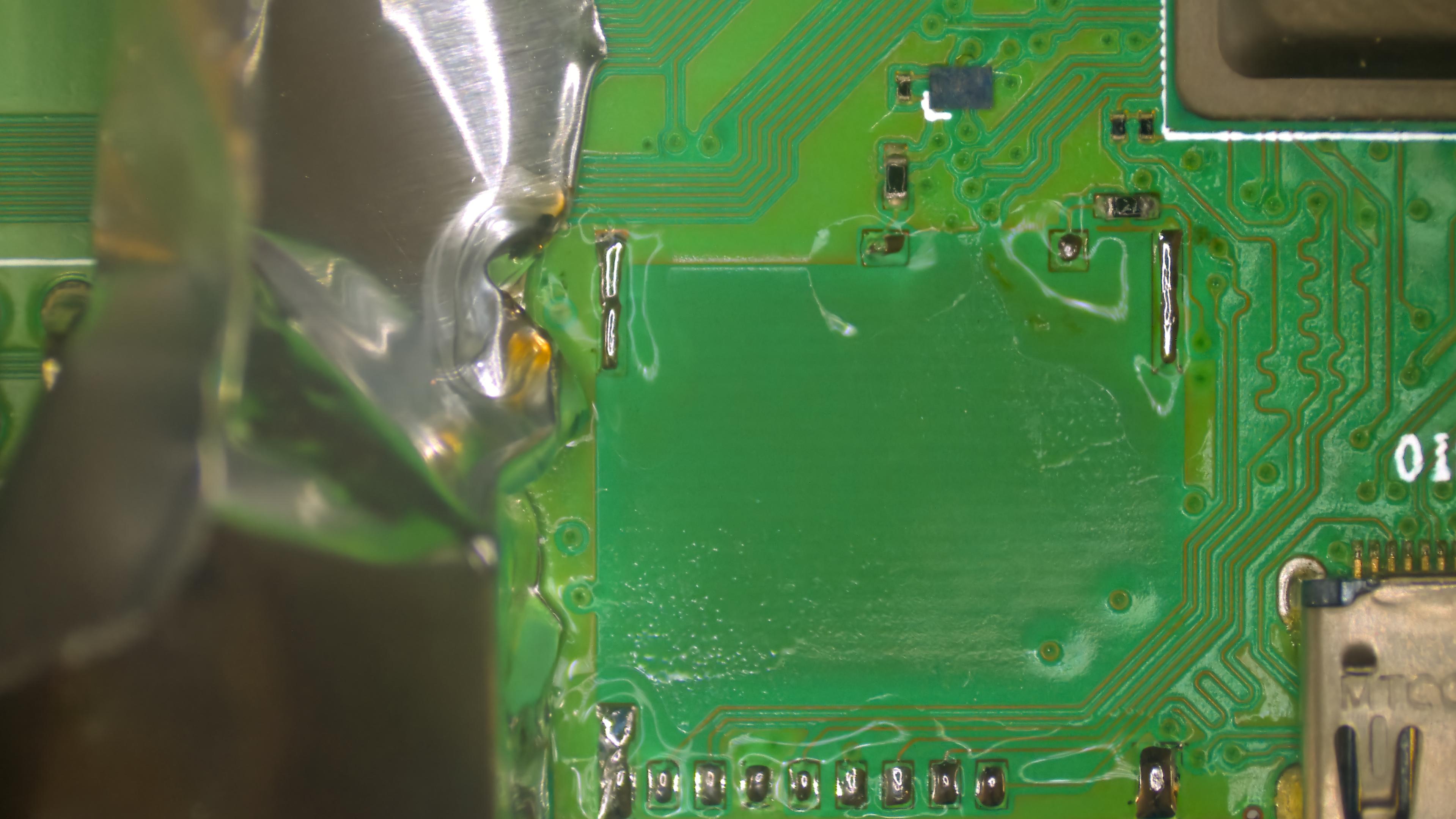
Something new on the bench - Raspberry Pi 400. This one had a broken micro SD card latch, so I had to replace the slot with a brand new one. Luckily I bought a few for a Jetson Nano back in a day and they are exactly the same ✅.
Then - as always - I ran a stress test and my god this thing has amazing cooling - that internal heatsink is the best mechanism I've ever seen on a Raspberry Pi - 40°C at max load. Wow 🤩.
#RaspberryPi #RaspberryPi400 #sbc #electronicsrepair #electronics #linux
Show Original Post
MakeMagazinDE (@MakeMagazinDE@social.heise.de)
Linux-Terminal mit Display und Tastatur für unterwegs
Mit integriertem Display und Tastatur wird der Raspberry Pi zum mobilen Linux-Terminal für Maker.
Show Original Post