darkosubotica (@darkosubotica@hachyderm.io)
Who wants to build a P(i)DP-8? ❤️
#raspberrypi #pdp8 #electronics
Show Original Post
gallaugher (@gallaugher@mastodon.world)
At this point in the semester my #CircuitPython students move from the Circuit Playground Bluefruit to the #RaspberryPi Pico 2W. This lesson explains how to make the move at a similar point for anyone following along our course playlist: https://youtu.be/RPI10l3vCWk?si=9a2q5Pskds91MteH
Show Original Post
s4rkn (@s4rkn@mastodon.nz)
Huuuu
do I need those 3 large-ish process on a raspberry pi to get my wifi up and running?
Feel like a waste on that pizero with just 512MiB of RAM
It's their default lite os using debian 13 :/

Show Original Post
2026 (@2026@edafe.de)
How to install Espanso on Debian or Ubuntu or Raspberry Pi OS
“Replace ‘:poke’ with ‘Pokémon,’ or save some time by replacing ‘:greeting’ with a stock email template. That’s the basic idea, but Espanso goes much further. It’s one of the most powerful utilities I’ve used, and if you’re willing to do a bit of legwork to set it up properly, it can be one of the most powerful tools on your PC, too”, writes Jacob Roach.
Installing Espanso for Wayland
Espanso is a cross-platform text expander written in Rust. Follow these instructions to install Espanso 2.3.0 for Wayland on your Debian-based distribution.
Compiling from source
If you are installing on any platform other than amd64 or simply prefer compiling software from source, start at Step 1.
Using the Debian binary package
If you are installing on amd64 hardware and would like to use the binary package for installation, start at Step 7.
Step 1
Install the required packages from your distribution’s software repository.
$ sudo apt install --yes build-essential git libdbus-1-dev libssl-dev libwxgtk3.*-dev libxkbcommon-dev wl-clipboardStep 2
Download and install the Rust Programming Language.
$ curl --proto '=https' --tlsv1.2 -sSf https://sh.rustup.rs | shSelect option 1) – just press enter.
1) Proceed with standard installation (default - just press enter)
2) Customize installation
3) Cancel installation
>
Step 3
Reload the PATH environment variable to include Cargo, which is the build tool for Rust.
$ source "$HOME/.cargo/env"Step 4
Clone the espanso GitHub repository onto your local machine.
$ git clone https://github.com/espanso/espanso "$HOME/git/espanso"Step 5
Compile espanso in release mode.
$ cd "$HOME/git/espanso" && cargo build -p espanso --release --no-default-features --features modulo,vendored-tls,waylandStep 6
Move espanso the /usr/local/bin directory.
$ sudo mv "$HOME/git/espanso/target/release/espanso" /usr/local/bin/ Step 7
Install the required packages from your distribution’s software repository.
$ sudo apt-get install --yes libwxgtk3.2-1t64 wl-clipboardStep 8
Download espanso-debian-wayland-amd64.deb onto your local machine.
$ wget -P "$HOME/Downloads/" --show-progress https://github.com/espanso/espanso/releases/download/v2.3.0/espanso-debian-wayland-amd64.debStep 9
Install the downloaded package.
$ sudo dpkg -i "$HOME/Downloads/espanso-debian-wayland-amd64.deb" Step 10
Give espanso the permissions required for its operation.
$ sudo setcap "cap_dac_override+p" $(which espanso)Check to see whether the espanso binary was installed successfully.
$ espanso --versionStep 11
Register espanso as a systemd service and launch the program.
$ espanso service register && espanso start && espanso statusUse the wizard and start with a practical example.
Step 12
After completing the wizard, use [Alt + Space] to open the search bar.
GNOME and PIXEL desktops only
Change the default shortcut for opening the search bar to resolve an existing conflict.
$ sed -i 's/search_shortcut: ALT+SPACE/search_shortcut: ALT+SHIFT+SPACE/' "$HOME/.config/espanso/config/default.yml"Use [Alt + Shift + Space] to open the search bar.
Experimental support for Wayland
Espanso has some known limitations under Wayland. Most notably, “there is currently no support for App-specific configurations”.
#crossplatform #debian #espanso #linux #linuxmint #macos #raspberrypi #raspi #rpi #rust #ubuntu #wayland #windows #yearofthelinuxdesktop
Show Original Post
13 (@13@2137.social)
Custom Clamshell Cyberdeck Shows Off Underlighting https://hackaday.com/2026/02/13/custom-clamshell-cyberdeck-shows-off-underlighting/
#Cyberdecks #RaspberryPi #Clamshell #Cyberdeck #Diy #Hardwaredesign #QMK
Show Original Post
epood (@epood@mastodon.social)
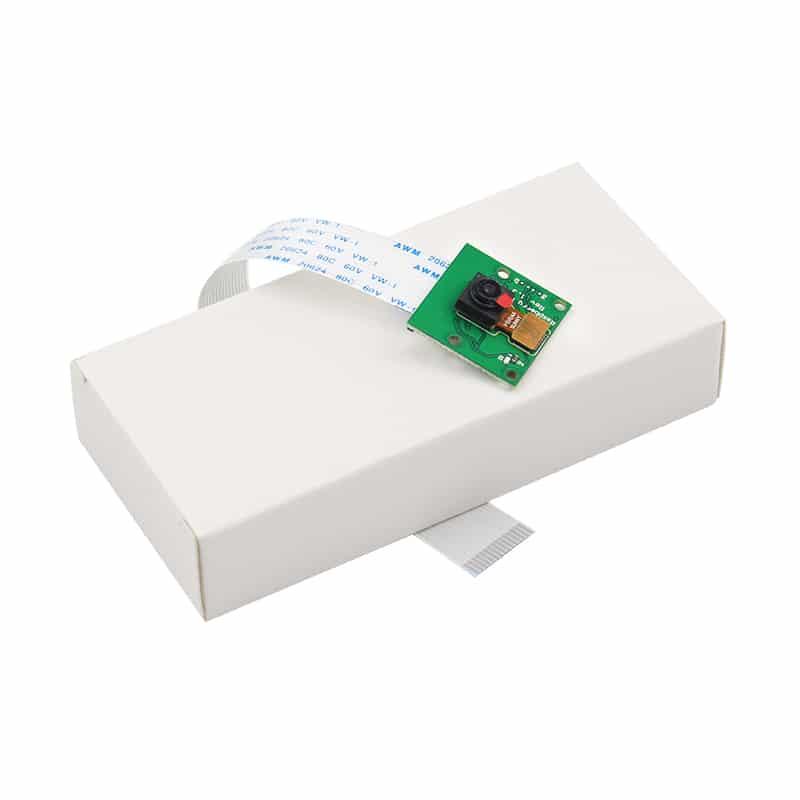
Raspberry Pi 3 Mudel B+: Tõhus Raspberry Pi 3 Mudel B+ lahendus.
Avasta Raspberry Pi 3 Mudel B+ võimalused, mis viivad sinu projektid uuele tasemele. Telli ja alusta innovatsiooni! https://tootemaailm.ee/raspberry-pi-3-mudel-b/ #RaspberryPi #Tehnoloogia #Innovatsioon #ProjektiIdeed #MudeliBPlus
Show Original Post
RPiSpy (@RPiSpy@mastodon.social)
Custom Clamshell Cyberdeck Shows Off Underlighting https://hackaday.com/2026/02/13/custom-clamshell-cyberdeck-shows-off-underlighting/ #RaspberryPi (via Raspberry Pi – Hackaday)
Show Original Post
r (@r@fed.brid.gy)
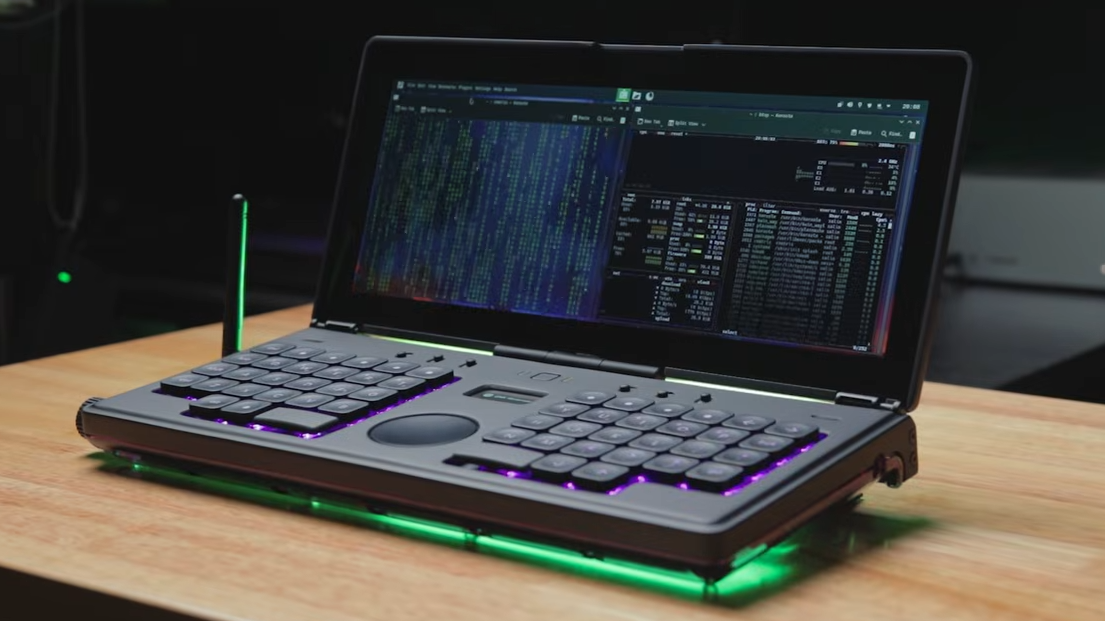
Custom Clamshell Cyberdeck Shows Off Underlighting

Show Original Post
r (@r@web.brid.gy)
Custom Clamshell Cyberdeck Shows Off Underlighting
Show Original Post
ghalfacree (@ghalfacree@mastodon.social)
Good news for those looking to bring a #RaspberryPi Compute Module-powered device to market next, as the company says it'll help with any certification tweaks needed if you're planning on deploying with a custom antenna.
Show Original Post
hybridgroup (@hybridgroup@mastodon.social)
Just released yzma 1.8 with what Go coders need:
- latest llama.cpp features/models such as ModelFitParams
- @raspberrypi & #nvidia Jetson Orin quick installs
- more benchmarks
go get it right now!
https://github.com/hybridgroup/yzma
#golang #ml #llama #llamacpp #cuda #vulkan #raspberrypi #nvidia
Show Original Post
mozes (@mozes@fosstodon.org)
Hacking the RPi5 support into Slackware AArch64. The Installer will now offer to transition to the RPi vendor fork kernel to bridge any gaps in mainline. It transitions to the OS Kernel package ok, configures the OS and boot loader correctly, but crashes when booting the vendor fork Kernel due to a busted initrd (I think). Rebuilding with a fix for testing next week! #slackware #raspberryPi #linux #opensource

Show Original Post