dimitribouniol (@dimitribouniol@mastodon.social)
I'm making a seasonal anime guide app, in the open for all to experience and learn from.
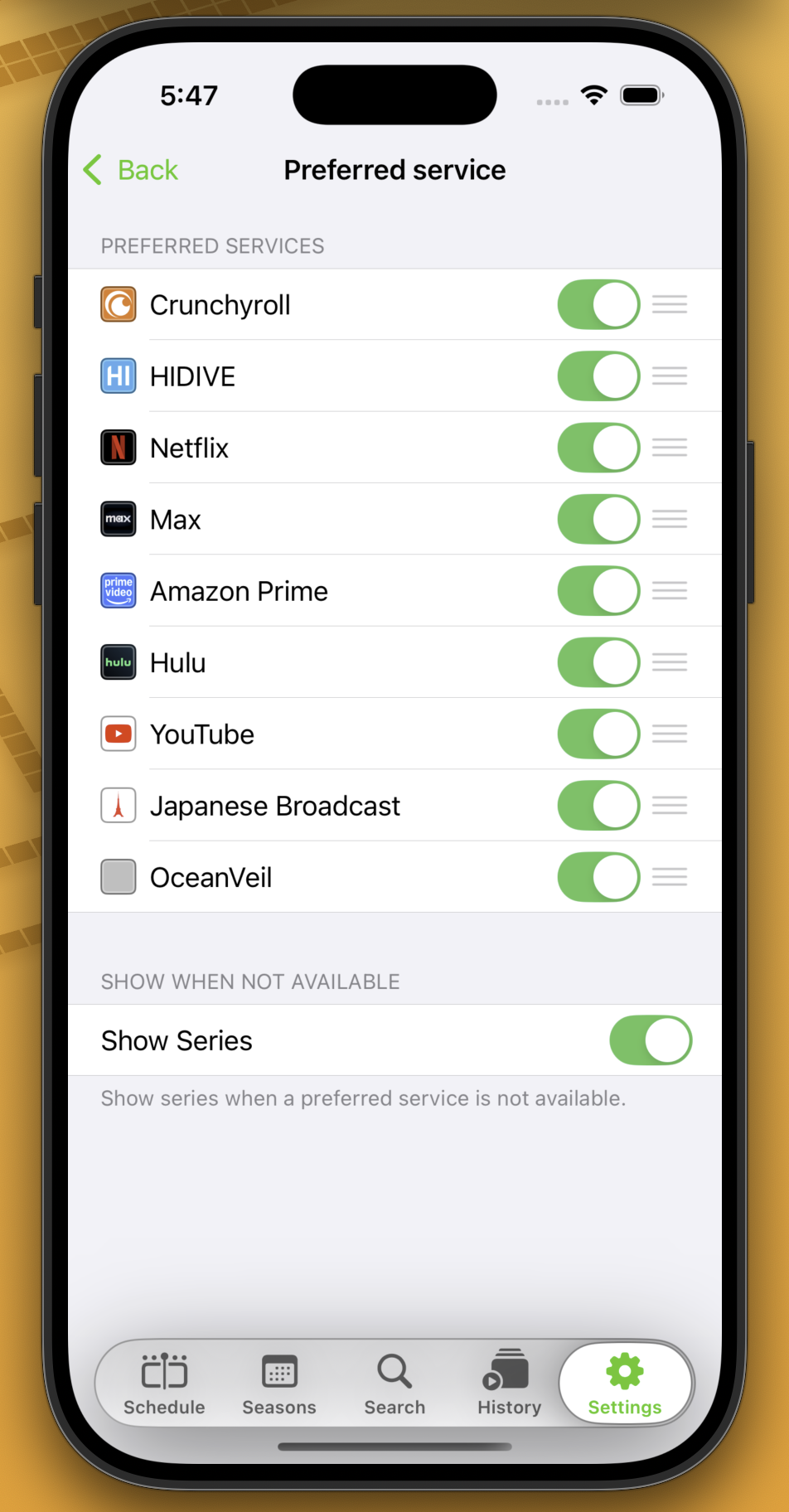
Let's clean up reordering on iOS, and make sure the screen works on tvOS and visionOS as well!
#Jiiiii #DevStream #tvOS #visionOS #macOS #iOS #iPadOS #Anime #SwiftLang #SwiftUI #Vapor #WebAuthn #BuildInPublic #TestFlight #PWA #WebPush
Come chill with me: https://youtube.com/live/vfZexVJfP3A
Show Original Post
gsdlog (@gsdlog@mastodon.social)
Just spent 20 minutes wondering why a SwiftUI preview wasn’t updating… turns out I forgot to hit Save 🙃 #iOSDev #SwiftUI
Show Original Post
mlysons (@mlysons@iosdev.space)
Does Package.resolved need to be in my git repo? Xcode Cloud is whining about it and I don’t know if putting the file in my repo will fix it or not. I’m assuming it should be!??! #xcodecloud #xcode #SwiftLang #SwiftUI
Show Original Post
helge (@helge@mastodon.social)
The biggest flaw of #SwiftUI is that proficient, but new to it, developers arbitrarily attach modifiers to things until they seem to work (because they are senior and know better).
Vs learning how SwiftUI actually works, and *then* let the LLM arbitrarily attach modifiers to things until they seem to work.
Show Original Post
patrickmcconnell (@patrickmcconnell@mastodon.social)
If you always wanted 3,500 words on the process of writing a native #macOS 100% #SwiftUI app have I got a post for you:
Review of Your Submission is Complete: https://pmcconnell.micro.blog/2025/08/07/review-of-your-submission-is.html
Show Original Post
dimitribouniol (@dimitribouniol@mastodon.social)
Finished a first pass at service and language order preferences on iOS. Tomorrow, let's clean up the animations when toggling different rows, and start testing on tvOS. See you then!
🔜 Tomorrow’s stream: https://youtube.com/live/vfZexVJfP3A
⏮️ Playlist so far: https://www.youtube.com/playlist?list=PLRxjf93xotuofCtaxtGOcWeuxVZYJyY-m
📲 Download Jiiiii: https://apps.apple.com/app/apple-store/id6472801548?pt=14724&ct=MastodonCCStreams&mt=8
#Jiiiii #DevStream #tvOS #visionOS #macOS #iOS #iPadOS #Anime #Swift #SwiftUI #Vapor #WebAuthn #BuildInPublic #TestFlight #PWA #WebPush
Show Original Post
Orlando (@Orlando@iosdev.space)
Wtf transition is this?? #ios26 #iosdev #swiftui #magicthegathering
Show Original Post
dimitribouniol (@dimitribouniol@mastodon.social)
I'm making a seasonal anime guide app, in the open for all to experience and learn from.
Let's add some final options, and start building the UI for other platforms!
#Jiiiii #DevStream #tvOS #visionOS #macOS #iOS #iPadOS #Anime #SwiftLang #SwiftUI #Vapor #WebAuthn #BuildInPublic #TestFlight #PWA #WebPush
Come chill with me: https://youtube.com/live/a3y_lUrMseU
Show Original Post
nicoreese (@nicoreese@mastodon.social)
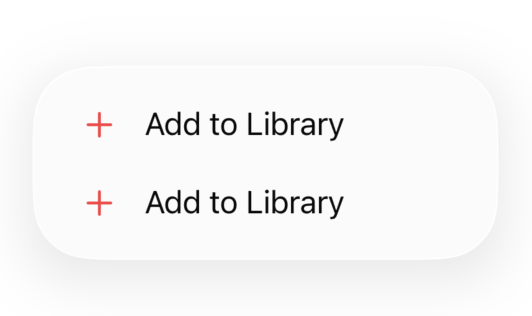
FB18412824 - Using the tint modifier on Menu affects icon color inside the menu
Show Original Post
davidcafor (@davidcafor@mastodon.social)
Been working on the Settings View for my iOS app — still a work in progress, but it’s finally taking shape.
Sharing a quick peek at the current design, including the Developer Mode toggle 👨💻
Would love your thoughts or suggestions!
#iOSDev #SwiftUI #IndieDev #buildinpublic
Show Original Post
cocoafrog (@cocoafrog@hachyderm.io)
You cannot make two views in different hierarchies the same size. Containment-based layout is good enough.
The #SwiftUI View Body instrument only shows body executions despite a lot of work happening in other parts of the code. Leaf views like Text and container views like V/HStack also don’t have body getters so they also don’t show up. Having view bodies from your own named views show up + *some* SwiftUI views is good enough. (Note: the SwiftUI instrument in Instruments 26 was *significantly* improved. I believe it fixes some of these issues no have not formed an opinion on it, yet)
A SwiftUI Form view in the grouped style is embedded into its own scroll view. In the grouped style it’s not in a scroll view. There is no way to get rid of the scroll view around a grouped form to eg embed it in your own scroll view with additional UI. Having Form only work well if it’s filling the whole content of the current container is good enough.
Being able to completely disable interactive dismiss of sheets is good enough. There is no need to have a delegate callback (like in UIKit) that would allow putting up a confirmation dialog if data would be lost by „swipe to dismiss“. You can either turn it in or off, that’s it.
Applying a background modifier to a Grid does not actually set the background of the grid but only of all the individual grid elements. That’s good enough.
Our design Toolkits for Figma and Sketch still contain the default cell styles from UIKit (single label, title + subtitle label, label + value) but there isn’t actually any way to easily create these in SwiftUI. It’s good enough to have devs work with designers to figure out what the precise measurements, fonts etc. in Figma are to try to replicate what‘s sold to designers as a default component in SwiftUI.
Who needs a target-action-first-responder pattern in menus? Action closures should be good enough for everyone. It you really want to, you can just call NSApplication to invoke that responder chain manually from the closure.
Show Original Post
cocoafrog (@cocoafrog@hachyderm.io)
The more I think about it everything about #SwiftUI and around it feels like „good enough“ (admittedly in a fairly high level of „good enough“, but decidedly *not* excellent).
The View Debugger *still* doesn’t work with SwiftUI. Using colored backgrounds in code for debugging is good enough.
SwiftUI doesn’t have overview system documentation (how do I *think* about SwiftUI? what’s good architecture with SwiftUI? Etc.). Having (admitted mostly good and fairly complete) documentation for individual types is good enough.
In the official SwiftUI tutorials basically everything is about iOS. Only in the very last chapter a Mac app is added. It’s created as separate target, despite Xcode supporting unified targets for iOS and macOS for several years now, there just wasn’t time to update it. The Mac app also only has about half the functionality of the iOS app because it turns out about half the patterns used in the iOS app don’t actually work well on macOS. It’s good enough that we proved that some of that code can run on macOS, we don’t need feature parity or keep it up to date.
We updated the Earthquakes sample app to use SwiftUI (and SwiftData) from UIKit (and CoreData). Originally it displayed a whole month of earthquakes. But that was too slow when using the new frameworks. So we’ll just change the sample app to show only the last 24 hours of earthquakes. That‘s good enough to demonstrate the concepts.
SwiftUI contains *a lot* of symbols, which makes it symbols file really large. So we strip the symbols from the framework when shipping the OS despite this meaning all SwiftUI frames in the debugger, in crash reports (maybe except for the ones coming from Apple itself) and Instruments will be unsymbolicated. We do this to save a few megabytes of OS size on disk. Stripping the symbols and giving only unsymbolicated frames to developers is good enough. (Note: this was fixed in iOS 18 and aligned releases, but I’m still bitter about it.)
Show Original Post