patrickmcconnell (@patrickmcconnell@mastodon.social)
Prior to iOS26 when you used .searchable on a view by default the searchfield was placed at the top of the view.
Now the searchfield is overlaid on the bottom of the view.
In addition to the oft mentioned legibility issues it also creates an issue by leaving all the space on the top of the view where the searchfield was in prior versions.
This can be dealt with thru negative padding but if it's a bug (and I assume it is) what happens to this padding when the bug is fixed?
Show Original Post
nicoreese (@nicoreese@mastodon.social)
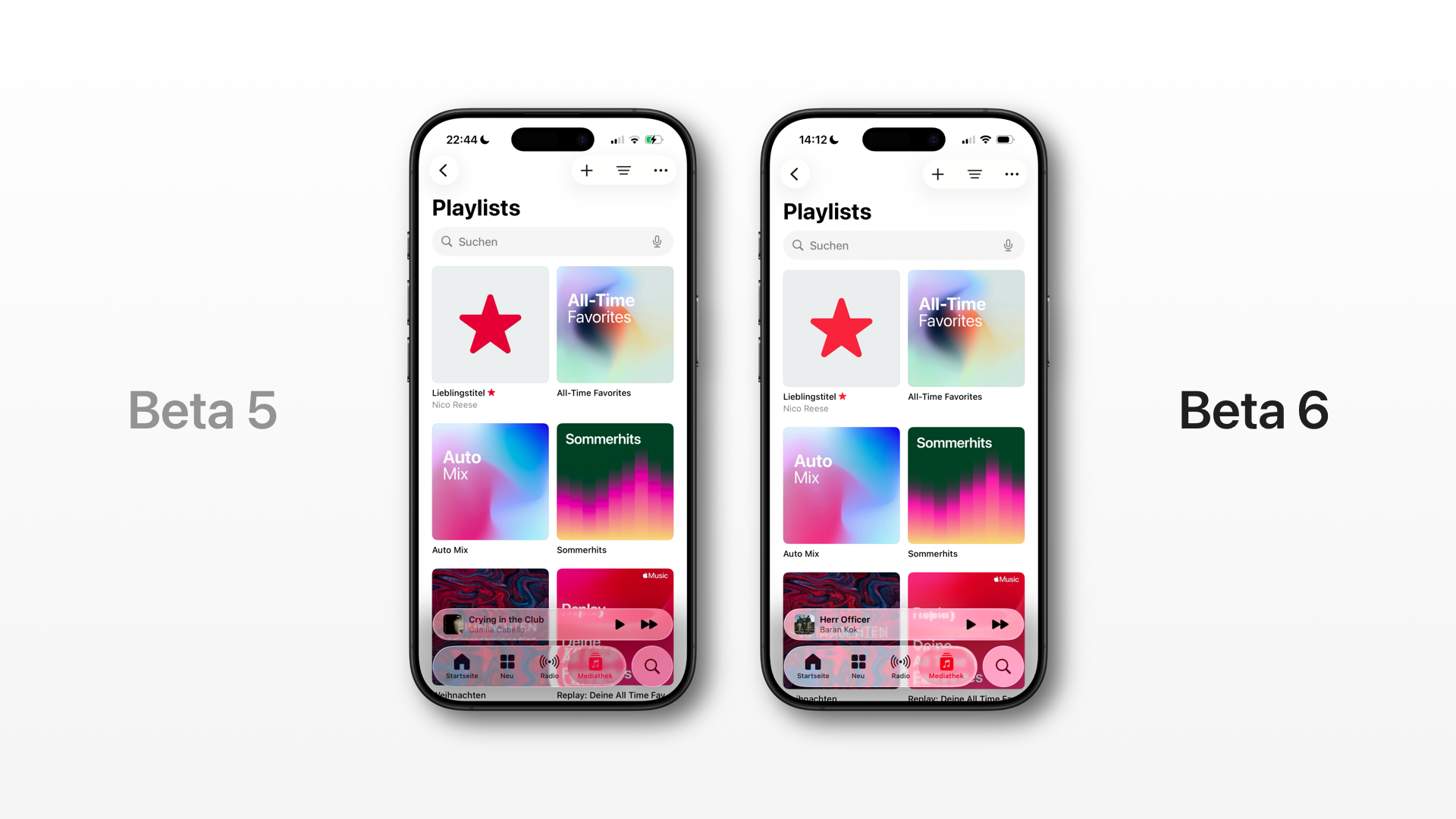
It's subtle but they have finally adjusted the safe area at the top in beta 6 so that buttons no longer almost touch the Dynamic Island. Much better! #SwiftUI #UIKit #iOS26
Show Original Post
dimitribouniol (@dimitribouniol@mastodon.social)
Added regional availability checks to make sure a given region has access to watch a series. Tomorrow, let's start integrating this into the backend and push that out. See you then!
🔜 Tomorrow’s stream: https://youtube.com/live/pibOUqivHz4
⏮️ Playlist so far: https://www.youtube.com/playlist?list=PLRxjf93xotuofCtaxtGOcWeuxVZYJyY-m
📲 Download Jiiiii: https://apps.apple.com/app/apple-store/id6472801548?pt=14724&ct=MastodonCCStreams&mt=8
#Jiiiii #DevStream #tvOS #visionOS #macOS #iOS #iPadOS #Anime #Swift #SwiftUI #Vapor #WebAuthn #BuildInPublic #TestFlight #PWA #WebPush
Show Original Post
dimitribouniol (@dimitribouniol@mastodon.social)
I'm making a seasonal anime guide app, in the open for all to experience and learn from.
Short stream today, but let's figure out how we can determine if a user's region would allow them access to a given series!
#Jiiiii #DevStream #tvOS #visionOS #macOS #iOS #iPadOS #Anime #SwiftLang #SwiftUI #Vapor #WebAuthn #BuildInPublic #TestFlight #PWA #WebPush
Come chill with me: https://youtube.com/live/AfSZlv30FYA
Show Original Post
hannesmnagel (@hannesmnagel@mastodon.social)
Does anyone please have any Idea how to render a SwiftUI RealityView to an image or better video?
Using ImageRenderer doesn't work, with that view.
#SwiftUI
Show Original Post
nicoreese (@nicoreese@mastodon.social)
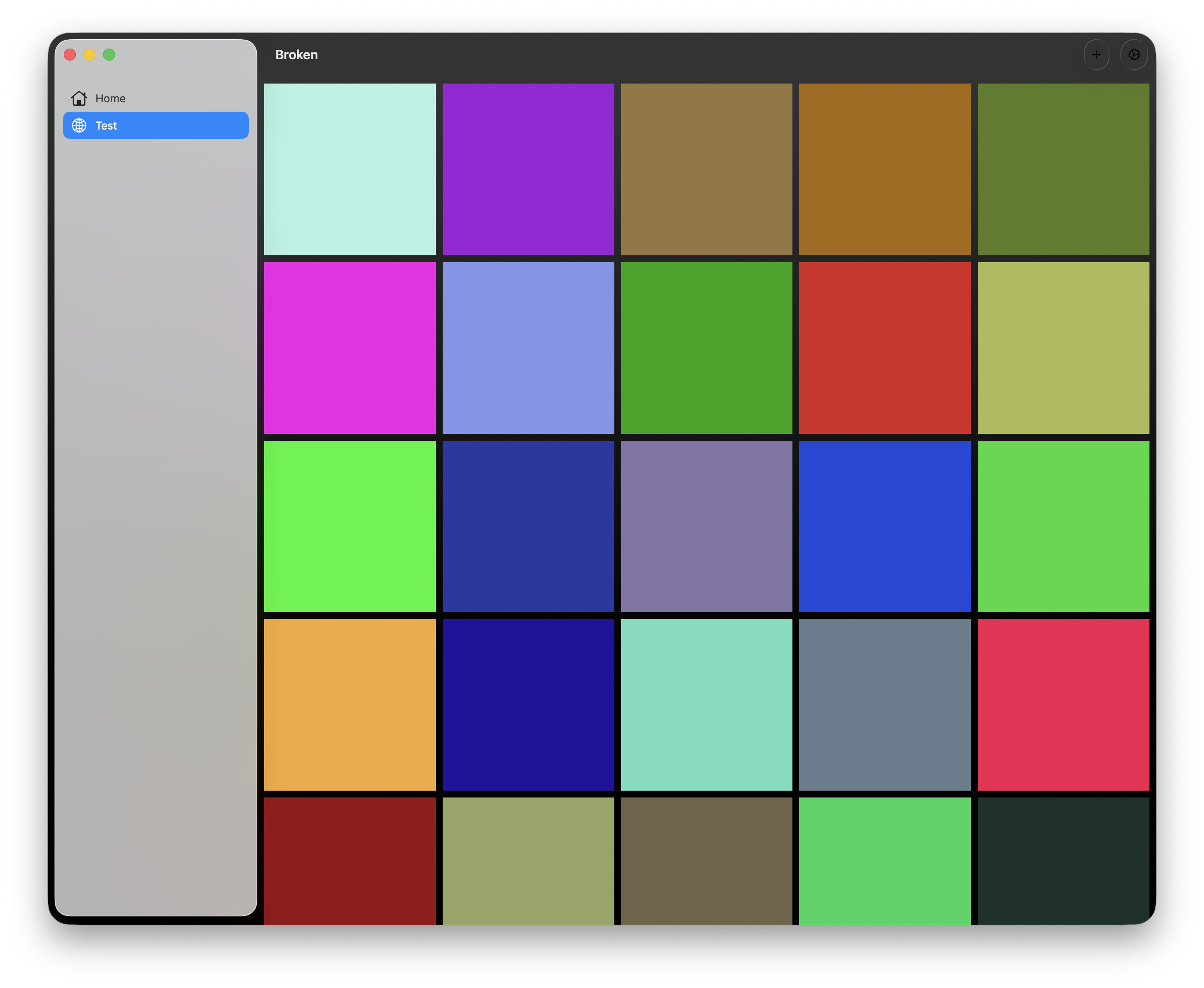
It's beta 6 and this is what you get when running a pretty much empty Multiplatform project on macOS using #SwiftUI.
Show Original Post
eternalstorms (@eternalstorms@mastodon.social)
One line in #AppKit.
A thousand in #SwiftUI.
🤦♂️

Show Original Post
wtfSwiftUI (@wtfSwiftUI@iosdev.space)
#SwiftUI is soooo broken for it’s alleged “cross-platform” use 🤬.
Today’s rage-inducing discovery: GeometryReader works significantly differently on macOS vs. iOS.
On iOS, the geometry height and width are correct.
For a view (ScrollView, in my case) shown in a macOS Window, the `geometry.size.width` will always be 900, no matter the actual size, and the `geometry.size.height` will be from 422 to 450, again without regard to the actual height of the window.
Show Original Post
refactoredd (@refactoredd@mastodon.online)
Has anyone else found that the SwiftUI modifier .buttonStyle(.glassProminent) doesn't work properly on the iPad's sidebar using NavigationSplitView? This is running on beta 6. I'm trying to give the add folder button that look like I do in the middle column for adding a link to that selected folder.

Show Original Post
swiftdevjournal (@swiftdevjournal@mastodon.world)
If you have a list in your SwiftUI app for an array of structs and find the list doesn’t update when you add a new item to the list, you may need to change the struct to a class.
In the prototype of a Mac Jujutsu client, I have a list that shows the changes (commits) in a repo. I used a struct for the Change data structure. The list wouldn’t update when I added changes. I had to switch to a class to get the list to update.
Show Original Post
patrickmcconnell (@patrickmcconnell@mastodon.social)
You can use AppStorage in #SwiftUI rather than passing values between views.
Don't use it only to avoid passing a value but if you are already storing something in AppStorage just refer to that rather than passing view parameters.
Mostly reminding myself.
Show Original Post
sandor (@sandor@social.appbakery.ee)
I really need to fix this bug with game timer start / stop when the game is put into background. Otherwise it seems I’ve been playing for almost 16 days!
Please help testing my solitaire game testflight.apple.com/join/5nXdQw3q
#swiftui #indiedev #game

Show Original Post