weetwo (@weetwo@mastodon.gamedev.place)
My first attempt at a Prince-of-Persia level style. It's unclear what makes a level fun, so this is just noodling—but the editor works.
This grid is 9x100, each tile a ZLayer of layers. The selected tile at 5, 19, for instance, draws part of the floor, a column, and the top ledge portion of the side wall below.
Appearance depends on the tileset, with bricks shown here.
I don't want to imitate the PoP style, but thought it a worthwhile exercise to get to what I *do* want to build.

Show Original Post
jncn (@jncn@mastodon.social)
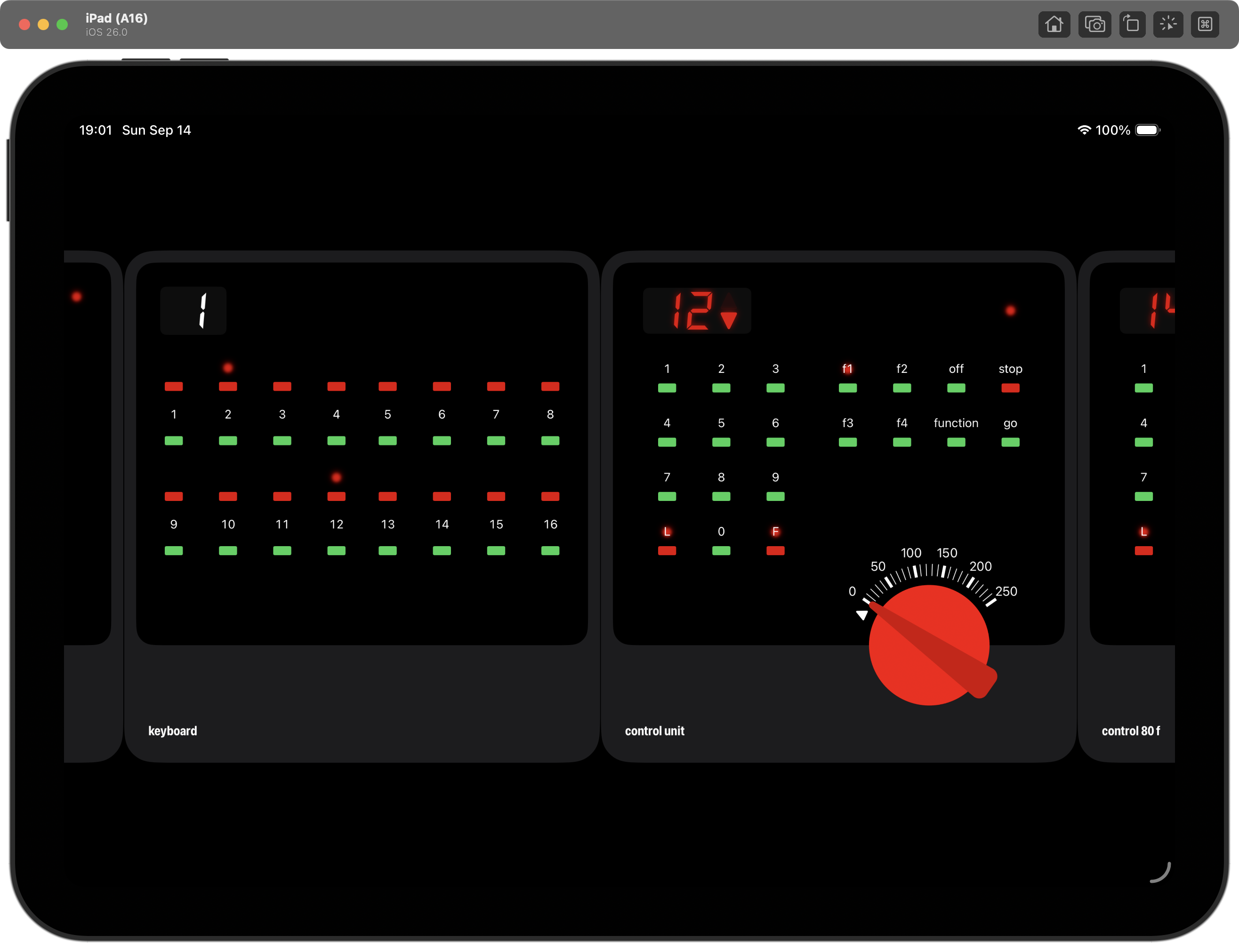
Making progress with this weekend project, as I've added other modules Märklin offered back in the day. It's now possible to control multiple locomotives at the same time with the control unit and control 80 f modules. The keyboard controls turnouts, signals, …
#ScreenshotSunday #SwiftUI #IndieDev
Show Original Post
fabio (@fabio@iosdev.space)
and done! released for #iOS26 #SwiftUI #iOSDev #iOSDeveloper #BuildInPublic #AppDev #IndieDev #IndiApp
Show Original Post
nicoreese (@nicoreese@mastodon.social)
How is it possible that changes in #CoreData relationships still do not update the UI in #SwiftUI automatically? Need to call `game.objectWillChange.send()` to make it work. And even that does not work 100% of the time.
Show Original Post
azamsharp (@azamsharp@iosdev.space)
View Composition in SwiftUI
https://youtu.be/JvCsCAt5UC8
Show Original Post
vrhermit (@vrhermit@mastodon.social)
We can use the onWorldRecenter view modifier to perform a block of code when the user re-centers (Press and hold the Digital Crown).
#visionOS #SwiftUI #AppleVisionPro
https://stepinto.vision/example-code/spatial-swiftui-onworldrecenter/
Show Original Post
gingerbeardman (@gingerbeardman@mastodon.gamedev.place)
sfxr Next—definitely absolutely no more features
- sound colours are now shown in mixed waveform preview
- mini previews for each sound (optional)
- status bar with info and render quality dropdowns
#screenshotsunday #indiedev #gamedev #sfxr #soundfx #macos #macdev #swiftui

Show Original Post
nicoreese (@nicoreese@mastodon.social)
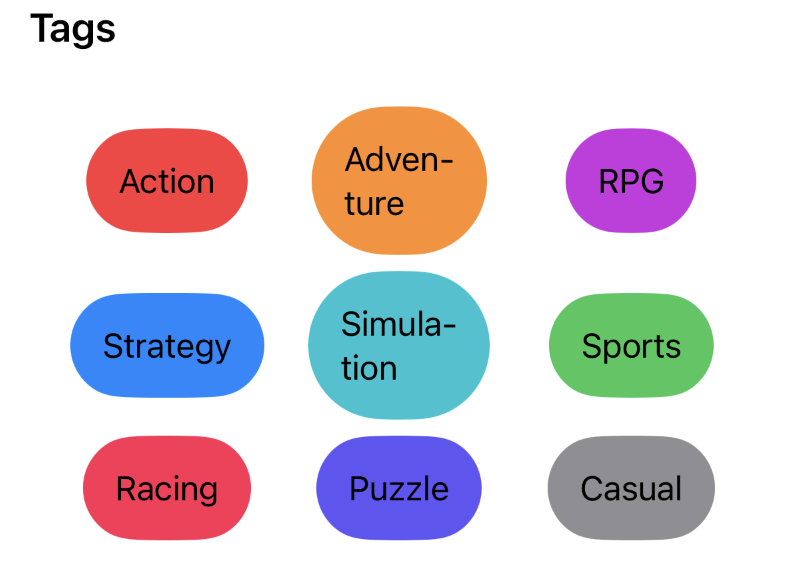
What's the best view type for achieving a grid with dynamic columns? Fit as many items per row as possible, then move to the next row.
Seems like LazyVGrid/HGrid do not support this well?
Show Original Post
everyplace (@everyplace@mastodon.social)
The top feature request at this point is more flexibility around available font sheets. I loved the “real” sheet selection UI but it isn’t scalable to the number of sheets people want. I can’t just have sliders as each size should allow for a distinct configuration, but this is directionally consistent with where I’m going.
Show Original Post
dimitribouniol (@dimitribouniol@mastodon.social)
Once again (as is tradition at this point) struggling to pick the exact right hues for all the different seasonal motifs, but I think I’m getting better? Tomorrow let's add it to the app and send out a build. See you then!
🔜 Tomorrow’s stream: https://youtube.com/live/DxLxoDmpaR8
⏮️ Playlist so far: https://www.youtube.com/playlist?list=PLRxjf93xotuofCtaxtGOcWeuxVZYJyY-m
📲 Download Jiiiii: https://apps.apple.com/app/apple-store/id6472801548?pt=14724&ct=MastodonCCStreams&mt=8
#Jiiiii #DevStream #tvOS #visionOS #macOS #iOS #iPadOS #Anime #Swift #SwiftUI #Vapor #WebAuthn #BuildInPublic #TestFlight #PWA #WebPush

Show Original Post
dimitribouniol (@dimitribouniol@mastodon.social)
I'm making a seasonal anime guide app, in the open for all to experience and learn from.
Let's start working on the 2025 fall icon!
#Jiiiii #DevStream #tvOS #visionOS #macOS #iOS #iPadOS #Anime #SwiftLang #SwiftUI #Vapor #WebAuthn #BuildInPublic #TestFlight #PWA #WebPush
Come chill with me: https://youtube.com/live/SCJrdnxvIpA
Show Original Post
markbattistella (@markbattistella@mastodon.au)
am i holding it wrong? SwiftUI hierarchical shapes for .quartenary and .quinary are exactly the same?
i’m trying to mimic it with opacity so i can use them in a LinearGradient but then in my mapping the last two are the same?
Show Original Post