donwebmedia (@donwebmedia@mastodon.social)
¡30+ Plugins WordPress Comprometidos por Backdoors!
Descubre cómo 30+ plugins WordPress fueron backdoorados. Guía de detección, eliminación y protección. Análisis Wordfence. ¡Protege tu sitio ya!
https://seguridadenwordpress.com/plugins-wordpress-backdoor-30-comprometidos-2026/
#wordpress #seguridad #plugins #backdoor #wordfence
Show Original Post
honorat79 (@honorat79@mastodon.social)
Mi nuevo #articulo de la semana... Metro 2039 ya es oficial y análisis: Metro Exodus: Analizando pros y contras
Hoy hablo de la vuelta de una gran saga, #seguidme aquí 👇
https://honorat79.wordpress.com/2026/04/16/metro-2039-ya-es-oficial-y-analisis-metro-exodus-analizando-pros-y-contras/
#gamer #wordpress #gamedev #PS5 #XboxSeriesX #PC #Pixelart #blog #Metro2039
Show Original Post
donwebmedia (@donwebmedia@mastodon.social)
WordCamp Europe 2026: ¡La Agenda Está Aquí!
Descubre la agenda de WordCamp Europe 2026 con 60+ sesiones sobre WordPress, accesibilidad e IA. Consulta el horario y elige tus talleres favoritos.
https://seguridadenwordpress.com/wordcamp-asia-2026-wordpress-novedades/
#wordcamp #wordpress #conferencia #desarrollo #comunidad
Show Original Post
donwebmedia (@donwebmedia@mastodon.social)
Helpmate Plugin: El CRM IA que revoluciona WordPress
Helpmate Plugin es un CRM con IA integrada para WordPress que automatiza el chat social y gestiona clientes de forma inteligente. Descubre cómo.
https://seguridadenwordpress.com/helpmate-plugin-wordpress-crm-ia/
#helpmate #crm #wordpress #inteligenciaartificial #chatia
Show Original Post
PKYo (@PKYo@kind.social)
I BEAT THE MACHINE!
FINALLY, after years of very occasional trying and giving up, in my WordPress theme I managed to override the default CSS for the H1 entry-title class, on web pages. Now it's finally a decent size, format, and spacing.
Previously the title text was tiny, all caps, and so bold as to need Ozempic™.
I had to set my custom CSS to
!important. I suppose that's cheating, but a win by any other name smells as sweet.
#WordPress #CSS #theme #win #victory
Show Original Post
wpbot (@wpbot@wptoots.social)
Wrap Up – WordPress Credits https://wordpress.tv/2026/04/18/wrap-up-wordpress-credits/ #WordPress #wpmisc
Show Original Post
felhasznalo (@felhasznalo@social.99113377.xyz)
És azért a #CLI modellek hasznosságát sem szabad elfelejteni.
Jelenleg a #Codex optimalizál egy #Wordpress témát és elég nagy sikerrel.

Show Original Post
fediverse (@fediverse@mueen.dev)
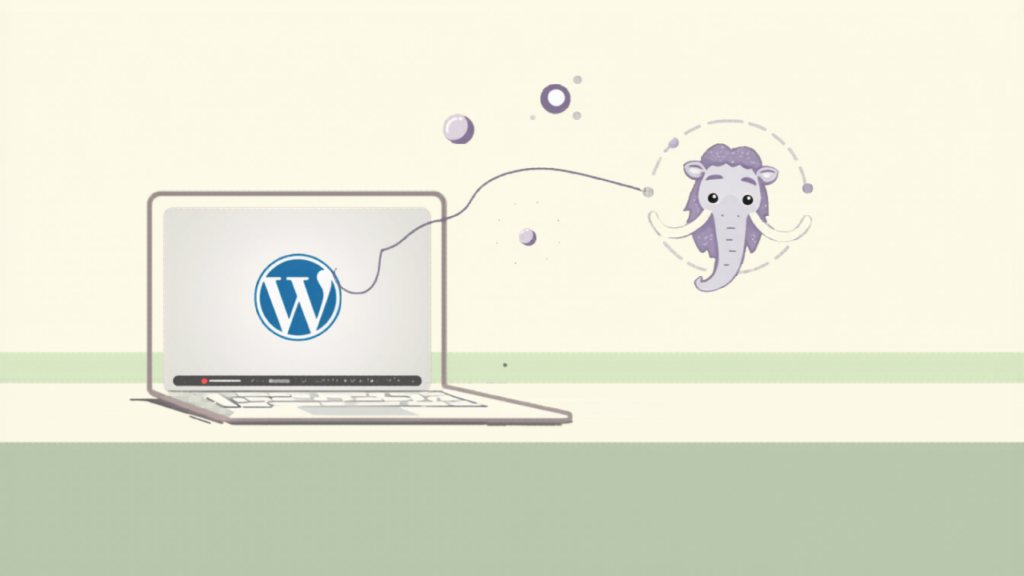
WordPress Posts Truncated on Mastodon? Here’s How to Show the Full Content
If your WordPress posts appear broken or are not fully shown on Mastodon or other fediverse applications, it’s likely because the platform is using the post’s summary (or excerpt) instead of the full content.
To fix this:
- Use the “Status” post format: In the WordPress Block Editor, set your post’s format to “Status”.
You can also set “Status” as the default format for all posts by going to Settings > Writing:
WordPress Writing Settings2. Update existing posts: If you changed the template or settings after publishing, edit and update the post to resend it with the correct formatting.
After that posts will appear normally on Mastodon:
Mastodon Post by MeWhat does Post Format do in WordPress?
In WordPress, a Post Format is a piece of meta information that tells the theme how to visually style or present a specific post. It allows you to display different types of content – like a short status update, a quote, a gallery, or a video – in a unique way that’s appropriate for that content.
For example, a “Status” format might display only the post content in a minimal style (ideal for short updates), while a “Quote” format might style the text with large quotation marks and center it on the page.
For the Fediverse, when using the ActivityPub plugin, selecting the “Status” format is crucial as it instructs the plugin to send the full post content to platforms like Mastodon, preventing it from being truncated.
Show Original Post
ml (@ml@social.mitexleo.one)
TIL:
If you set post format to "Status" on WordPress, the post will display properly on Mastodon.
Show Original Post
tinoeberl (@tinoeberl@mastodon.online)
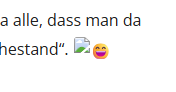
Wieso macht denn #Wordpress neuerdings um ein Emoji noch ein Broken Image, das gar nicht existiert?
Show Original Post
donwebmedia (@donwebmedia@mastodon.social)
WordCamp Asia 2026: Novedades de WordPress
Descubre las novedades presentadas en WordCamp Asia 2026: Block Themes, inteligencia artificial en WordPress y WooCommerce 10.7. Lee las tendencias.
https://seguridadenwordpress.com/wordcamp-asia-2026-wordpress-novedades/
#wordcampasia #blockthemes #inteligenciaartificial #woocommerce #wordpress
Show Original Post
techygeekshome (@techygeekshome@techhub.social)
How to Add a Page Break in WordPress | #Guide #WordPress #WordPressTips #GutenbergEditor #WebDesign #Blogging #ContentCreation
https://techygeekshome.info/how-to-add-a-page-break-in-wordpress/?fsp_sid=30834
Show Original Post