caseyliss (@caseyliss@mastodon.social)
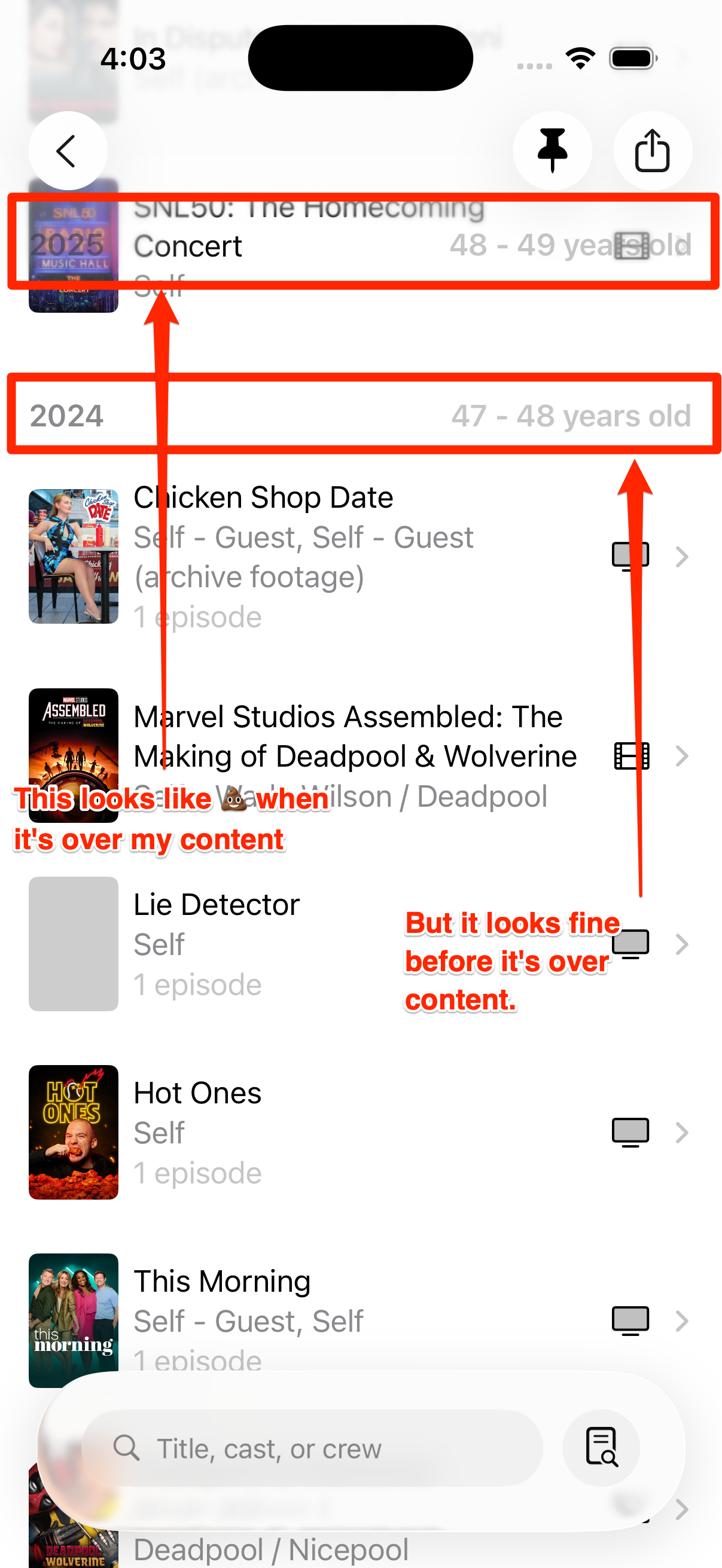
Hey #SwiftUI people: is there any way to increase the opacity for List headers in 26? This looks janky as hell, and it's *basically* stock.
I think I need to ask for some sort of glass affordance behind it; which one do I want in this context?
(Not that removing the `.foregroundColor(.gray.opacity(0.5))` in the code screenshot made no discernible difference)
Show Original Post
combatwombat (@combatwombat@hachyderm.io)
<rant>
How is anyone getting any work done in #XCode and #SwiftUI without a stress ball.
Web Dev: Make a change, see it a second later. "Where does that gap come from?" → find out with dev tools, tweak the values live.
XCode: Make a change, Cmd+R, wait 30+ seconds to see the result. Previews are broken. "Where does that gap come from?" fuck if I know. Let's try changing this padding and wait another 30 seconds 😡
</rant>
At least Liquid Glass looks nice.
Show Original Post
Typ0genius (@Typ0genius@mastodon.social)
Just a quick TIL: If you're wondering why your XCUITest isn't showing up in the simulator, either enable "Show Parallel Testing Devices" to reveal the hidden simulator, or disable parallelization in your test plan to use the main simulator.
Show Original Post
danielsaidi (@danielsaidi@mastodon.social)
Binding the Slider to $iconSize.animation() instead of just $iconSize makes the grid resizing much smoother 🤩
Show Original Post
danielsaidi (@danielsaidi@mastodon.social)
I've started bumping my various open-source #SwiftUI projects to Swift 6.1 and xOS 26. It's fun to play around with liquid glass in the various, very limited demo apps. The BadgeIcon project has a new demo app that lets you scale all the predefined icons.
https://github.com/danielsaidi/BadgeIcon
Show Original Post
BitRigApp (@BitRigApp@mastodon.social)
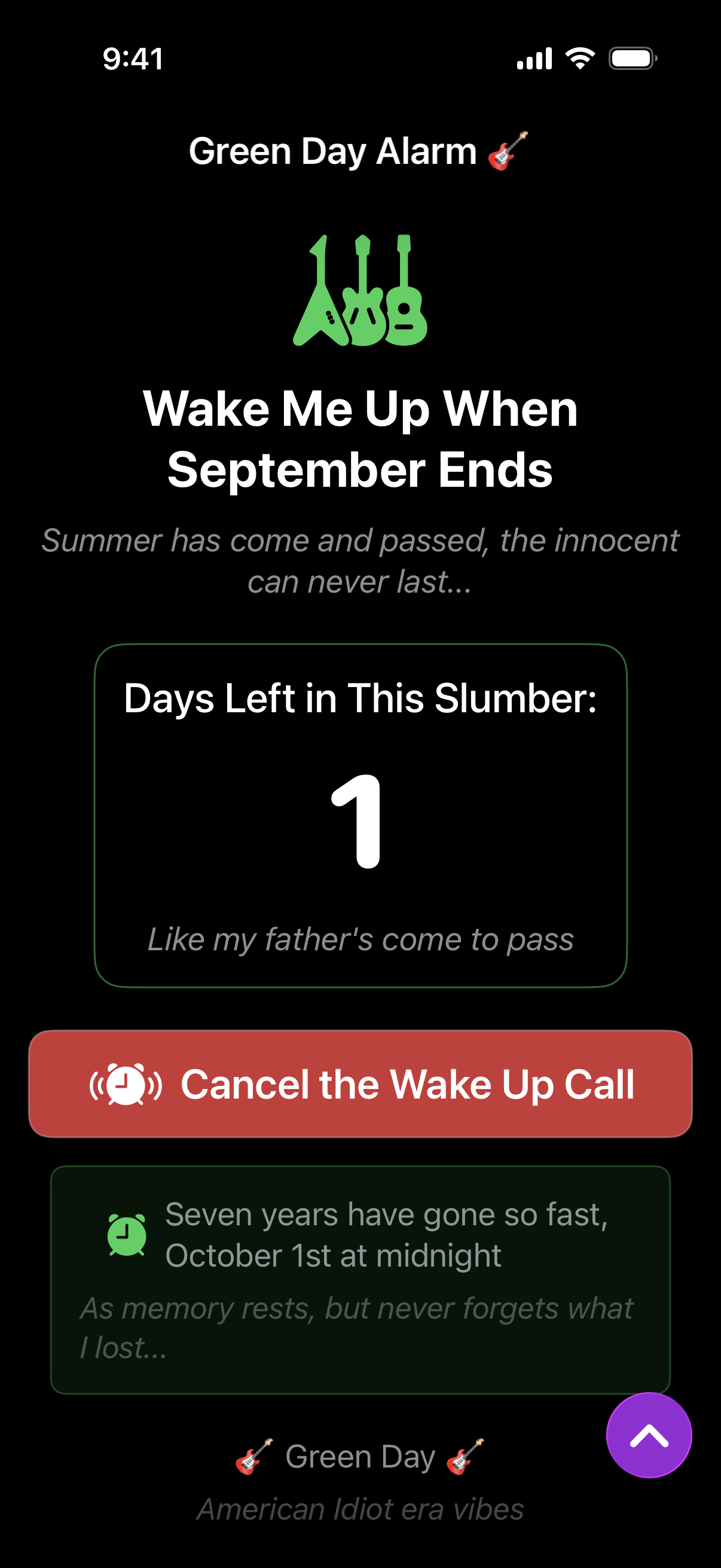
Don't worry, friends. Bitrig is taking care of waking Billie Joe up this year.
Three prompts later (including, "can it feel more emo?") and we have the perfect app for the last day of September. #BuildInPublic #Bitrig #SwiftUI #Swift
Show Original Post
ios_newsletter_snapp (@ios_newsletter_snapp@mastodon.social)
Need to create time-based animations in SwiftUI?
Break down TimelineView's architecture and built-in schedule types through the OpenSwiftUI implementation, perfect for creating dynamic, time-driven interfaces.
🔗: https://kyleye.top/posts/swiftui-timeline-view/?lang=en by Kyle Ye
#SwiftUI #TimelineView #Animation
Show Original Post
piotrekjeremicz (@piotrekjeremicz@mastodon.social)
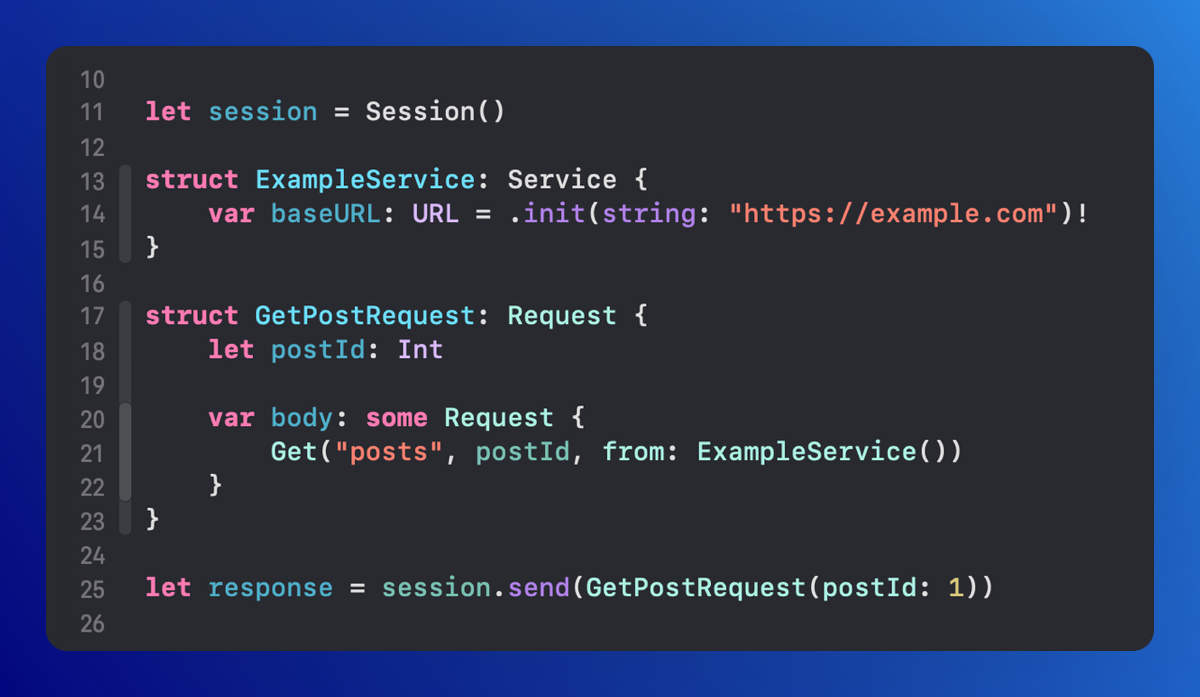
Quick draft for today's goal: There are three important components in #SiwftyNetworking.
1. #Request built as a #SwiftUI View. 🛠️
2. #Service describes where the request will be sent. 📡
3. #Session handles the execution of the query and returns a response. ⚙️
Show Original Post
dimitribouniol (@dimitribouniol@mastodon.social)
Unfortunately had to bounce early, but I have an idea of whats next at the very least! Tomorrow let's go back to server-dev and get the wheels moving. See you then!
🔜 Tomorrow’s stream: https://youtube.com/live/y0C9AdZD2ao
⏮️ Playlist so far: https://www.youtube.com/playlist?list=PLRxjf93xotuofCtaxtGOcWeuxVZYJyY-m
📲 Download Jiiiii: https://apps.apple.com/app/apple-store/id6472801548?pt=14724&ct=MastodonCCStreams&mt=8
#Jiiiii #DevStream #tvOS #visionOS #macOS #iOS #iPadOS #Anime #Swift #SwiftUI #Vapor #WebAuthn #BuildInPublic #TestFlight #PWA #WebPush
Show Original Post
bzf (@bzf@mastodon.social)
How do ya’ll organize your #swiftui projects? Do you use ViewModels? Do you extract into lots of small packages? Any tips for what to look out for? 🤔
I feel I’m struggling with organizing and getting slow compile times - created a package for a specific view I was working on and got the speed back. Maybe this is the way? 😅
Show Original Post
dimitribouniol (@dimitribouniol@mastodon.social)
I'm making a seasonal anime guide app, in the open for all to experience and learn from.
Today let's sort through all my notes for lists so we can tackle them with a clear mind!
#Jiiiii #DevStream #tvOS #visionOS #macOS #iOS #iPadOS #Anime #SwiftLang #SwiftUI #Vapor #WebAuthn #BuildInPublic #TestFlight #PWA #WebPush
Come chill with me: https://youtube.com/live/Kjbztgx1dE0
Show Original Post
andydentperth (@andydentperth@mas.to)
My first macOS App Store app is now live and I am happy(ish) to talk about some of the very special aspects of making a complex document-based app in #SwiftUI with full undo, wrapping #SpriteKit and recording videos of playback, along with #metal preview.
Plus using @revenuecat with a home-made paywall for SwiftUI.
This is one of my #shipaton apps
so at least one is going to be a completed submission.
https://apps.apple.com/au/app/purrticles-effects-designer/id1664770790
Show Original Post