clonbg (@clonbg@masto.es)
Los comandos que necesito para trabajar con git desde la terminal https://myblog.clonbg.es/los-comandos-que-necesito-para-trabajar-con-git-desde-la-terminal/ #Terminal #Git https://clonbg.es

Show Original Post
nubecolectiva (@nubecolectiva@mastodon.social)
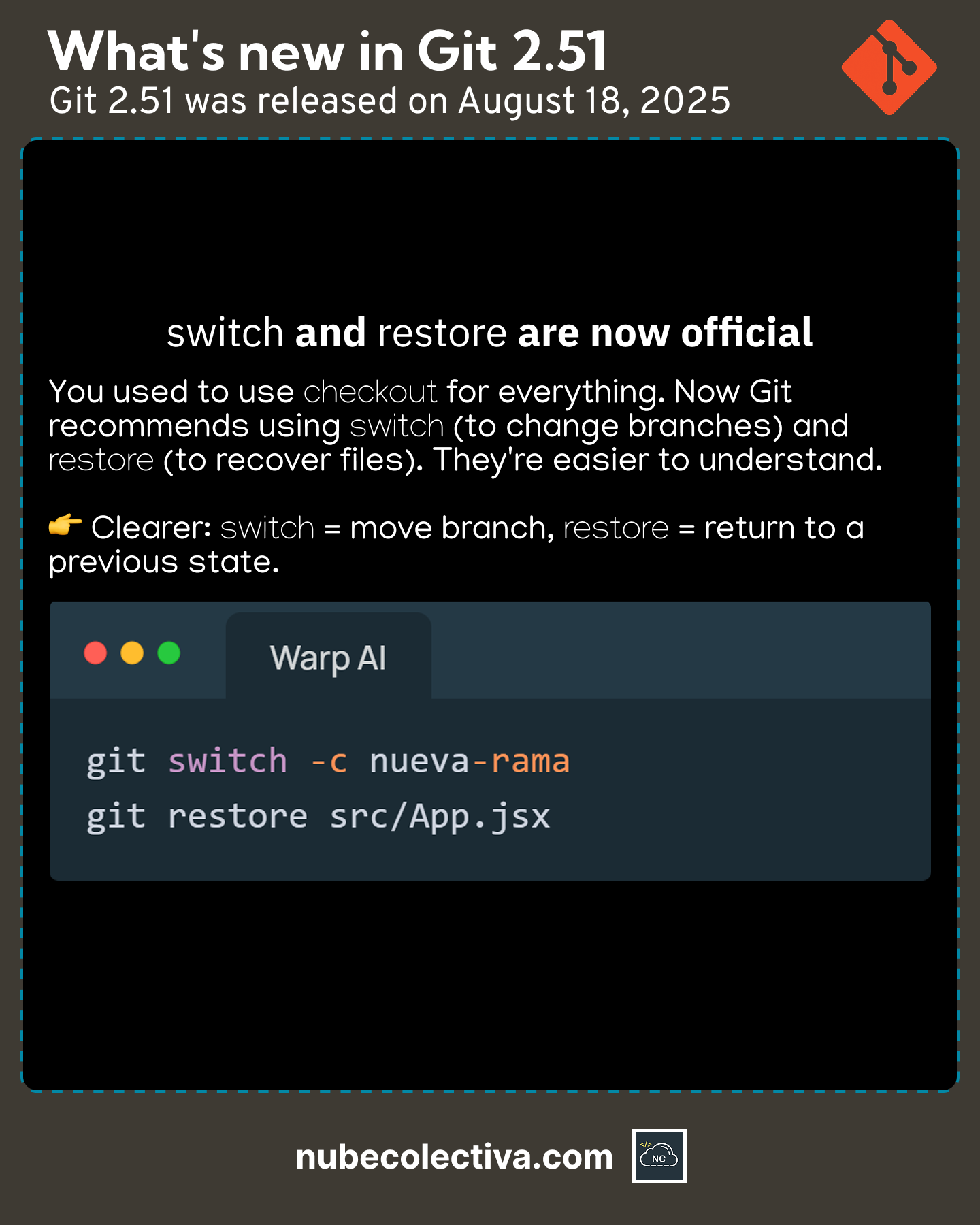
switch and restore are now Official in Git 2.51 ! 🇺🇸
🔎Zoom: https://nubecolectiva.com/comunidad/flyers/switch-restore-official-git/
switch y restore ya son Oficiales en Git 2.51 ! 🇪🇸
🔎Zoom: https://nubecolectiva.com/comunidad/flyers/switch-restore-oficiales-git/
#programming #coding #programación #code #webdevelopment #devs #softwaredevelopment #git #github
Show Original Post
nhoizey (@nhoizey@mamot.fr)
I've worked on multiples marketing websites for a client, with both @cloudcannon and @11ty, most technical parts (theme, layouts, components) being shared between all sites from one single source, and content specific to each.
It's really nice and powerful for both the developers and the content authors! 😍
#eleventy #cloudcannon #markdown #git
https://techhub.social/@cloudcannon/115214562665232946
Show Original Post
journalduhacker (@journalduhacker@framapiaf.org)
GitHub Compliance : Automatisez la conformité de vos repositories https://www.journalduhacker.net/s/eafxwp/github_compliance_automatisez_la https://maxence.maireaux.fr/posts/github-compliance-action/ #sécurité #git
Show Original Post
objects (@objects@social.tourmentine.com)
[lien] Git Cheat Sheet #cheatsheet #gik #git #cli
Show Original Post
notes (@notes@subs4social.xyz)
@Dan_Ramos@noauthority.social @RonV42@noauthority.social
long story short, I ended up committing my #SSL certs into a private git repo on a private #gitea instance on my 10.0.0.0/8 network. Then I #git pulled my certs onto my container that hosts #misskey
Show Original Post
DrHyde (@DrHyde@fosstodon.org)
@b0rk this is the most important sort of contribution to open source! Thank you!
Somewhat related is #tldr (https://tldr.sh/), but their self-imposed limit on page size makes them kinda useless for big complicated tools like #git and #ffmpeg.
Show Original Post
2025 (@2025@steinar.bang.priv.no)
version control of /etc with git and git-store-meta
This blog post describes how to use git together with git-store-meta to version control config files in unix/linux /etc directories
Intro and backstory
I have used version control on the config files in my unix/linux home directories, since the early 90-ies, and used version control on config files in the /etc directory tree of my linux boxes, since I first started setting up linux boxes in the mid-late ninties.
Initially I used RCS both for home directory version control.
But while dotfile version control in my home directories transitioned from RCS controlled files in home directories on various computers, to a shared CVS repository used in all home directories, which was later transformed from CVS to SVN, until it was finally converted from SVN to git in May 2011, I continued to use RCS versioning for files in /etc directories on various computers.
The reason for staying with RCS version control for files in /etc directories was git’s lack of metadata storage, in particular user and group membership and user and group access to files, as well as limiting public access to files.
To some extent this was handled by RCS (e.g. by giving the version control file the same owner and group membership as the target file), but it always required a bit of manual fiddeling when things broke.
This blog post explains how to version control /etc directories by combining git with git-store-meta to preserve user and group membership of the versioned files as well as access privileges to the files and even preserve the time of the last change to the files.
How to set up version control of /etc directories
The first thing to do is to install the prerequisites. On a debian (or ubuntu) system that could be done by doing the following commands as root:
apt updateapt install git perl
Clone the git-store-meta git repository (this can be done by any user. Doesn’t need root privileges):
cd /tmpgit clone https://github.com/danny0838/git-store-meta.git
Then create an empty git repository in the /etc directory. Do the following commands as root
cd /etcgit --init
Rename the default branch (typically master or main) to a branch name reflecting the hostname of the machine containing the /etc directory being versioned, e.g. if the host is named doohan, the branch should be named something like etc-doohan:
git branch -M master etc-doohan
Add an /etc/.gitignore file ignoring everything (which means that version control of new files has to be done by forcibly adding the files with “git add -f“):
cd /etcecho "*" >.gitignoregit add -f .gitignoregit commit -m "Ignore all unknown files found in /etc and subdirectories"
Copy git-store-meta into the git repository of /etc/.git and create an initial metadata file with the necessary fields for controlling and versioning ownership and access of files in /etc
cd /etccp /tmp/git-store-meta/git-store-meta.pl .git/hooks/.git/hooks/git-store-meta.pl --store -f user,group,mode,mtime,atimegit add -f .git_store_metagit commit -m "Add git-store-meta metadata file"
Set up the git-store-metadata hooks which will update .git_store_meta on commits and add .git_store_meta to the commit and will set metadata values on files when updating a branch:
cd /etc.git/hooks/git-store-meta.pl --install
Add a remote (make sure it is not a public repository) and push the branch:
git remote add origin git@git.example.com:~exampleuser/etc-configgit push -u origin HEAD
Using git version control of /etc for a new file
In the future, when doing changes to a new config file, do the following:
Add the current version of the file to git (the “-f” flag is necessary because of the .gitignore file excluding all files by default)
cd /etcgit add -f dnsmasq.confgit commit -m "Add version of dnsmasq.con distributed by debian 13 trixie"
Make local modifications to the configuration files and commit the changes and push the branch to the remote for safekeeping
cd /etcgit add dnsmasq.confgit commit -m "Adapt dnsmasq to home network"git push
(note that the “-f” flag isn’t necessary on “git add” here)
Preserving history from RCS files
When adding git versioning to /etc I preserved the history from existing the RCS version control files on the various computers, by
Creating a CVS repository based on RCS files from
/etcmkdir /tmp/etc-cvscd /etcfind . -name RCS | xargs tar cf - | (cd /tmp/etc-cvs; tar xf -)
installed cvs-fast-export on the computer where the conversion was run (must be done by root or sudo)
apt install cvs-fast-export
exported the cvs repo to a fast-import file and then imported that file into an empty git repository
cd /tmp/etc-cvs/find -type f | cvs-fast-export >/tmp/etc.dumpmkdir /tmp/etc-configgit initgit fast-import </tmp/etc.dumpgit branch -m master etc-doohangit config user.name "root doohan"
moved the new .git directory to
/etccd /etcmv /tmp/etc-config/.git .
- then added git-store-meta metadata versioning and pushed the branch to a remote, as outlined in the previous section
Closing words
I also added git-store-meta metadata versionining to git versioning of my various home directories, which removed the need to manually do “chmod go-rwx” on files that should be unaccessible to others after switching branches or merging branches.
When I first looked into using git for /etc version control, back in 2018, I had planned to use a tool named metastore to store the metadata of /etc directory.
However, metastore proved to be unsatisfactory for adding metadata support to git:
- metastore added metadata for all files in the
/etcdirectories and subdirectories, not just the files version controlled by git, which caused git updates and commits to become very slow - metastore metadata files were binary, which isn’t optimal for git versioning of the files or visual inspection of commits
- the last commit was from February 1 2023, which isn’t too long ago, but the last release of metastore was version 1.1.2 on January 6 2018, which is a long time ago
In contrast git-store-meta has can be used from its main HEAD, rather than a specific release, was easy to install, only tracked metadata for files in git in a human readable CSV file, and worked well (i.e. does what it is supposed to do without breaking anything in the process).
#config #configfiles #cvs #etcdir #git #gitstoremeta #metadata #rcs #svn
Show Original Post
notes (@notes@transfem.social)
Git questions
- How do you push a repo to a git hosting website? I have a bunch of files that are already created, a .git folder in my game's project files, and a https://git.gay account. I think I already know how to do git init, git add . and git add file_name.extension, and git commit -m "commit name"
- since there's no username/password system to get into someone's git hosting account through Git, what is preventing someone from using Git to grief my repos?
#git #github
Show Original Post
bjoern (@bjoern@social.sengotta.net)
I have seen that on #Codeberg it ist possible to sign Commits via a verified ssh key or via a gpg keys.
Can anybody tell me the difference and if there is any mechanism which should be preferred?
#git #ssh #gpg #softwaredevelopment
Show Original Post
sheogorath (@sheogorath@microblog.shivering-isles.com)
:o git has market `git whatchanged` for removal
It's such a handy shortcut to get an overview of recent changes .-.
Show Original Post
devdigest (@devdigest@mastodon.social)
⚡️ Azure Boards Joins GitHub Copilot in Private Preview
🏷️ #devdigest #azure #cloud #git #github
https://devdigest.today/goto/4875
Show Original Post