c4 (@c4@chaos.social)
#OpenChaos am Donnerstag, den 19 März: »Firewalling und rootless Podman in Linux – So gut wie es klingt?«
Im Gegensatz zu #Docker verspricht #Podman den Betrieb von Containern, ohne dabei Root-Privilegien zu benötigen. Doch so einfach wie das klingt, ist es dann leider doch nicht. https://koeln.ccc.de/updates/2026-03-19_OC_rootless_podman.xml
Ein OpenChaos außer der Reihe am dritten Donnerstag des Monats. Ab 20 Uhr in unseren Räumen in der Heliosstr. 6a in #Köln #Ehrenfeld.
Show Original Post
gtsadmin (@gtsadmin@wiseowl.club)
@discretestates I've always eschewed Docker containers, so that saved me huge on RAM. I do run a small number of #Docker containers having said this - it's just that I see them as a sloppy last resort. Including the lackluster security model that goes with them. #SelfHosting
Show Original Post
lolow (@lolow@mastouille.fr)
Tiens, première fois que je vois des services utilisé pour lancer des commandes, un peu comme si le compose file était un makefile :
```
initializer:
<<: *data-processor-common
command: sh -c "....'"
profiles:
- init
make-first-user-admin:
<<: *data-processor-common
command: sh -c "..."
profiles:
- init
…
```
Donc ça build quand même une image, lance le conteneur, exécute la commande et … terminé 🤔
#containers #docker #composefile
Show Original Post
vyodaiken (@vyodaiken@discuss.systems)
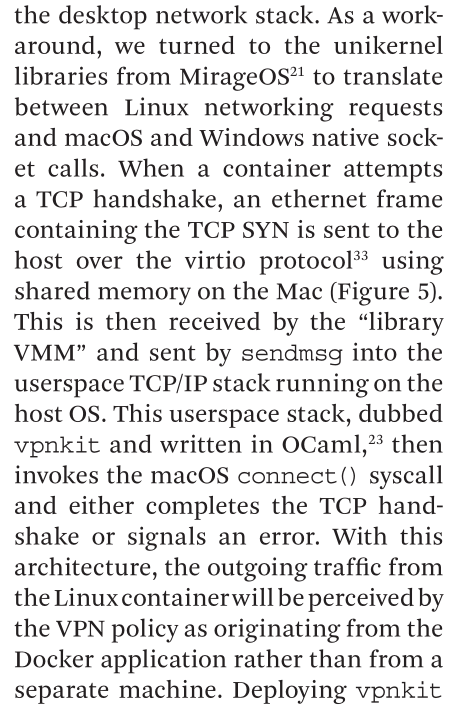
From ACM communications a sign of the current state of software and #systems #osresearch #docker
https://cacm.acm.org/research/a-decade-of-docker-containers/
Show Original Post
niq (@niq@fosstodon.org)
Building some #Docker images on my machine right now and just watching it gobble up gigabyte after gigabyte of disk space I am wondering if this is really the right tool just to set up some build environment for a software project... Let's see if the remaining disk space is enough to get through all the layers that still need to be built.
Show Original Post
docker (@docker@techhub.social)
Building AI Teams: How Docker Sandboxes and Docker Agent Transform Development
#Docker #Community #Products #AIAgent #Cagent #DockerSandboxes
https://www.docker.com/blog/building-ai-teams-docker-sandboxes-agent/
Show Original Post
WiteWulf (@WiteWulf@cyberplace.social)
Having to upgrade my #debian server from bookworm to trixie, because #homeAssistant have started using zstd to compress their images, and the version of #docker in bookworm is an old one that doesn't use zstd 🙄
https://github.com/home-assistant/core/issues/165012
Show Original Post
blog (@blog@social.techniverse.net)
Coturn: TURN Server in Docker installieren
Ich brauchte kürzlich für ein Update einen funktionierenden TURN Server. Ohne den lief das neue Feature schlicht nicht. Meine erste Idee war bequem. Öffentlichen TURN Server nehmen, fertig. Kostenlose Basisversion, 20 GB Traffic im Monat, klang ausreichend.
War es nicht.
Ich hatte Verb...
https://www.cleveradmin.de/blog/2026/03/eigenen-coturn-turn-server-mit-docker-installieren/
#Allgemein #coturn #docker #netzwerk #selfhosting #webrtc

Show Original Post
jorge (@jorge@social.jagedn.dev)
toda la mañana perdido con errores de #docker y me da que es que vete tú a saber porqué estoy usando la version que instala #snap
este es el único snap que quiero en mi vida
https://youtu.be/nm6DO_7px1I
Show Original Post
Deepakchand (@Deepakchand@mastodon.social)
DevOps Training – Bengaluru
⚙️ Become a DevOps Engineer.
The AI-Enabled DevOps Training Course at DSEdify in Bengaluru covers:
✔ CI/CD pipelines
✔ Docker & Kubernetes
✔ Cloud automation
✔ Real-world projects
Start learning 👇
https://www.dsedify.com/devops-course-in-bengaluru
#DevOps #Docker #Kubernetes #CloudComputing #DevOpsEngineer
Show Original Post
Deepakchand (@Deepakchand@mastodon.social)
DevOps Course – Bangalore
⚙️ DevOps engineers are highly demanded in IT companies.
The AI-Enabled DevOps Course at DSEdify in Bangalore includes:
✔ CI/CD pipelines
✔ Docker
✔ Kubernetes
✔ Cloud automation
Start learning 👇
https://www.dsedify.com/devops-course-in-bangalore
#DevOps #Docker #Kubernetes #CloudComputing #BangaloreTech
Show Original Post
admin (@admin@mstdn.feddit.social)
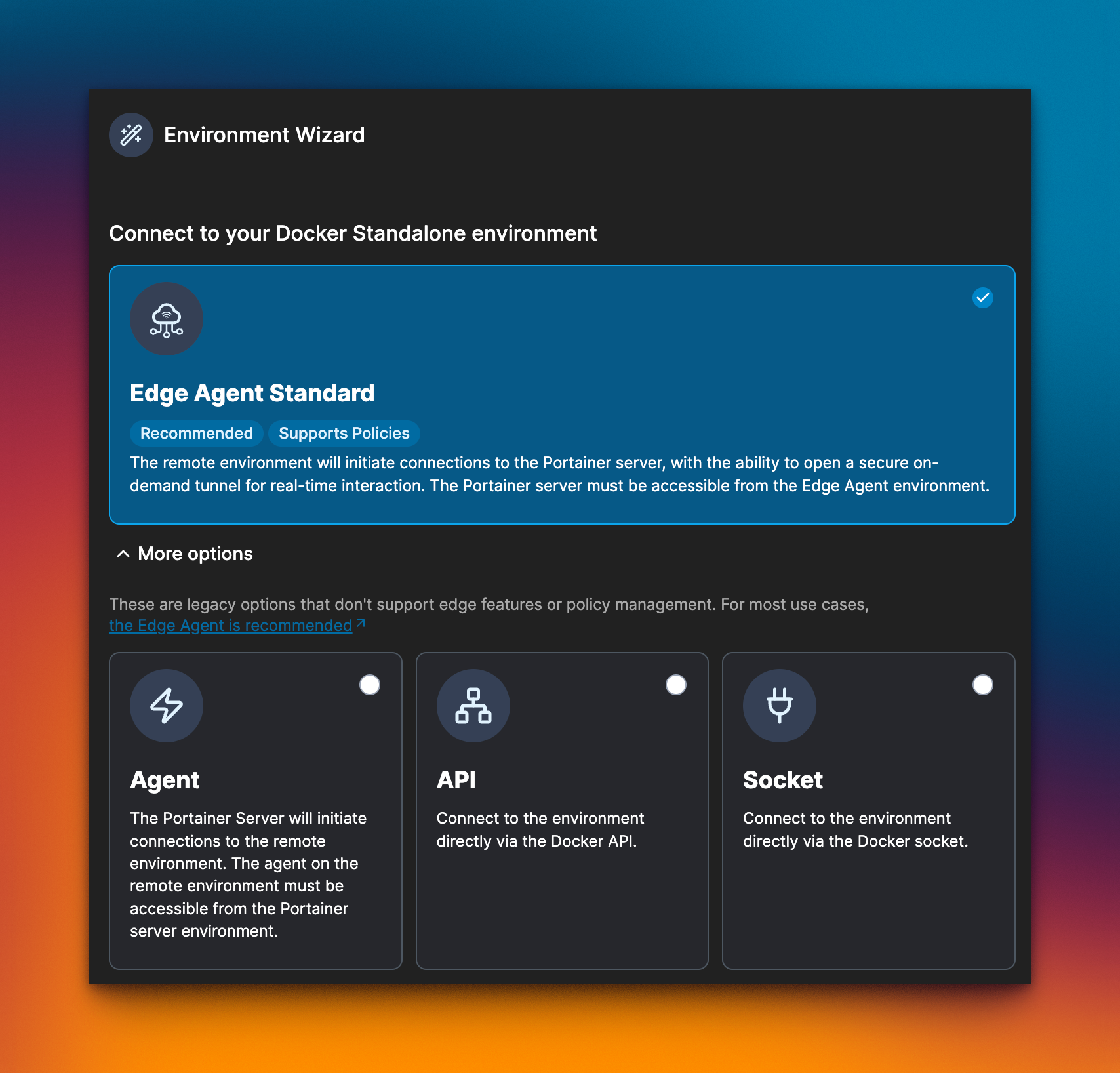
Portainer从Agent切换到Edge-Agent
https://docs.portainer.io/advanced/edge-agent
- EdgeAgent:Agent找主控,Agent:主控找Agent
- EdgeAgent:443端口访问主控服务器域名,无需暴露9001或其他端口,Agent:暴露9001或其他端口
- EdgeAgent:主控需开启8000或其他端口,需要配置EDGE_ID和EDGE_KEY,Agent:简单
#portainer #agent #docker #selfhosted
Show Original Post