13.09.2026 00:06
Reactの「コンポーネント」とCMSの「モジュール」は何が違うの?
https://qiita.com/nagi-0106/items/5931b92e7a4be3e2e247?utm_campaign=popular_items&utm_medium=feed&utm_source=popular_items
Reactの「コンポーネント」とCMSの「モジュール」は何が違うの?
https://qiita.com/nagi-0106/items/5931b92e7a4be3e2e247?utm_campaign=popular_items&utm_medium=feed&utm_source=popular_items
Most performance guides are written by people testing on a MacBook over office wifi. The advice is usually correct and usually irrelevant to the users who need it most: someone on a three-year-old Android phone, on 3G, in a place where the connection drops mid-request. I spent a good part of my career building products in that reality, including a remittance product where a failed request wasn't an inconvenience, it was someone's money in an uncertain state. That constraint changes how you think about frontend engineering more than any framework choice does.
This isn't a list of generic performance tips. It's the specific set of decisions that matter once you stop assuming a fast, stable connection and a capable device.
Perceived performance beats raw speed
On a slow connection, the actual latency is out of your control. What's in your control is what the user perceives while they wait. A spinner tells the user "something is happening" but gives them nothing to look at and no sense of progress. A skeleton screen that mirrors the eventual layout does more work with the same wait time, because the user's brain starts parsing the page before the data arrives.
The bigger lever is optimistic UI: update the interface as if the action already succeeded, then reconcile with the server response in the background.
function useOptimisticToggle(initial, mutate) {
const [state, setState] = useState(initial);
const [pending, setPending] = useState(false);
async function toggle() {
const previous = state;
setState(!state); // update immediately
setPending(true);
try {
await mutate(!state);
} catch (err) {
setState(previous); // roll back on failure
throw err;
} finally {
setPending(false);
}
}
return [state, toggle, pending];
}
The rollback path is the part people skip. Optimistic UI without a rollback is just a UI that lies to the user when the network fails, and on unreliable connections, the network fails often enough that this matters.
Retries need a backoff, and mutations need idempotency
On a flaky connection, a request that times out doesn't mean it failed. It might have reached the server and succeeded; the response just never made it back. Naively retrying a POST in that situation can trigger the action twice. For a "like" button, that's harmless. For anything transactional, like moving money or submitting an application, it isn't.
The fix is an idempotency key generated client-side and sent with the request, so the server can recognize a retried request as the same request and return the original result instead of repeating the action:
async function fetchWithRetry(url, options = {}, retries = 3) {
const idempotencyKey = options.idempotencyKey ?? crypto.randomUUID();
for (let attempt = 0; attempt <= retries; attempt++) {
try {
const res = await fetch(url, {
...options,
headers: { ...options.headers, "Idempotency-Key": idempotencyKey },
});
if (!res.ok && res.status >= 500 && attempt < retries) throw new Error("retryable");
return res;
} catch (err) {
if (attempt === retries) throw err;
const delay = 2 ** attempt * 200 + Math.random() * 200; // backoff + jitter
await new Promise((r) => setTimeout(r, delay));
}
}
}
The jitter matters as much as the backoff. If a batch of clients all lose connection to the same flaky cell tower at once, they'll all retry at the same intervals without it, turning a brief network blip into a thundering herd against your API the moment it recovers.
Distinguish "slow" from "offline"
These call for different UI, and conflating them is a common mistake. Offline means stop trying and tell the user clearly. Slow means keep trying, but tell the user it's taking longer than usual rather than leaving them staring at a spinner that looks identical at two seconds and twenty. The navigator.onLine flag and the online/offline window events get you the first signal; a simple elapsed-time threshold on your loading state gets you the second.
The Network Information API (navigator.connection) is worth knowing about, even though support is inconsistent: where it exists, effectiveType and saveData let you make real decisions, like skipping a video autoplay or requesting a smaller image, based on the connection the user actually has instead of the one you tested on.
Bundle size is a UX decision, not a build metric
On a low-end device, JavaScript isn't just slow to download over a bad connection, it's slow to parse and execute once it arrives, because the CPU is also weaker. A bundle that feels instant on a modern laptop can add a full second or more of main-thread blocking on a budget Android device, and that cost doesn't show up in a wifi-and-MacBook test.
Two things pay for themselves disproportionately here: route-based code splitting so users only download what the current screen needs, and being deliberate about dependencies, since a large date-formatting or animation library pulled in for one small feature is a tax paid by every user on every visit. Testing this requires actually turning on CPU throttling (4x slowdown is a reasonable baseline) and a slow-network profile in devtools, not just checking the numbers on your own machine.
Images: decode cost matters as much as file size
Responsive srcsets and modern formats solve the download problem. They don't solve the decode problem: a large image still costs CPU and memory to decode and paint, and that cost is much higher relative to the total budget on a low-end device. A blur-up placeholder (a tiny, heavily compressed version shown immediately, swapped for the full image once decoded) keeps the layout stable and gives the user something meaningful during that gap, instead of a blank box that suddenly pops in.
The actual takeaway
None of this is exotic. Optimistic updates, backoff with jitter, idempotency keys, and deliberate bundle size are all well-known techniques individually. What changes when you build for unreliable networks and low-end devices is the priority order: these stop being edge-case polish and become the baseline the product has to work on for a meaningful share of its users. Test on the conditions your actual users have, not the ones your laptop has, and a lot of these decisions make themselves.#performance #react #webdev #fintech #software #coding #development #engineering #inclusive #community
Designing Frontend Interfaces for Unreliable Networks and Low-End Devices
I've been continuing work on my social media management tool. Added Bluesky + LinkedIn image publishing, publishing analytics through Supabase and a round of UI improvements to the publisher portal. It’s turning into a useful tool for managing my social media posts. #gamedev #tools #react

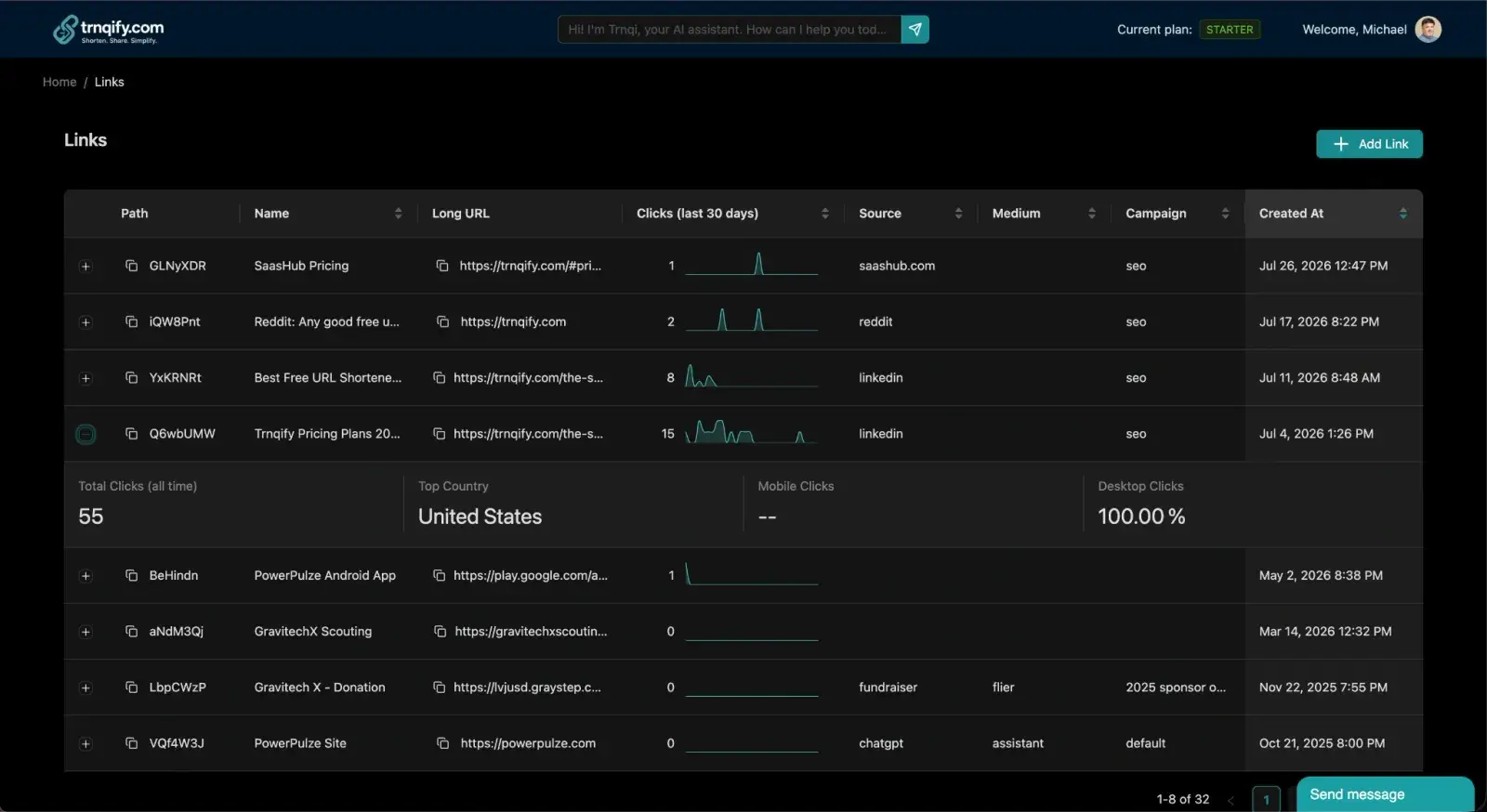
✨ Spotted today #CodeTrendy → Trnqify
Trnqify makes link management effortless. Shorten URLs, track clicks, and share simplified links wit
#APIsIntegrations #RESTAPI #AI #ContentMarketing #React #DynamoDB
https://codetrendy.com/listing/trnqify
I always wanted to make content. What stopped me was never the ideas — it was the four hours in a...#ai #showdev #typescript #react #software #coding #development #engineering #inclusive #community
I don't open a video editor any more. I ask Claude instead.
Why does React throw Error 418 in Next.js? I broke down the 5 most common hydration culprits and built a free in-browser diagnostic tool to fix them.#showdev #nextjs #react #webdev #software #coding #development #engineering #inclusive #community
I got tired of cryptic Next.js Error 418, so I built a free in-browser debugger
"You build a Web App. You test it locally. It opens in 50 milliseconds, runs at a buttery-smooth 60 frames per second, and passes every Lighthouse audit.
So you ship it to production.
At 9:00 AM, your users love it. But by 2:00 PM, without a single page reload, the app feels sluggish. Scroll performance hitches. Input lag creeps in. And suddenly... BOOM. The browser tab crashes with an 'Out of Memory' error.
Your app didn't slow down because of slow Wi-Fi or a weak CPU. It degraded because of a silent, invisible killer that haunts modern single-page applications: JavaScript Memory Leaks.
Welcome back to Behind the Abstraction. Today, we’re dissecting why modern Web Apps progressively degrade over time, how V8 Garbage Collection actually works under the hood, and how Senior Engineers hunt down and fix memory leaks before they destroy production."
⏱️ CHAPTER 1: The Illusion of Automatic Memory Management
"In low-level languages like C or Rust, memory management is manual and explicit. You allocate memory, and when you’re done, you free it. Forget to free it, and you get a leak.
JavaScript promised to free us from this burden with Automatic Garbage Collection. Languages like V8 use an algorithm called Mark-and-Sweep.
Here’s how it works:
window or globalThis object.So if JavaScript cleans up after us automatically... how is it possible for your app’s memory footprint to grow from 50 Megabytes to 3 Gigabytes over a few hours?"
⏱️ CHAPTER 2: The 3 Silent Memory Leak Monsters
"Memory leaks in JavaScript don't happen because the Garbage Collector is broken. They happen because your code is accidentally keeping references alive to objects you no longer need.
Here are the 3 most common culprits destroying modern React, Vue, and Next.js applications:
Monster #1: The Forgotten Event Listener
Imagine a user navigates to a dashboard component. Inside a useEffect hook, you add a window.addEventListener('resize', handleResize).
When the user leaves the page, the component unmounts from the screen. But if you forgot to return a cleanup function with removeEventListener, the global window object still holds a live reference to your event handler—and every state object closed inside it!
JavaScript
<span class="hljs-comment">// ❌ DANGEROUS: Leaks memory every time component mounts</span>
useEffect(<span class="hljs-function">() =></span> {
  <span class="hljs-built_in">window</span>.addEventListener(<span class="hljs-string">'scroll'</span>, handleScroll);
  <span class="hljs-comment">// Missing: return () => window.removeEventListener('scroll', handleScroll);</span>
}, []);
Monster #2: The Zombie Closure & Global Caches
You create an in-memory cache object to store API responses so your app feels instantaneous. But if your cache array has no max limit or expiration policy, it will grow infinitely. Every user action appends JSON objects to global memory, slowly choking the heap until the browser tab dies.
Monster #3: Detached DOM Nodes
This is the sneakiest leak in modern frontend frameworks.
Suppose you remove a dynamic modal from the DOM tree, but a global JavaScript variable still points to a single <div> button inside that modal. Because that single button is kept in memory, the browser cannot garbage-collect the entire modal sub-tree! It becomes a 'Detached DOM Element'—invisible to the user, but occupying megabytes of RAM."
⏱️ CHAPTER 3: The V8 Heap Crash Cycle
"Here is the exact chain reaction that causes your app to stutter before it officially crashes:
When memory fills up with leaked objects, the V8 Garbage Collector panics. It realizes available heap space is running out, so it triggers Full Stop-The-World GC Cycles.
During a 'Stop-The-World' event, JavaScript pauses all main-thread execution—your animations freeze, button clicks stop responding, and your frame rate drops from 60 FPS down to 5 FPS.
As memory consumption edges closer to 100%, the browser spends 90% of its time repeatedly running garbage collection instead of running your app code. This phenomenon is called Garbage Collection Thrashing—and it's why an app gets progressively slower right before the entire tab crashes."
⏱️ CHAPTER 4: How Senior Engineers Profiling & Fixing Leaks
"So, how do Senior Engineers hunt down memory leaks in production? You don't guess—you profile.
Step 1: Chrome DevTools Memory Snapshots
Open Chrome DevTools, navigate to the Memory tab, and select Heap Snapshot. Take a baseline snapshot when your app loads. Perform an action—like opening and closing a modal 10 times—and take a second snapshot.
Compare the two snapshots. If the number of objects, event listeners, or string allocations increased after closing the modal, you have a leak!
Step 2: Search for "Detached" Elements
In the class filter of your Heap Snapshot, search for Detached. Chrome will highlight every HTML element that has been removed from the visible document tree but is still held hostage by a JavaScript reference.
Step 3: Leverage WeakMap and WeakSet
Instead of storing temporary DOM nodes or user data in standard Maps or Arrays, use WeakMap. WeakMap holds 'weak' references to its keys—meaning if no other part of your code references the key, V8 is allowed to garbage collect it automatically!"
JavaScript
<span class="hljs-comment">// ✅ SENIOR PATTERN: WeakMap allows automatic Garbage Collection</span>
<span class="hljs-keyword">const</span> cache = <span class="hljs-keyword">new</span> <span class="hljs-built_in">WeakMap</span>();

<span class="hljs-function"><span>function</span> <span>processUser</span>(<span>userObj</span>) </span>{
  <span class="hljs-keyword">if</span> (!cache.has(userObj)) {
    cache.set(userObj, calculateHeavyMetadata(userObj));
  }
  <span class="hljs-keyword">return</span> cache.get(userObj);
}
⏱️ CHAPTER 5: Conclusion & Architectural Takeaways
"High performance isn't just about how fast your web app loads on frame 1. It's about how smoothly your app maintains performance after 8 hours of continuous enterprise use.
To build memory-efficient web applications:
useEffect, onDestroy, and custom RxJS/WebSocket subscriptions.setInterval timers, and destroy unused event emitters.WeakMap and WeakSet.Mastering memory profiling is what separates junior developers who build brittle prototypes from senior engineers who build resilient, production-grade applications.
If this deep dive helped you understand JavaScript internals, smash that Like button and subscribe! Have you ever caught a massive memory leak in production? Tell me your story in the comments below.
Thanks for watching, and happy coding!"
#webzonetechtips#node #memoryleaks #react #software #coding #development #engineering #inclusive #community
The Invisible Memory Leaks Killing Your React & Node.js Apps
Shopify 把 React Native 換回原生 App
GraphQL Filtering in Injee 0.21.0
#WebDev #WebDevelopment #JavaScript #React #ReactJS #FrontEnd
Persisting React Flow's UI objects nearly sank the product. Drawing a serialization boundary between view and domain cut payloads 94% — the reasoning behind the call, and how to audit your own product for it.#react #architecture #automation #software #coding #development #engineering #inclusive #community
The 94% Decision: One Architecture Call That Made IntegrateX Feel Instant
Sable is a local-first AI financial agent: all data in on-device SQLite, no cloud backend, and a Review & Confirm boundary where the model proposes but only a human commits. The trust architecture, explained.#react #ai #architecture #software #coding #development #engineering #inclusive #community
I Built an AI Money Agent That's Structurally Incapable of Touching the Money
I’m excited to officially launch my new digital portfolio—a central hub where my background in...#portfolio #react #showdev #webdev #software #coding #development #engineering #inclusive #community
Launching My Digital Portfolio: Bridging Code & Creative Media