A table of 4,000 rows with a filter box above it. You type "acme" and the cursor lags behind your fingers.
Every frontend developer hits this shape eventually, and the advice for fixing it is remarkably consistent: wrap the row in React.memo. That advice is where I started too, and it turns out to be close to worthless on its own.
So rather than argue about it, I built a harness that measures five different fixes on the same data and reports what each one is actually worth. Every variant's code and the timing function are in this post, so you can rebuild it and check me.
Here's what it found.
The results first
Production build, 4,000 rows, median of two passes, measuring the slowest keystroke:
VariantLongest re-renderDoes it still filter?1. Naive166 msyes2. memo() only153 msyes3. memo + useCallback + useMemo47 msyes4. children bailout0.4 msno — see below5. Virtualized3.6 msyes
Measured on a 2-core Linux VM against a production build. Your absolute numbers will differ — mine did by 10–15% between runs. The ratios are the point, and those were stable across six runs.
Two things jump out, and the second one is a trap.
memo on its own bought 13ms out of 166. Within noise of doing nothing.
Variant 4 looks like the winner and isn't. It's 0.4ms because it stops doing the work, not because it does the work faster. More on that below, because it's the most interesting result here.
Correct on its own terms. But look at what the parent hands it:
<InvoiceRow invoice={inv} onSelect={(id) => openDrawer(id)} // ← new function object, every render />
memo does a shallow comparison of props. That arrow function is freshly created on every render of the parent, so prevProps.onSelect === nextProps.onSelect is false, memo concludes the props changed, and it re-renders. Every time. For every row.
The same thing happens with inline objects (style={{ padding: 8 }}) and inline arrays (columns={[a, b]}). And with the filtered array itself — invoices.filter(...) computed during render is a new array reference every time, so a memoized table can never bail out either.
memo on a component whose parent passes inline callbacks is decoration. You pay for a comparison on every render and buy nothing. The 13ms it appeared to save is measurement noise; in one of my six runs it came out slower than the naive version.
166ms → 47ms. A 3.5x improvement, and the first thing on this list that actually works.
Two details that are easy to get wrong. handleSelect takes the id as an argument rather than closing over it — write useCallback(() => setSelected(inv.id), [inv.id]) inside the .map() and you've created a fresh function per row per render, which puts you straight back at variant 2. And the empty dependency array is honest rather than a trick to quiet the linter: React guarantees setSelected is stable.
Worth saying plainly: that useMemo around the filter is there to stabilise a reference, not to skip a slow computation. Filtering 4,000 small objects takes well under a millisecond — memoizing it costs more than doing it. If you can't say which of those two reasons applies to a useMemo you're writing, delete it.
Variant 4: the fastest result, and why you can't have it
This is the one I'd flag to anyone quoting benchmarks like these.
A component's children prop is constructed by whoever writes the JSX, not by the component that renders it. So if children is created in a parent that isn't re-rendering, that element object keeps the same reference, React compares it, sees it's identical, and skips the entire subtree. No memo anywhere.
function InvoicesPage() { const [invoices] = useState(() => loadInvoices()); return ( <SearchShell> <InvoiceTable invoices={invoices} /> {/* created here */} </SearchShell> ); }
function SearchShell({ children }) { const [query, setQuery] = useState(''); // changes here return ( <> <input value={query} onChange={(e) => setQuery(e.target.value)} /> {children} </> ); }
0.4ms, because the table genuinely does not re-render at all.
But the table can no longer see query. That's not a detail I glossed over in the benchmark — it's inherent to the pattern. The value that changes lives in SearchShell, and children was built outside it. So variant 4 isn't a faster filter. It's no filter.
I left it in the benchmark anyway, because the pattern is genuinely valuable for the large category of state that doesn't need to reach the expensive subtree: a drawer being open, a hovered row, a collapsed sidebar, an unsaved form draft. For all of those, this deletes the problem instead of managing it, and it can't be silently broken later the way a memo chain can.
For filtering, you need variant 3 or variant 5.
Variant 5: stop rendering rows nobody can see
Everything above reduces how often you render 4,000 rows. This reduces the 4,000.
The viewport fits about 30 rows. The other 3,970 are DOM nodes that exist so the scrollbar is the right height. Virtualization renders the visible window plus a small buffer and translates it as you scroll.
import { useVirtualizer } from '@tanstack/react-virtual';
166ms → 3.6ms, and it still filters. In the harness, 23 rows exist in the DOM instead of 4,000.
The costs are real and rarely mentioned. Ctrl+F stops finding off-screen content. Keyboard navigation and screen readers need deliberate work. Variable-height rows need measurement rather than estimation. Your print and CSV-export paths need a separate non-virtualized render, and you will forget this and hear about it from a user. Virtualizing real <table> rows also needs CSS grid or table-layout: fixed — my harness uses divs for exactly this reason.
Below about a thousand rows it's usually not worth the complexity. Above a few thousand it's the only thing that really works.
How the measurement works
No DevTools, because React's <Profiler> is compiled out of production builds and I wanted production numbers. input is a discrete event, so React flushes the re-render synchronously inside dispatchEvent — which means wall time around the dispatch is the render plus commit cost:
It types a, ac, acm, acme, keeps the slowest of the four, and takes the median of two passes. StrictMode is off — it double-renders and would inflate everything.
What I'd actually do, in order
Measure before changing anything. React DevTools → Components → "Highlight updates when components render", then type one character. If the whole table flashes, you're done diagnosing in four seconds. Write the number down; "it feels laggy" isn't something you can improve against.
Move state down to the smallest component that needs it. Free, and nothing can silently undo it.
Pass expensive subtrees as children where the value doesn't need to reach them. Bailouts with no memo to break.
Thenmemo — with every object, array and function prop stabilised, or genuinely don't bother.
Virtualize once the list is long enough to earn the accessibility tax.
Measure again, and revert anything that didn't move the number. Memoization you can't justify isn't an optimization, it's maintenance debt with a good reputation.
Most advice starts at step four, because that's the step with the famous API. Steps two and three have no API at all, which is why they're the ones that hold.
Reproducing it
Everything needed is above: the five variants, and the timedKeystroke function that measures them. Drop them into a Vite React app over 4,000 generated rows, switch variants behind tabs, and you have the harness. Build for production and turn StrictMode off before you believe any number.
How React Actually Renders: Understanding the Render Lifecycle
When building with React, it's easy to focus on writing components and managing state without fully understanding what happens under the hood. However, grasping how React transforms a state update into real browser pixels is essential for writing performant applications and debugging edge cases. Let's break down the core mechanics of React rendering, clear up common misconceptions, and establish the foundational mental models every React developer needs.
The Lifecycle of a State Change
import React, { useState } from 'react';
function Counter() { const [count, setCount] = useState(0);
Notice that nowhere in this code do we instruct React to find an h1 element and update its content. We simply describe what the UI should represent for a given state. React assumes full responsibility for determining how to transition the browser from one UI state to another. This separation of concerns—describing what the interface should look like rather than how to update it—is one of the primary reasons React applications scale so effectively.
Understanding State
Everything in React revolves around state. State represents the underlying data that influences what the user sees on screen. Common examples of state include:
Current User
Theme (Light/Dark)
Shopping Cart items
Authentication Status
Notifications
Loading Status
Search Query.
At any point in time, there exists only one correct UI for the current application state. Conceptually, React behaves like a mathematical function UI = f(State) This expression is one of the most important mental models in React. If the state changes, the output of the function changes. When the output changes, React recalculates the user interface. This principle is the foundation of the entire rendering process.
Components Are Pure Descriptions
Developers assume components generate HTML directly. They do not. A React component is simply a JavaScript function that returns a description of the desired interface. For example:
function Welcome() { return <h1>Hello World</h1>; }
Internally, React does not immediately create an h1 DOM element. Instead, JSX is transformed into JavaScript:
React.createElement( "h1", null, "Hello World" );
The output of React.createElement is not a DOM node—it is a plain JavaScript object called a React Element. A simplified representation looks like this:
This object serves as a blueprint describing what should eventually appear on the screen. React builds and compares these descriptions before deciding whether any real DOM updates are necessary.
JSX Is Not HTML
Although JSX resembles HTML, it is not HTML. The browser has no understanding of JSX syntax. When you write: <div>Hello</div> he browser never receives this code. During compilation, JSX is transformed into standard JavaScript instructions that React can interpret. This distinction explains why JSX supports embedding JavaScript expressions seamlessly: <h1>{user.name}</h1> React evaluates the JavaScript expression first, then incorporates the result directly into the UI description.
The Rendering Process
Rendering is often misunderstood. Many developers assume rendering means updating the browser DOM. In React, rendering is simply the process of executing component functions to determine what the UI should look like. The rendering pipeline flows through these distinct stages:
Plaintext Application State Changes │ ▼ React schedules an update │ ▼ Component functions execute again │ ▼ React creates a new tree of React Elements │ ▼ React compares the new tree with the previous tree │ ▼ Necessary DOM mutations are identified │ ▼ Browser updates the DOM │ ▼ Browser paints pixels on the screen
Notice that the browser only becomes involved near the very end of the process. Most of React's work happens entirely in JavaScript memory before any DOM operation occurs.
Rendering Is Not the Same as Updating the DOM
This distinction cannot be overstated: every render does not imply a DOM update. A component may render multiple times while the real DOM remains completely untouched. Consider this example:
function Example() {
console.log("Rendering...");
return <h1>Hello</h1>;
}
Each render executes the Example function again, printing "Rendering..." to the console. However, if the resulting UI description matches the previous one, React determines that no DOM mutation is necessary. This optimization is one reason React applications remain performant despite frequent renders.
When the user clicks the Increment button, the following sequence occurs:
The click handler runs.
setCount() tells React that the state has changed.
React marks this component to be updated.
React plans a new render.
The Counter function runs again.
React creates a new set of UI instructions.
React compares the old UI description with the new one.
React sees that only the number text changed.
React updates that specific text in the DOM.
The browser shows the new screen.
Notice that React never recreates the entire application. It computes the minimal set of changes required to synchronize the UI with the latest application state.
Thinking Like React
A useful way to understand React is to imagine it asking the same question repeatedly:
Given the current application state, what should the interface look like?
It does not ask:
Which button changed?
Which div should I update?
Which paragraph should I remove?
Those implementation details are React's responsibility. Your responsibility as a developer is to describe the desired interface. When developers adopt this mindset, concepts such as rendering cycles, memorization, reconciliation, and hooks become much easier to understand.
Common Misconceptions
❌ React re-renders the entire page. Incorrect: React re-executes component functions to compute a new UI description. Whether the DOM changes depends on the comparison between the previous and current UI trees. ❌ Rendering is expensive. Incorrect: Rendering is primarily lightweight JavaScript computation. The truly expensive operations in modern browsers are unnecessary DOM mutations, layout recalculations (reflows), and browser painting. ❌ JSX is HTML. Incorrect: JSX is syntactic sugar that is transformed into standard JavaScript function calls before the browser executes the application. ❌ Calling setState immediately changes the DOM. Incorrect: State updates are scheduled. React computes the next UI description before committing any changes to the actual DOM.
Key Takeaways
State drives rendering: React's primary responsibility is computing the next UI, not manipulating the DOM directly UI = f(State).
Components return descriptions: Components are pure functions that describe the interface for a given state using React Elements.
JSX is JavaScript: JSX is compiled into JavaScript during build time and never reaches the browser as raw HTML.
Rendering is computation: Rendering is the process of executing component functions to compute the next UI description.
Render not equals DOM Mutation: A render pass does not necessarily result in DOM mutations if the UI tree hasn't structurally changed.
Surgical Updates: React updates only the specific parts of the DOM that actually need to change.
A few years ago, learning React felt almost mandatory.
You learned JavaScript.
Then React.
Then probably Node.js.
Then you built the legally required weather app, Todo app, and Netflix clone.
Congratulations.
You were now a "full stack developer."
At least according to LinkedIn.
But it's 2026, and I'm not sure that advice works anymore.
Not because React is dead.
React is very much alive. React 19.3 was released in September 2026, the React Compiler reached a stable release, and the ecosystem continues to evolve.
The problem is different.
Learning React is no longer enough to make you interesting.
And if you're starting web development today, I think you need to understand that before spending the next six months memorizing hooks.
First: No, React Is Not Dead
Let's kill this discussion immediately.
Every year somebody writes:
"React is dead."
Then proceeds to publish their article using a website built with React.
Beautiful.
React remains one of the most widely used front end technologies. In the 2025 State of JavaScript survey, 83.6% of respondents said they had used React.
There are huge production applications built with it.
There are companies with millions of lines of React code.
There are component libraries, design systems, tooling, jobs, tutorials, Stack Overflow answers, cursed GitHub issues from 2018 and enough useEffect discussions to keep humanity busy until 2045.
React isn't disappearing.
But that's not really the question.
The question is:
If I were learning web development today, would React still be one of the first things I'd learn?
Yes.
But not in the way I would've recommended it five years ago.
The React You Learn Today Is Not the React We Learned
React used to feel surprisingly small.
Components.
Props.
State.
JSX.
Maybe Context.
Done.
Then Hooks arrived.
Then the ecosystem grew.
Then frameworks became increasingly important.
Then Server Components entered the conversation.
Then Server Actions.
Then Suspense became more relevant.
Then the compiler arrived.
Then we started arguing about where components should execute.
Somewhere along the way:
function Button() { return <button>Hello</button>; }
became:
Okay, but is this a Server Component?
Jesus Christ.
React itself isn't necessarily the problem.
The mental model around modern React applications has expanded enormously.
React Server Components are now stable in React 19, although some of the underlying APIs used by frameworks and bundlers still don't follow semantic versioning guarantees.
That's powerful.
It's also quite a lot to dump on someone who learned what map() does three days ago.
What I Wish Someone Had Told Me Before Learning Frameworks
This would have saved me a ridiculous amount of time:
Don't learn React to avoid learning JavaScript.
It doesn't work.
Eventually JavaScript comes back to collect its debt.
You can absolutely follow a tutorial and build a React application without deeply understanding JavaScript.
Until something breaks.
Then suddenly you're debugging closures, promises, references, event loops, object mutation, module behavior and asynchronous code.
And React isn't going to save you.
Neither is Next.js.
Neither is Claude.
Well...
Claude will confidently explain the bug to you.
Whether the explanation is correct is a separate adventure.
This is why I'd learn JavaScript properly before obsessing over React.
Not every obscure language feature.
You don't need to tattoo the ECMAScript specification on your chest.
But you should understand the language underneath your framework.
Because frameworks change.
JavaScript sticks around.
React Is Becoming Less of a Library and More of an Ecosystem Decision
This is probably the biggest difference I'd explain to someone learning React in 2026.
Learning React isn't really just learning React anymore.
You're probably going to encounter some combination of:
React TypeScript Vite Next.js React Router TanStack Query Tailwind Zod a state library a testing library an authentication provider twelve npm packages and one dependency nobody remembers installing
And that's before the application does anything useful.
Even the React team deprecated Create React App for new applications in 2025 and now recommends frameworks for many new applications, while also documenting build tool approaches such as Vite when a framework isn't appropriate.
That says something important about where React went.
React is still technically a UI library.
But professionally, you're usually learning an ecosystem.
And ecosystems come with opinions, architecture and complexity.
But Here's the Annoying Part: React Is Still Worth Learning
After everything I just said...
I'd still learn it.
Annoying, right?
Because React teaches concepts that transfer surprisingly well.
Component composition.
Declarative interfaces.
State.
Data flow.
Reactivity.
Client/server boundaries.
Reusable UI architecture.
Thinking in components.
Understanding React also makes learning other modern UI systems easier because you'll start recognizing the same problems wearing different clothes.
Svelte solves some of them differently.
Vue solves some differently.
Solid takes different approaches to reactivity.
But the underlying problems don't disappear.
Learning React gives you a large playground for understanding them.
That's much more valuable than memorizing:
useEffect(() => {}, []);
and putting React Developer 🚀 in your LinkedIn headline.
The Job Market Argument Is More Complicated Than It Looks
One traditional argument goes like this:
"Learn React because there are lots of React jobs."
True.
But there's another side.
There are also a lot of React developers.
Knowing React isn't rare anymore.
It's expected in many frontend roles.
That's a very different thing.
Ten years ago, knowing a popular framework could differentiate you.
Today, thousands of developers know:
React Next.js TypeScript Tailwind Node.js
You are not competing against people who don't know React.
You're competing against people who know React plus:
architecture
testing
accessibility
performance
backend systems
cloud infrastructure
product thinking
security
databases
AI assisted development
That's the part I think beginners sometimes miss.
React can get you into the room.
It won't necessarily make you stand out once you're there.
And AI Made This Even Weirder
Here's where 2026 becomes very different.
AI can generate React components absurdly well.
Give an agent a screenshot and some context and it can produce half the interface while you're getting coffee.
Need a form?
Generated.
Need a modal?
Generated.
Need a CRUD dashboard?
Generated before you've finished explaining why your startup is "Uber but for houseplants."
State of JavaScript's 2025 survey reported that respondents estimated an average of 29% of their produced code was already AI generated, up from 20% the previous year.
So memorizing how to manually produce React boilerplate is becoming less valuable.
But understanding whether the generated implementation is good?
Much more valuable.
Can you identify unnecessary state?
Can you see why a component rerenders?
Can you detect an accessibility problem?
Can you understand the network behavior?
Can you tell when the AI created an abstraction worthy of The Hague?
That's engineering.
I Wouldn't Learn React Just to "Become Employable"
An editor's real complaint about the main video-generation service's internal tool wasn't any single bug. It was the shape of using it: thirty confirmation stops on an attended run, a dashboard that buried the one thing you actually owed a click against three finished runs above it, and six different hand-rolled versions of a toggle scattered across screens that had each been built under deadline by whoever needed one that week. Over roughly thirty-five PRs across a month, the fix wasn't a redesign in the usual sense — it was systematically finding every place the tool disagreed with itself and picking one answer.
A tool that has quietly drifted its own visual language, its own vocabulary, and its own confirmation pattern isn't many small inconsistencies. It's one large tax, paid by whoever has to learn all of them at once.
Thirty stops, or zero — nothing in between
PR #869 names the actual defect precisely: oversight was bimodal. An attended run parks at 2N + 2 gates — script, board, then a frame gate and a clip gate for every scene after the first, then final — and the fleet's real runs run 14–15 scenes, so a fully attended run confirms roughly thirty times. The only alternative was runAll, which skips straight to autopilot. Thirty stops or zero was the entire range an editor could choose from. The fix collapses that to four real checkpoints while deliberately keeping the ones that actually gate money — the framing is explicit about which stops earned their place and which were just accumulated ceremony.
Front doors that didn't open
PR #865 is a small, sharp audit: inventory every screen and every way a user is supposed to reach it, then actually click through. Three paths dead-ended. The failed-run recovery link — the one button offered after a run has already failed — built a URL against a route deleted three weeks earlier, so the recovery path from a failure was itself a 404. PR #874 found the same shape in the diagnostics page: its only inbound link gated on a benchmark-model field that the create form had stopped writing entirely, so the gate could never open, on any run the app could currently start — a page that existed, worked, and was structurally unreachable. PR #880 found the whole library section — Products, B-roll, Avatars, Profiles — rendered only while its own section was already active in the URL, meaning from anywhere else in the app, four real destinations were simply invisible in the navigation that was supposed to expose them.
A control that lied about what it did
PR #871 catches something worse than a broken link: a control that renders as functional and isn't. The create form's flag system has a dependency graph — a flag whose parent requirement is unmet resolves to false no matter how the operator sets it. The UI didn't know that. All 56 flags rendered as equal toggles, so six of them could be clicked, visibly read "On," and change nothing about the run — on flags that decide what a paid generation actually does. The fix mirrors the same transitive resolution client-side rather than re-deciding it independently, so the control can't say something the system won't honor. PR #879 closed the readability half of the same problem: 32 of 32 settings had a group label: zero of 56 flags did, so the ones that spend real money sat unmarked in one long ungrouped scroll — a gap the component's own code comment had already conceded before anyone fixed it.
A dashboard that answers the wrong question first
PR #887 found the landing page sorting runs newest-first and showing five — so a run genuinely parked at a gate, waiting on a person, could sit below three finished runs and fall off the bottom of the strip entirely, while a paid render waited on a click nobody knew was owed. The fix cost zero new derivation: groupRunRows already computed which runs needed a person, oldest-wait-first, and already existed elsewhere in the app — the landing page had just never called it. PR #964 pushed the same idea one step further: rather than one sorted list with a badge as the only signal, the dashboard now renders two headed blocks, "Waiting for you (N)" and "Everything else," because an editor scanning the page is answering exactly one question, and a heading answers it faster than a sort order can.
Clips you already paid for, hidden behind a spinner
PR #883 is the kind of bug that costs real wall-clock time rather than just looking bad: the clip review gate keyed its entire view on whether the currently-focused scene had a finished take. While scene 3 rendered, scenes 0 through 2 — rendered, billed, fully playable — simply disappeared behind a loading panel. On a fourteen-scene run at four to six minutes a clip, that's most of an hour spent staring at one spinner with nothing to watch, for content that already existed and had already been paid for.
The run page learns to say where the money went
PR #881 traced a real cost surprise — one operator-animated run's total read $9.05 against a roughly $1.40 estimate, with nothing on screen explaining the gap. The answer was already being recorded in costNotes and simply never surfaced: 49 image calls for 14 frames, broken down by vendor and purpose (42 Anthropic clip-critic calls, 36 OpenAI-image frame generations, 27 Anthropic continuity checks, and so on). The fix isn't a new measurement — it's making an existing, accurate ledger finally visible on the one screen someone would actually look at after a surprising bill.
Eight ways of saying the same two things
The most concentrated part of this cluster is a ten-PR "editor-UI rebuild" run, each one stacked on the last. It starts with groundwork: PR #961 found two of the guardrails meant to detect hand-rolled UI duplication were themselves reading through re-export barrels rather than the actual leaf files, silently blind to exactly the drift they existed to catch. Once the detector could actually see, the list it produced was the whole story: eight different phrasings — "accordion header row," "inline expand toggles," "inline disclosure link," "dashed full-width add affordance," and five more — describing what were structurally only two shapes: a disclosure and an insert row. PR #968 replaced all eight with two shared controls. PR #962 did the same for booleans and one-of-N choices, retiring four hand-rolled toggle/segmented-control copies that shared no code with each other. PR #969 unified six separately-drawn media-thumbnail components behind one primitive specifically built to not re-fetch on every dashboard poll — a real performance bug hiding inside what looked like a pure styling duplication. PR #967 found the app's only focus-trapping modal had no test at all and sat on the exception list for its own close button; it became the shared overlay primitive, joined immediately by a drawer the library screens needed, so two hand-written Tab traps couldn't quietly disagree with each other about keyboard behavior.
// before: eight components, eight names, zero shared code function InlineDisclosureLink() { /* ... */ } function DashedInsertAffordance() { /* ... */ } function StagedEditToggle() { /* ... */ } // ...five more, each solving the same two problems independently
// after: two primitives, everything else composes them <Disclosure summary="...">{children}</Disclosure> <InsertRow onInsert={...} />
One verb, one price formatter, one name for money
PR #972 found five different names spread across nine UI labels for the single action "make this again" — "re-roll," "Regenerate frame," "Regenerate as new version," "Re-do this scene + the ones after it," among others — plus two different progress words for the identical underlying work on adjacent gates. An editor who learned one gate's vocabulary learned nothing transferable about the next one. The fix collapses all of it to one verb, "Regenerate," with scope carried as a separate, explicit parameter rather than folded into the verb's name. PR #974 found a subtler duplication in the same spirit: a currency formatter defined twice, with two different signatures, because two real contracts existed — a table cell that must never collapse to nothing gets an em-dash, while a chart label or sentence sometimes correctly shouldn't render at all. The fix wasn't to force one signature; it named both contracts explicitly and gave each one exactly one implementation instead of four call sites independently deciding how to paper over the difference.
One wizard, not secretly two
PR #988 found the create flow and the wizard flow were, structurally, two different pipeline models rendering on top of each other: the create form drew a six-stage progress bar, then submitted with a full page navigation into a wizard drawing an entirely separate five-phase stepper — so at the exact same script gate, one chart said "3 of 6" and the other said "2 of 5" for the identical run. PR #950 gave each pipeline phase its own URL specifically so a gate could be linked directly and the browser's Back button would do something meaningful between phases — reported by an editor, verbatim, as difficulty navigating the pipeline at all. PR #991 closed out four more pieces of the same feedback thread: a completed run no longer auto-navigates into History the instant it finishes, the two competing pipeline visualizations became one, and the interface dropped its warnings and blockers in favor of a state an editor described wanting as simply "clean." PR #992 finished the thread by retiring the app's last two native window.confirm() dialogs — the ones for restart and cancel — into the same custom confirmation pattern already used for the two gates that release money, so a spend confirmation and a destructive-action confirmation finally look and read the same way everywhere they appear.
Speaking the editor's language, not the pipeline's
PR #963 is a no-behavior-change PR that's really about respect for the audience: the library screens displayed pipeline internals directly to the people using them — a column literally labeled ASL (film-school shorthand for average shot length) where "Cuts every 1.83s" would do, and an empty state that handed an editor a shell script to run. PR #976 found the underlying library itself had silently shrunk to a fraction of its real size — 121 clips existed, but the app could browse only 29, because nothing in the UI could write the tag index that made the rest searchable; a project doc had already named re-tagging as "free and the prerequisite" for retrieval working at all, and it hadn't been free, because the write path simply didn't exist yet. PR #977 closed a related gap: reference videos in the library had already been measured once, at real cost, and every new run silently re-measured the same reference from scratch anyway — sometimes inconsistently, with the same file returning 13 shots on one run and 15 on the next. The fix keys a stored measurement by the file's own content hash, so picking a known reference reuses what was already paid for instead of re-deriving it.
The pattern: consistency is a feature, not a cleanup task
Nothing in this cluster added a capability the tool didn't already have in some form. Every PR either exposed a destination that already existed, reused a value that was already being computed, or replaced several independently-built versions of the same idea with one. The through-line worth naming is that a tool which drifts its own vocabulary, its own confirmation pattern, and its own component shapes doesn't fail all at once — it fails one small relearning cost at a time, paid by every person who has to move between its screens. Collapsing thirty gates to four, or eight component phrasings to two, isn't polish layered on top of working software. It's removing the tax the software had been quietly charging its own users to operate it.#frontendengineering#ux#react#designsystems#software#coding#development#engineering#inclusive#community Four Stops Instead of Thirty: Rebuilding the Dashboard and Retiring Hand-Rolled UI
Хочу рассказать о своей npm‑библиотеке — это мой второй и самый сложный npm‑проект на момент написания статьи. Глубоко в код погружаться не буду — поделюсь историей создания и мотивацией.
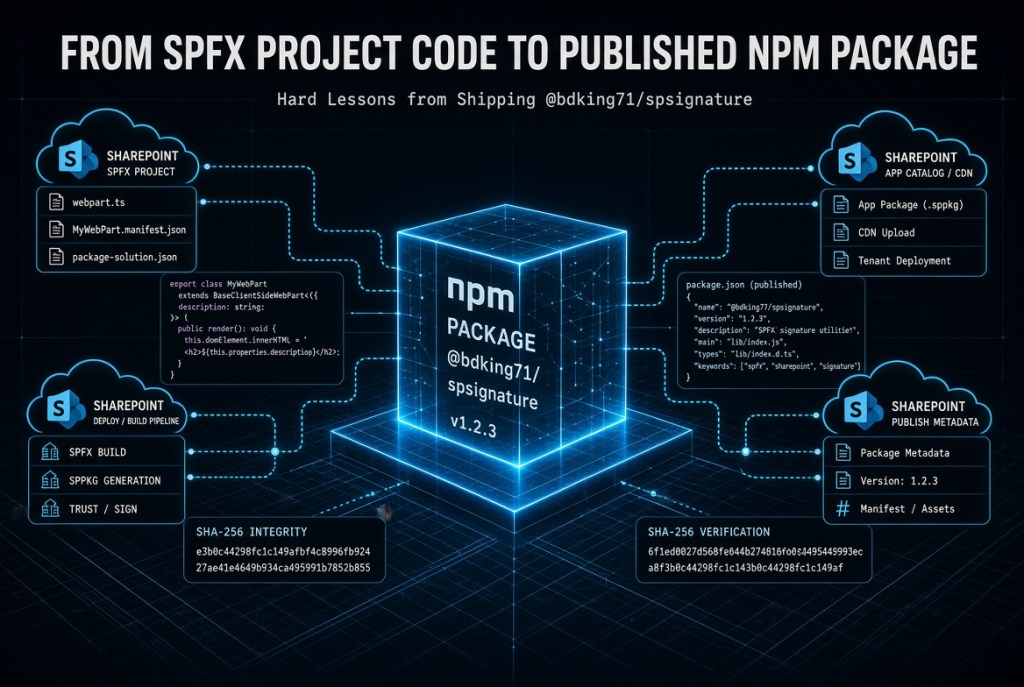
From SPFx Project Code to Published NPM Package: Hard Lessons from Shipping @bdking71/spsignature
4,587 words, 24 minutes read time.
Why Moving SPFx Code to NPM Is Harder Than It Looks
Internal project code and library code are not the same species. They look alike in the editor. They compile with the same toolchain. They pass the same lint rules. But the moment code leaves a private SPFx solution and becomes a versioned package on the public registry, the rules change. Assumptions that were safe inside one project become defects when strangers depend on them. Shortcuts that saved an afternoon in the original build become tickets, regressions, and support burdens once the package is installed by someone we will never meet.
I learned this the hard way pulling a digital signature workflow out of an SPFx project and publishing it as @bdking71/spsignature. The original code worked. It had run in production. It handled real signatures on real records. None of that mattered when I pulled the package into a second SPFx project and watched it fail. Then fail again. Then fail in a different way after I patched the first failure and published a new version. The publish-install-test loop is slow, and slow feedback loops break patience before they break code. I got to the point where I was editing files directly inside node_modules in the consuming project just to see whether a fix would hold before I bothered pushing another version to the registry. That is the moment the lesson landed. The code was not broken. The code was private. Private code is allowed to hide things. Library code is not, and every assumption I had never written down was now a defect somebody else’s project had to absorb.
This post walks through four lessons that surfaced during that extraction. The first is that context is a contract, not accidental coupling. The second is that idempotent provisioning is the entry fee for anything a consumer installs. The third is that defensive parsing and cryptographic discipline stop being internal choices and become public surface the moment the package ships. The fourth is that scope, storage, and UI boundaries have to be decided honestly, because every export, every global, and every storage key becomes a promise. I will show the actual code from the package as evidence, because the lessons only matter if they hold up under real files rather than sanitized examples. The stack assumed throughout is SPFx targeting SharePoint Online, PnPjs v3 or v4, TypeScript, and React where UI components are involved.
Context Is a Contract, Not an Accident
The first instinct when refactoring SPFx code into a library is to strip out the WebPartContext dependency. It looks like coupling. It looks like the kind of ambient global that a clean library should not require. I fought that instinct for a while, and I was wrong to fight it. The context is not accidental. It is the authentication surface for every call the package needs to make against the tenant. Removing it would not have made the library cleaner. It would have made the library dishonest, because the work still has to happen and the credentials still have to come from somewhere.
The package writes to a SharePoint list called PendingVerifications. It does not send email. It does not send Teams messages. It does not integrate with Microsoft Graph directly for delivery. That is a deliberate scope decision. The library queues a verification request as a list item, and a Power Automate flow bound to that list handles the actual dispatch to email or Teams. The flow is owned by the tenant, not by the package. That boundary is what makes the package small enough to reason about and flexible enough to fit different notification patterns without shipping a dozen configuration knobs. The context is required because PnPjs needs it to authenticate the list write on behalf of the current user, and that write is the entire mechanism by which the outside world learns a passcode was requested.
Here is what that dependency looks like in the OtpService.ts module. The signature is explicit. The consumer has to hand the context in. Nothing is ambient.
export async function dispatchOtpPasscode( context: WebPartContext, request: IOtpDispatchRequest, listTitle: string = DEFAULT_OTP_LIST_NAME ): Promise<IOtpDispatchResult> { try { if (!context) { throw new Error("Execution restricted: Valid WebPartContext is required."); } if (!request || !request.title?.trim()) { throw new Error("Invalid request: Signer/Title identifier is required."); } if (!request.passcode?.trim()) { throw new Error("Invalid request: Passcode must be provided."); } const sp: SPFI = spfi().using(SPFx(context)); const addedItem = await sp.web.lists.getByTitle(listTitle).items.add({ Title: request.title.trim(), Passcode: request.passcode.trim(), Channel: request.channel || "email", });
Notice that the function fails loudly and immediately if context is missing. It does not try to reach for a fallback. It does not try to construct its own authentication path. It refuses to run. That refusal is the contract. The consumer knows before the first list item is written that the package will not silently degrade if the context is absent.
The Two Obligations the Package Imposes on Its Consumer
Publishing this package created two responsibilities that the tenant has to accept. The first is that a valid WebPartContext has to be supplied at runtime, which means the package is only usable inside SPFx solutions or contexts that can construct an equivalent PnPjs authentication surface. The second is that the tenant has to own the Power Automate flow that watches the PendingVerifications list and dispatches the actual message. Neither obligation is hidden. Both are documented as part of the package contract. That is the difference between a leaky abstraction and an explicit boundary. A leaky abstraction pretends the work is not happening. An explicit boundary tells the consumer exactly which half of the work belongs to them.
Idempotent Provisioning Is the Price of Admission
Inside the original SPFx project, the PendingVerifications list already existed. Somebody had created it once, configured the columns, set the item-level permissions, and moved on. The signing code never had to think about provisioning. It just wrote items. That is a luxury private code can afford. Library code cannot. When a package is installed into a fresh tenant, or reinstalled after a partial failure, or upgraded across a schema change, the setup code has to run without breaking anything that already exists. It has to be safe to call once. It has to be safe to call a hundred times. It has to converge on the correct state regardless of what state it started from.
That discipline is what ensurePendingVerificationsList enforces. The function checks whether the list exists before creating it. It checks whether each field exists before adding it. It applies the item-level security settings on every run, because those settings might have drifted or been overridden by an admin. Nothing in the function assumes a clean slate, and nothing in the function fails if the slate is already dirty in the expected way. That is what idempotent means in practice. It is not a buzzword. It is the promise that installing the package twice will not corrupt what installing it once produced.
The item-level security settings deserve their own attention. ReadSecurity: 2 means a user can only read items they created. WriteSecurity: 2 means a user can only edit items they created. Applied to a list of one-time passcodes, that setting prevents any authenticated user from browsing to the list and reading someone else’s active code. If the package left that configuration to the tenant admin, most tenants would forget it. Most breaches happen at exactly that kind of forgotten default. Enforcing it on every provisioning run is not paranoia. It is the recognition that a list holding verification codes is a small target with a large blast radius if it goes wrong.
Why Setup Code Must Assume the Worst
The ensureField helper is a small pattern with a large payoff. It checks first, creates only on failure, and never assumes the field is in the expected state. That pattern is what makes the function safe under partial failure. If the list exists but the Channel field is missing because a previous run crashed halfway through, the next call fixes it. If everything exists, the next call does nothing except reassert the security settings. There is no cleanup path, no migration script, no dependency on the tenant admin remembering the install order. The function converges. That is what setup code has to do when we cannot see the environment it will land in.
Defensive Parsing and Cryptographic Discipline Become Public Contracts
The response shape returned by PnPjs when adding a list item has changed across versions. In some builds the added item exposes data.Id. In others it exposes data.ID. In others still the ID is available directly on the returned object. When code lives inside a single project pinned to a single PnPjs version, we can write against whichever shape we happen to observe. When code becomes a library and consumers install it alongside their own PnPjs version, we cannot. The extraction path has to survive the drift. That is why dispatchOtpPasscode tries five different shapes before giving up.
let itemId: number | undefined; if (addedItem?.data?.Id) { itemId = addedItem.data.Id; } else if (addedItem?.data?.ID) { itemId = addedItem.data.ID; } else if (debugItem?.Id) { itemId = debugItem.Id as number; } else if (debugItem?.ID) { itemId = debugItem.ID as number; } else if (debugItem?.id) { itemId = debugItem.id as number; } if (!itemId || typeof itemId !== "number" || itemId <= 0) { throw new Error( `Item created but ID extraction failed. Got: ${JSON.stringify(itemId)}` ); }
That block is not elegant. It is honest. Every fallback path exists because someone somewhere will run this code against a version of PnPjs where the previous path returns undefined. The final validation refuses to accept anything that is not a positive integer, because a corrupted ID is worse than no ID at all. If extraction fails, the function throws with the actual value it received, which is exactly the diagnostic a consumer needs when debugging against their own tenant configuration.
Cryptographic discipline follows the same pattern. Inside a private project, we can get away with Math.random for a passcode. Nobody is going to audit it. Once the code ships, Math.random is a defect. It is not cryptographically secure. It is not appropriate for anything that gates access. The package uses window.crypto.getRandomValues to produce the 5-digit code, which pulls from the platform’s secure random source and produces values that cannot be predicted from timing or seed observation. The passcode range is small by design, because it is a one-time code paired with an out-of-band delivery channel and a short lifetime, but the entropy source still has to be right.
The audit envelope carries the same discipline into the signing ceremony. The envelope is a JSON object containing the payload, the signer, the timestamp, and the item ID. It is hashed with SHA-256. The hash is what gets persisted. The original payload can be reconstructed and re-hashed later to prove the record has not been altered. Two subtle decisions make that verification actually work. The timestamp is truncated to second precision, because millisecond drift between two computations of the same envelope would produce a different hash and destroy the verification path. The payload is deep-sorted before hashing, because JavaScript object key ordering is not guaranteed across serializations, and an unsorted hash would fail verification whenever a consumer reconstructed the payload in a different key order.
Including the itemID in the envelope binds the signature to a specific record. Without that binding, a signature captured against one record could be replayed against another. The item ID makes each hash unique to the transaction it was generated for. That is a security decision that has to be right in the first published version, because changing it later would invalidate every signature already produced by earlier releases.
When the Storage Layer Silently Rewrites the Payload
The most expensive lesson from this package had nothing to do with the hash function. SHA-256 is deterministic. The Web Crypto API is deterministic. The deep-sort logic is deterministic. All of that machinery worked correctly the first time. What did not work was the assumption that SharePoint would give me back exactly what I handed it.
An earlier version of the workflow signed payloads that included a multi-line text field. Everything validated on the first signature. When a second user signed the same record, the second signature validated. The first one no longer did. When a third user signed, only the third signature validated. Every prior signature failed verification. The cryptographic code was correct. The library was wrong to trust the storage layer.
SharePoint multi-line text fields do not store content byte-for-byte. Depending on the field configuration, the platform can normalize line endings, wrap content in HTML block elements, re-encode entities, and adjust whitespace. That transformation happens silently between the write and the next read. A payload hashed at signing time against the original string will not match the same field read back later, because the string has been rewritten by the storage layer. The reason only the most recent signature validated was that every new write reset the field to a freshly normalized form, and each prior signature had been hashed against a version of the content that no longer existed anywhere.
The fix is architectural, not cryptographic. The payload that gets hashed has to be the payload the library controls, not the payload the storage layer might rewrite. That means canonicalizing content before hashing, avoiding field types that the platform is allowed to transform, or storing the signed payload snapshot alongside the hash so verification never has to trust the storage layer to preserve the original bytes. Any of those approaches works. Trusting the storage layer to be a faithful mirror does not. That lesson would have stayed invisible inside a private project where the same code path always wrote and read the same field in the same session. It only surfaced when the package was installed somewhere else and used against real records that were signed by multiple people over time.
What Changes When Security Code Becomes a Dependency
Inside a private project, security decisions are internal. We can revisit them, refactor them, tighten them, and nobody outside the team feels the impact. Once security code ships as a dependency, every choice becomes part of the public contract. The passcode length, the hash algorithm, the timestamp precision, the payload canonicalization, the signer sanitization rules, and the envelope structure all become promises. Changing any of them is a breaking change. That is why the discipline has to be applied before the first published version. Retrofitting cryptographic correctness into an installed package is a support incident that no author wants to run.
Scope, Storage, and the UI Boundary Problem
The hardest lessons in this extraction had nothing to do with cryptography or provisioning. They had to do with scope. Every export is a promise. Every global is a compromise. Every storage key is a forward-compatibility problem waiting to happen. The signing ceremony uses a module-level singleton to prevent two modals from opening at the same time. That singleton is not clean. It would be cleaner to route through a proper state manager or a React context. But the package supports consumers who are not using React for their invoking surface, and the modal is built with raw DOM for exactly that reason. The singleton is the honest compromise that lets a single package serve both React and non-React callers.
let activeModalInstance: AbortController | null = null; // ... if (activeModalInstance !== null) { return undefined; } const abortController = new AbortController(); activeModalInstance = abortController;
Storage is another place where library code has to think longer than project code. Cached signatures are persisted to localStorage under a versioned key. The _v1 suffix is not decorative. It is the mechanism by which a future breaking change to the cache format can ship without corrupting caches from earlier versions. When the format changes, the key becomes _v2, the old key can be cleaned up on read, and consumers upgrade without a support ticket. That kind of forward compatibility costs nothing to add on the first release and is nearly impossible to add retroactively.
The LZW compression used for cached signatures is bounded by a hard dictionary ceiling. When the ceiling is hit, the function throws with a clear error rather than silently corrupting the output. That is a small decision with real consequences. Silent corruption in a cached signature would produce a mismatched hash on the next verification, and the failure would be nearly impossible to diagnose because the corruption would be invisible until the verification path ran. An explicit throw at the moment of failure gives the consumer a diagnostic they can act on.
if (dictionarySize >= LZW_DICT_MAX) { throw new Error( `LZW dictionary overflow: input is too large to compress (${dictionarySize} entries). ` + `Consider using Base64 encoding instead.` ); }
The UI boundary is the messiest part of the package and the most instructive. The signing modal in TransactionSigner.ts is built entirely with raw DOM manipulation. The display component in SignatureDisplay.tsx is a proper React functional component. That inconsistency looks like a defect. It is actually a scope decision. The modal has to run inside contexts where React may not be available or may not be the caller’s preferred framework, so it uses the lowest common denominator. The display component is designed to be embedded in React-based reports and dashboards, where returning a React.FC is the natural surface. Forcing both into the same framework would have made one of them worse to satisfy an aesthetic consistency that no consumer would actually benefit from.
The public API surface is the last piece of the scope discipline. Not everything in the package is exported. generateSecureAuditRecordInternal, lzwCompress, lzwDecompress, deepSortPayload, and sanitizeSigner all stay private. They are implementation details. Exporting them would freeze their signatures as part of the package contract and prevent future refactoring. What gets exported is what consumers need: promptAndGenerateSecureAudit to run the ceremony, verifySecureAuditRecord to check a persisted signature, getReportableSignature to decompress a cached image for display, dispatchOtpPasscode to write the OTP record, ensurePendingVerificationsList to provision the storage, and SignatureDisplay to render the result. Everything else is behind the wall on purpose.
The Decision I Would Reverse Today
Not every scope decision in this package aged well. The itemID field lives at the top level of the audit envelope, alongside the payload, the signer, and the timestamp. It is part of the hash. That made sense in the original SPFx project, where every signature was tied to a SharePoint list item and the item ID was the natural anchor. It stopped making sense the moment the package became something other consumers could install.
By pulling itemID out of the payload and giving it its own slot in the envelope, the library made a prescriptive claim about what every signature must be bound to. Consumers who want to sign something that is not a SharePoint list item — a document, a transaction ID from another system, a composite key, or nothing at all — are forced to fabricate a value or accept a meaningless field in a security-relevant position. That is the library imposing its original use case on every future one. It is the exact mistake the rest of the package tries to avoid.
The correct design is to let the consumer decide what belongs in the hash. If binding to a SharePoint item matters, the consumer puts the item ID in the payload. If binding to something else matters, the consumer puts that in the payload. If an unbound signature is acceptable, the consumer leaves it out. The library’s job is to hash whatever payload it is given, not to dictate what fields that payload must contain. That change is a breaking one, which is the cost of getting the shape wrong in the first published version. It is also the honest fix, and it will land in a future major release. The lesson is not that the original decision was careless. It is that the original decision was made from inside the original use case, and the abstraction inherited assumptions that only became visible once the package had to serve consumers whose use cases did not match mine.
Every Storage Key, Global, and Export Is a Promise
The habit that private code lets us skip is the habit of treating every observable behavior as a commitment. Inside a single project, we can rename an internal function on Tuesday and adjust the two callers on Wednesday. Inside a published package, a rename is a breaking change and the callers are strangers we cannot warn. Every storage key we write, every global we create, every export we ship, and every response shape we produce becomes something a downstream project depends on. The discipline is not to minimize these commitments for aesthetic reasons. The discipline is to make each one deliberately, name it clearly, version it where possible, and be honest about what it will cost to change later.
What Shipping This Package Taught Me About the Line Between Project Code and Library Code
The lessons from this extraction all reduce to one thing. Private code is allowed to be quiet about its assumptions. Library code has to declare every one of them out loud. Context is not accidental coupling. It is a documented dependency that draws a line between what the package does and what the tenant owns. Provisioning is not a one-time setup script. It is an idempotent contract that has to hold across fresh installs, reinstalls, partial failures, and schema drift. Defensive parsing and cryptographic discipline are not internal choices. They are public surface the moment the package ships, and every decision made in the first release becomes a promise that costs real work to break. And when the storage layer is allowed to rewrite the payload between the write and the read, the cryptography we trusted stops meaning what we thought it meant.
Scope is where most of the pain lives. Every export is a commitment. Every global is a compromise that has to be defensible in prose. Every storage key is a forward-compatibility decision that has to be made before the first user installs the package. The inconsistency between the raw-DOM modal and the React display component is not sloppiness. It is a scope decision that survives contact with real consumers who do not all live inside the same framework. The private helpers that stayed private did so because their signatures are not stable enough to promise. That kind of restraint is easy to talk about and hard to enforce, because there is always pressure to export one more thing. And some scope decisions — like putting the item ID outside the payload — only reveal themselves as mistakes after the package has been in the wild long enough to serve a use case the original author did not anticipate.
None of us are above the drift that produces leaky libraries. I have watched myself skip validation because the private version worked. I have watched myself want to hide a compromise instead of documenting it. I have watched myself edit files inside node_modules at midnight because publishing another patch version felt like more failure than I wanted to admit in public. I have watched myself defend an API decision longer than I should have, because admitting it was wrong meant admitting the next release had to break. The discipline required to ship a small package well is the same discipline required to ship anything well. It is the discipline of writing down the contract, honoring it, and refusing to let convenience override the promises the code has already made. The tools do not enforce that for us. The registry does not enforce that for us. The consumers cannot see the compromises until the compromises break something they depend on. The only line of defense is the author’s willingness to treat published code as different in kind from private code, and to hold that line every time the temptation to cut a corner shows up in the diff. This package is not finished, and I am not finished learning from it. Every release will teach me something I did not know I had assumed, and every consumer who installs it will find a corner of the design I did not think hard enough about. That is the nature of shipping code into other people’s hands. The lessons in this post are the ones I can see today. The ones I cannot see yet are already waiting in the next issue somebody files.
Call to Action
If this blog caught your attention, don’t just scroll past. Join the community—men sharing skills, stories, and experiences. Subscribe for more posts like this, drop a comment about your projects or lessons learned, or reach out and tell me what you’re building or experimenting with. Let’s grow together.
The views and opinions expressed in this post are solely those of the author. The information provided is based on personal research, experience, and understanding of the subject matter at the time of writing. Readers should consult relevant experts or authorities for specific guidance related to their unique situations.