Riccardo1979 (@Riccardo1979@mastodon.uno)
Voglio condividere questo articolo: come disattivare i plugin WordPress senza accesso al pannello admin. #WordPress #WPPlugins #Tutorial #Sicurezza #WebDev https://soccorsowp.it/blog/disattivare-plugin-wordpress-senza-accesso-admin/
Show Original Post
threadi (@threadi@mastodon.social)
All the plugins I've developed are now compatible with the upcoming #WordPress 7.0. I only had to make adjustments to a few of them. https://profiles.wordpress.org/threadi/#content-plugins
Show Original Post
jeeynet (@jeeynet@framapiaf.org)
Bientôt, un site sous #Wordpress passera chez moi en AI;DR
https://romainleclaire.com/wordpress-ia-enfin-linternet-dont-personne-ne-voulait-8c13c6501afe
Show Original Post
rsthemeblog (@rsthemeblog@mastodon.social)
🚀 Blunor – Creative Agency & Portfolio WordPress Theme
Build stunning websites with Blunor — modern, powerful, and easy to customize. Perfect for agencies, freelancers, and creatives.
✨ Key Features:
✔️ 20 Demo Homepages
✔️ Elementor Drag & Drop Builder
✔️ One-Click Demo Import
✔️ 85+ Premium Addons
✔️ No Coding Required
💼 Showcase your portfolio, services, and team with style.
👉 Design smarter. Stand out with Blunor.
#WordPress #WebDesign #Elementor
https://themeforest.net/item/blunor-creative-agency-portfolio-wordpress-theme/58370771

Show Original Post
leoskull (@leoskull@wp-punks.social)
💡 In der Ausgabe Nummer 161 beschäftigen wir uns in dieser Woche mit Pagebuildern, WordPress 7.0 und AI.
Schaut mal rein 👇
https://www.leo-skull.de/www-161-woechentliche-wordpress-weblinks/
Show Original Post
offseq (@offseq@infosec.exchange)
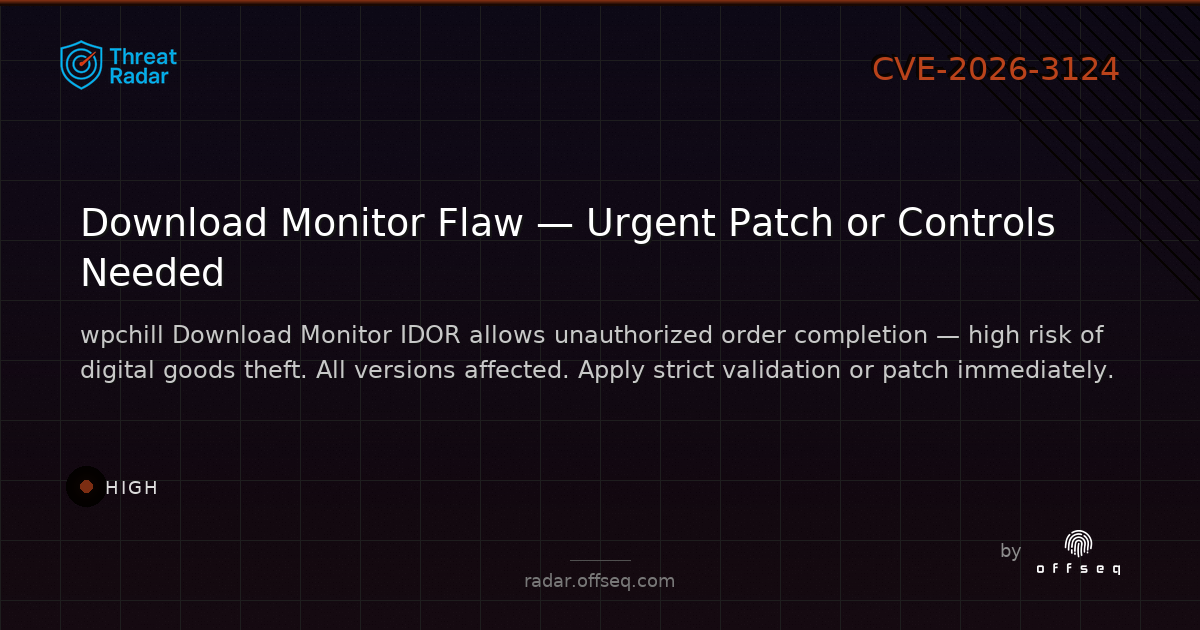
🛑 CVE-2026-3124: HIGH-severity IDOR in wpchill Download Monitor (all versions) lets unauth attackers finalize orders by reusing PayPal tokens — digital goods can be stolen. Patch or apply strict validation ASAP! https://radar.offseq.com/threat/cve-2026-3124-cwe-639-authorization-bypass-through-6397300c #OffSeq #WordPress #Vulnerability #IDOR
Show Original Post
elettrona (@elettrona@poliversity.it)
Journey with self hosting for personal blog and fediverse
Hello, I followed the "selfhosted" instance on LemmyWorld in order to be able to talk about my experiences having them in order, without confusing criteria into Fediverse. Hoping they can be useful to others.
Current setup: Hostinger vps kvm2 plan, Debian12, YunoHost, Hostinger's docker manager installed.
Personal background: blind since birth, (I don't see), I'm mostly a computer power-user, worked and studied with ms-dos since 1989 until late 90s. Basic GNU/Linux knowledge in 2002, then interrupted in 2004.
I don't care talking about disability when discussing unrelated topics but it's necessary in this case as my needs are quite different from others.
So, I've been scared by self-hosting and have had shared hosting web sites until now. Until @_elena started self hosting her digital echosystem from scratch using YunoHost.
Due to lack of drivers I stopped with Linux on my private machine, drivers for the Braille display I had, and then the uneffective (at least for my need) screen reader capabilities on Linux's GUI based distros.
Finally in January 2026 I jumped in the dark after reading Elena Rossini's blog about YunoHost and having explored their demo pages. At the worst, I'll cancel the contract...
In the end I've managed to run WriteFreely, WordPress, CastoPod and GoToSocial, just by YunoHost; but if someone says terminal knowledge is not needed, this is a complete lie.
Where a system (such as YunoHost) can do the dirty work configuring postfix and nginx, I'll support it but it has its disadvantages: not every app can be installed through it.
For me it's very difficult to create and look after a config file on my own, it's frustrating for a sighted to miss a punctuation sign, an apostrophe, an indent. Let alone for me! A single space skipped, can crash a system.
A lie even saying that AI completely helps. It does solve some small, simple, immediate tasks but it has some mistakes as well. The so-called allucinations which create a real mess if you can rely on no personal skill.
Such as "sudo yunohost tools cert-install", or similar. AI wrote "cert-install" while the real command is "cert install"! A power user can get rid of it and correct, a beginner with no command-line knowledge, just copies, pastes, and gets scared.
My late attempt has been Madblog, a static markdown-based blogging platform with Fediverse activitypub in it, so I learned what Docker is and how it basically works. But I gave up, due to several timeouts and activitypub slow-downs. I think I'm going to use WordPress for blogging then. In case of comments it'll be more intuitive for non-fediverse folks.
Hopefully share others' experiences as well!
#ActivityPub #blind #fediverse #introduction #selfhost #selfhosting #WordPress #YunoHost
Show Original Post
robalex (@robalex@indieweb.social)
The second post is a look at the #WordPress post GUID. I'm building my first WordPress plugin and wanted to share my initial impressions of WordPress as someone who is an experienced programmer but new to the platform. It turns out that the GUID isn't as unique as the name suggests.
https://alexsci.com/blog/guid-reuse-wordpress/
Show Original Post
threadi (@threadi@mastodon.social)
Es ist immer wieder erstaunlich wie groß mein #WordPress Plugin #Personio Integration im Laufe der Zeit geworden ist .. selbst PHPStan braucht seine Minuten zum Scannen der derzeit 358 PHP-Klassen-Dateien. Um ein Release zu bauen brauche ich vor allem dank der jeweils 19 Block-Editor-, Divi 4- und Divi 5 Widgets inzwischen schon fast 10 Minuten.

Show Original Post
claudiocamposp (@claudiocamposp@mastodon.social)
Anzu Free WordPress Theme: Multi-Purpose Site Creator Solution
Download the best website builder template at https://wordpress.org/themes/anzu/ and create unique layouts, landing pages, and content that engage your site visitors and empower your online brand with modern design made for the new internet. ⚡️🖥🌐
#WordPress #Theme #Template #Anzu #SEO #Webdesign #Webdevelopment
Show Original Post
threadi (@threadi@mastodon.social)
#WordPress does not encrypt content - which makes sense for a CMS that handles public data. However, with WordPress 7.0, AI connectors were introduced, and their API keys are stored unencrypted in the database. This isn’t a problem for everyone, but it is for some. That’s why I developed a plugin that encrypts these very keys - based on my “Crypt for WordPress” library. Code: https://github.com/threadi/encrypt-ai-connector-keys – an article with more information on this will follow soon.
Show Original Post
threadi (@threadi@mastodon.social)
#WordPress verschlüsselt Inhalte nicht - verständlich für ein CMS mit öffentlichen Daten. Mit WordPress 7.0 kamen jedoch AI-Connectoren hinzu, deren API-Keys unverschlüsselt in der Datenbank liegen. Das ist nicht für alle ein Problem, aber für manche schon. Deshalb habe ich ein Plugin entwickelt, das genau diese Keys verschlüsselt – basierend auf meiner Bibliothek "Crypt for WordPress". Code: https://github.com/threadi/encrypt-ai-connector-keys - ein Artikel mit mehr Infos dazu folgt noch.
Show Original Post