stadiamaps (@stadiamaps@en.osm.town)
🗺️ With your map in place, you can now work on the data!
📍 Let our tutorial show you how to easily add and style interactive markers/pins with #MapLibre #SwiftUI.
👉 Learn more here: https://docs.stadiamaps.com/tutorials/interactive-markers-gestures-and-clustering-in-swiftui/?utm_campaign=tutorial_interactive_markers_swiftui&utm_source=mastodon&utm_medium=social
https://docs.stadiamaps.com/tutorials/interactive-markers-gestures-and-clustering-in-swiftui/?utm_campaign=tutorial_interactive_markers_swiftui&utm_source=mastodon&utm_medium=social
Show Original Post
troz (@troz@mastodon.social)
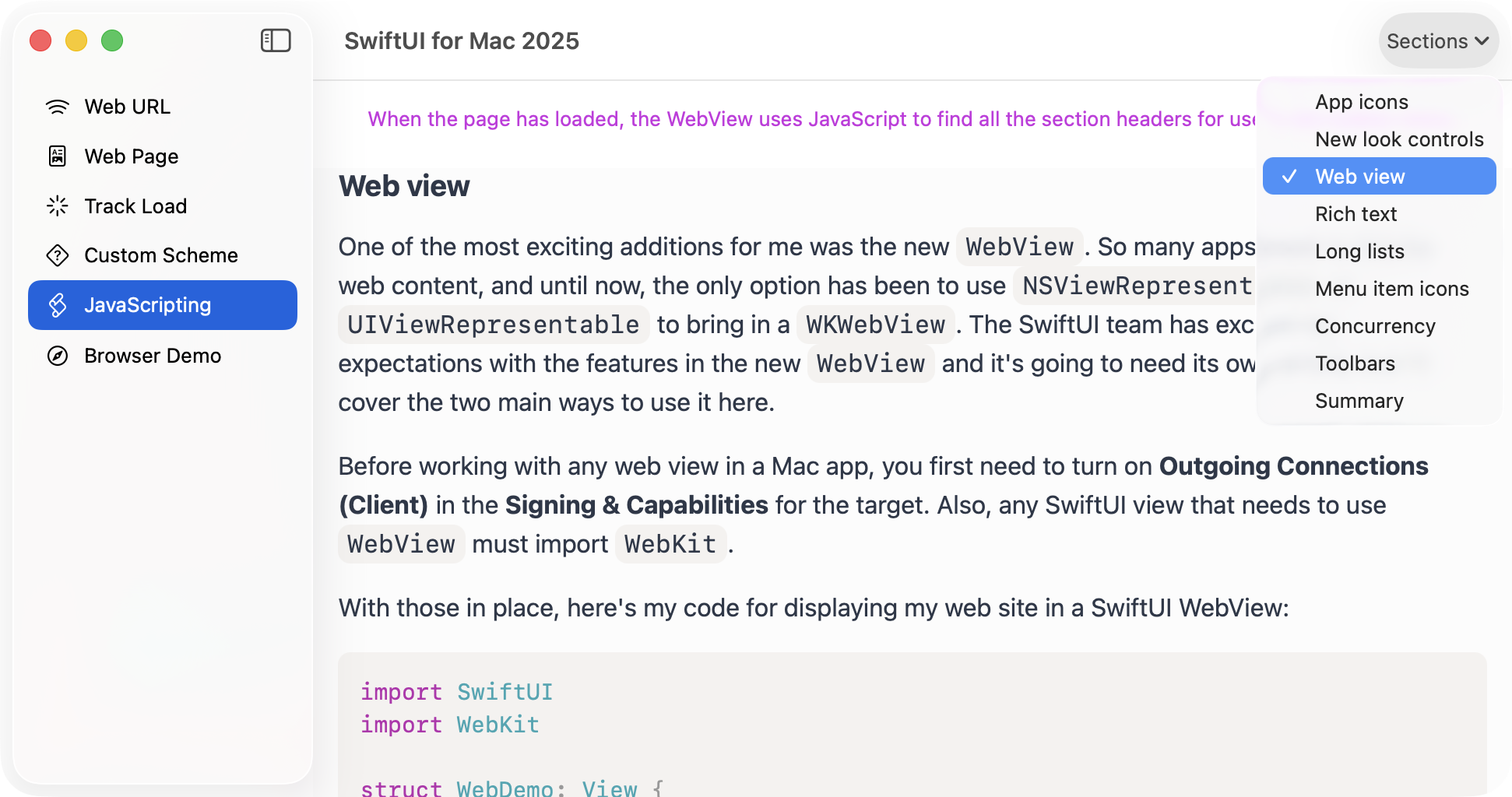
As promised in my SwiftUI for Mac 2025 article, here is a more detailed article about SwiftUI's new WebView.
https://troz.net/post/2025/swiftui-webview/
The SwiftUI team have done an amazing job on this, and I can't wait to start using it in my apps and books.
Show Original Post
JTostitos (@JTostitos@techhub.social)
@stroughtonsmith Snippets Studio is an app for saving your frequently used code. I’ve even heard that some have used it for non-code purposes which is cool. I’m in the process of a complete rewrite, v3.0, to go from CoreData to SwiftData, View Refactoring and Modularization, and now adding in some new iOS 26 API’s.
Been tracking my progress here: https://techhub.social/@JTostitos/114172870103682484 and can be found here on the App Store: https://apps.apple.com/us/app/snippets-studio/id1639537757
#showcase25 #indiedev #iosdev #swift #swiftui

Show Original Post
davedelong (@davedelong@mastodon.social)
This single API (and the associated ContainerValues) is the #1 most important addition to #SwiftUI in *years*. It makes building custom components that behave like system ones almost trivially easy. It is downright magical and I'm thrilled to finally rip out all of my old _VariadicView hacks:
https://developer.apple.com/documentation/swiftui/group/init(subviews:transform:)
A huge thanks to the SwiftUI team for making this public.
Show Original Post
deeje (@deeje@mastodon.social)
not gonna lie, I'm impressed. I just tried #CodingAssistant in #Xcode26 for the first time, asking it to generate #SwiftUI charts of sums by date and an average per day of week, all from an existing CoreData schema, and it pretty much just worked.
Show Original Post
JTostitos (@JTostitos@techhub.social)
@SnippetsStudio have been making a good amount of progress in this rewrite.
1. Swift Data Migrations
2. App Intents
3. Widgets
4. Auxillary Windows
5. Search
6. iOS 26 glass improvements
7. View refinements and improvements
Definitely more to do in each of these listed above but still quite alot of progress since last time. Here are some images of what it currently looks like!
#indiedev #iosdev #swift #swiftui

Show Original Post
cameronmcefee (@cameronmcefee@mastodon.social)
Are there any tricks for debugging the frame boundaries in "multiple things happened per frame" warnings in #swiftui?
"Bound preference SomePreferenceKey tried to update multiple times per frame."
I understand what's going on, but it's hard to pin down what events exactly are happening multiple times per frame since I don't know when a new frame begins.
Show Original Post
patrickmcconnell (@patrickmcconnell@mastodon.social)
One full week into updating my fairly simple app UI to #LiquidGlass. Mostly just updating toolbars to work on OS26 and earlier and the varying differences across devices.
Added a few minor features and tweaks but now I can dig into new things provided I don't find any more breaking issues.
Most of the issues are with the things that are breaking on the older OS.
How are other #SwiftUI folks doing with the updating of all the things?
Show Original Post
nicoreese (@nicoreese@mastodon.social)
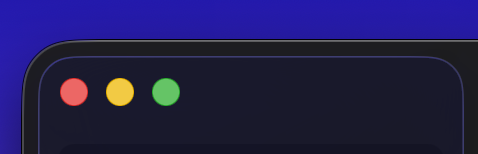
All these thick outlines on macOS make it feel so heavy compared to iPadOS which feels soft and fluid. The redesign on macOS did not go far enough. #macOS26 #UIKit #SwiftUI
Show Original Post
patrickmcconnell (@patrickmcconnell@mastodon.social)
I think it was on @atpfm recently @marcoarment was saying Apple didn't care if old OS’s continued to work once they push out the latest update.
The past few days have really made this apparent. I've lost a lot of time trying to fix or work around things that used to work correctly on top adapting this ill advised UI update no one asked for.
Toss all this into the growing pile of Apple Developer Malaise©
Show Original Post
patrickmcconnell (@patrickmcconnell@mastodon.social)
This alerts/sheets dismissing prematurely is deeper than that. Even the tips on one view will dismiss themselves.
The tips in quest are on toolbar buttons. Of course they work as expected for iOS26 but are broken on iOS18.
It goes without saying this worked for the past year or more.
Show Original Post
patrickmcconnell (@patrickmcconnell@mastodon.social)
This afternoons game of #iOSDev whack-a-mole is an issue where an alert or sheet is displayed and immediately dismissed if there are any Tip views in the view hierarchy.
Comment out the tips and things work as expected.
I suppose I'm holding it wrong.
Show Original Post