nicoreese (@nicoreese@mastodon.social)
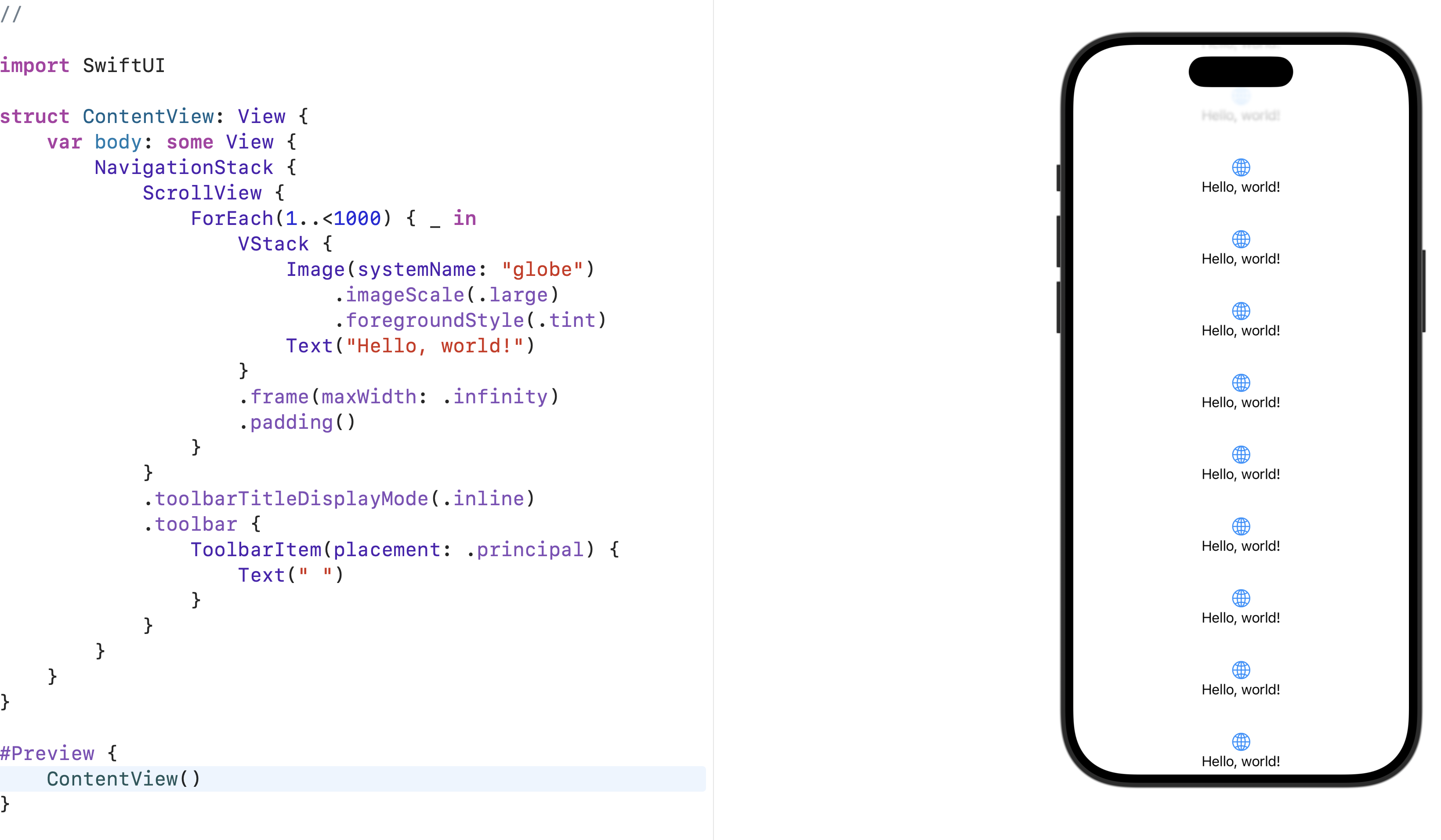
This seems to work. What a hack. #SwiftUI
Show Original Post
nicoreese (@nicoreese@mastodon.social)
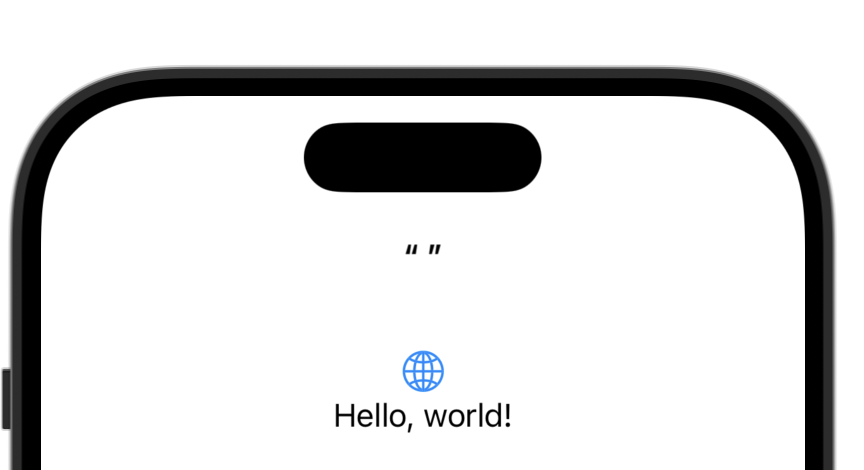
And they do not even allow an empty title any more. Even if you insert an invisible characters you get rid of the quotes but then your progressive blur is gone again. Yikes. #SwiftUI
Show Original Post
nicoreese (@nicoreese@mastodon.social)
Well. You don't get the progressive blur if you do not set a navigationTitle. That's some kind of explanation but still not well thought out. #SwiftUI
Show Original Post
obrhoff (@obrhoff@mastodon.social)
Looks like SwiftUI's Glass Effects are breaking Draggable Gestures (in my case Drag & Drop). Has anyone seen the same issue?
#swiftui #macos26 #macosdev
https://developer.apple.com/forums/thread/794445
Show Original Post
MuseumShuffle (@MuseumShuffle@mastodon.social)
Just for giggles I tried using the UIColor of blue because it's a nice dark blue as opposed to the SwiftUI Color.blue.
I did not expect for it to make the liquid glass in my toolbar buttons be invisible until something scrolls under them!
Show Original Post
StewartLynch (@StewartLynch@iosdev.space)
I am preparing a video on concentric corners. Before I do that I want to check to see why one would use option 2 over option 1 when they both give me the same thing. Option 1 just seems easier to remember. #iOS26 #SwiftUI
Feedback appreciated ❤️ @natpanferova ??

Show Original Post
nicoreese (@nicoreese@mastodon.social)
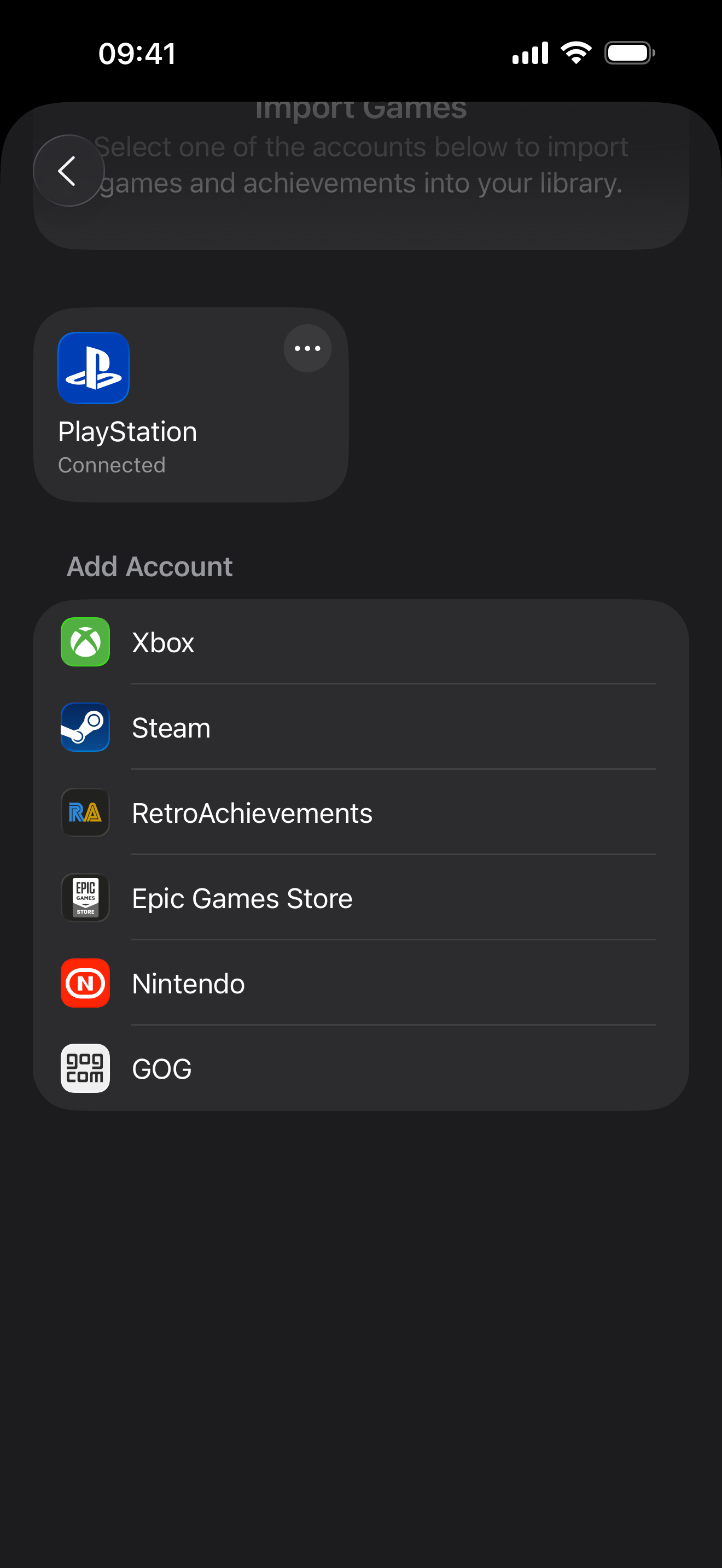
Turns out it's not because of the background. #SwiftUI just randomly decides whether to give you a progressive blur. WHAT THE FUCK is this. I want to control this, not you Apple.
https://mastodon.social/@nicoreese/115097415177486853
Show Original Post
nicoreese (@nicoreese@mastodon.social)
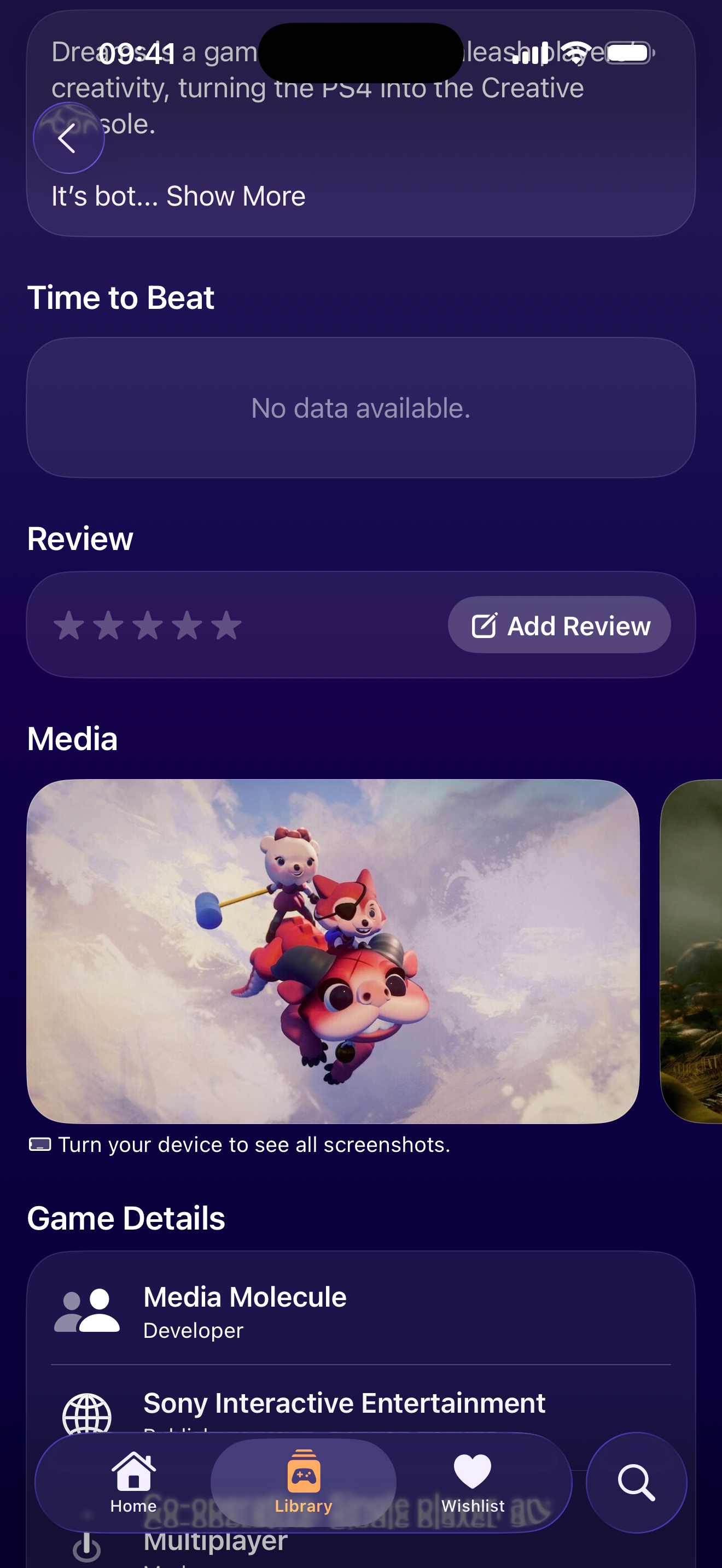
So, Apple kinda decided that I do not need a progressive blur at the top because I have a colorful background and there's nothing I can do about it. #SwiftUI
Show Original Post
gallaugher (@gallaugher@mastodon.world)
Students (and Apple fans), the Sept. Apple Event (always new iPhones, plus expect updates on iOS 26) will be: 9/9 at 10 a.m. PT. Since we're already working with iOS 26 for #SwiftUI class, it's definitely one to tune in for!
https://www.apple.com/apple-events/?cid=CDM-US-DM-c01743-M00000-DV-STC0
Show Original Post
nicoreese (@nicoreese@mastodon.social)
Not so Liquid today, aren't you? #SwiftUI #iOS26
Show Original Post
cocoafrog (@cocoafrog@hachyderm.io)
And then I thought, „oh, what I actually want is control what the Cancel button in the search field does. And there is this .dismissSearch environment key, which provides a function to programatically dismiss the search. That must be what the cancel button does.
So how about I set this environment from my container view and pass in my own function.
But of course you can‘t do that. Because the .dismissSearch value is not a closure, but a `DismissSearchAction` struct which is callableAsFunction, so it behaves like a closure but is not the same from the perspective of the type system. So I can‘t create one myself (init not public) and I can‘t pass a closure as that environment key‘s value.
Another case where #SwiftUI sucessfully prevented any customizations. #Apple
Show Original Post
cocoafrog (@cocoafrog@hachyderm.io)
Is there really no SearchField (or something like it) in #SwiftUI outside of `.searchable`?
I want to have to have a search field that looks like an #Apple searchfield inside a custom view, but all I can find is .searchable, which shows the search in kind of a modal view, which is not what I want. :/
Show Original Post