ascherbaum (@ascherbaum@mastodon.social)
Docker Secrets and hiding sensitive information in Docker build output
#Docker #Linux #Container #Security
Show Original Post
geco_de (@geco_de@troet.cafe)
der Lage mich auf dem #Raspberry anzumelden. Das Passwort für Docker Dashboard hatte ich auch nach einiger Zeit raus. Nur am Portainer bin ich gescheitert. Aber da gibt es zum Glück ein Docker-Tool, welches das Passwort zurücksetzt. Habe gleich noch Updates eingespielt. Wie das Update bei Pi-hole im #Docker abläuft muss ich mich dann später mal drum kümmern.
Was auf dem Raspberry noch ansteht ist das Update des Raspberry Pi OS von Bullseye auf Bookworm. Das hätte ich schon gerne aktuell. (2/4)
Show Original Post
geco_de (@geco_de@troet.cafe)
Heute war #Raspberry Abend. Beginnen habe ich mit meinem Raspberry 4, der hier als Master Raspberry im Einsatz ist. Auf dem läuft zur Zeit nur Pi-hole im #Docker. Zum Raspberry hatte ich das Passwort vergessen. Ebenso wie zu Docker Dashboard und Portainer aufgerufen wird. Und die Passwörter davon auch weg.
Jetzt habe ich mich mal intensiv drangesetzt. Da meine lokalen Passwörter, auch wenn sie alle unterschiedlich sind, einem gewissen System folgen war ich nach x gescheiterten Versuchen in (1/4)
Show Original Post
leanpub (@leanpub@mastodon.social)
Learn Kubernetes & Docker - .NET Core, Java, Node.JS, PHP or Python by Arnaud Weil is free with a Leanpub Reader membership! Or you can buy it for $11.99! http://leanpub.com/k8s #Devops #Docker #Aspnet #Python #NodeJs
Show Original Post
devopsoasis (@devopsoasis@mastodon.social)
Skyrocket Your DevOps Efficiency with Surprising Docker Hacks https://devopsoasis.blog/skyrocket-your-devops-efficiency-with-surprising-docker-hacks/ #Devops, #Docker
Show Original Post
bronger (@bronger@mastodon.social)
For more than 12 years, pushing a #Docker #container image to a registry has been slow. No matter how fast your connection is, how many cores you have, how modern your SSD – there is a limit at 10–20 MBytes/s per image layer.
Why? Because the image is gzip-compressed, and gzip works on a single core only.
There have been numerous attempts over the years to add a parallel compression method, almost all declined.
One PR ist still open, so maybe this 12-years everyday bummer is fixed eventually.
Show Original Post
nick_lenzen (@nick_lenzen@fosstodon.org)
Mich würde interessieren, wie Ihr eure Docker-Backups macht.
Mich interessiert dabei vor allem, dass die Konsistenz der Daten sauber ist und ein schneller Restore möglich ist.
Mit anderen Worten: Backups in einer Produktivumgebung.
Mich interessiert eure Umsetzung.
Show Original Post
linuxeasy (@linuxeasy@mastodon.uno)
Dockpeek è una dashboard leggera per accedere facilmente ai container Docker, con link diretti e gestione multi-host semplificata. #Linux #Docker #UnoLinux
Show Original Post
Wolkensteine (@Wolkensteine@mastodon.wolkenheim.eu)
Something seems broken with #ESPHome today. I'm not sure since when this is an issue, but every type of console (for compiling, validating, viewing logs) is just a black hole. Looking into the logs of the container it says /validate, /run and /clean are not found, though only as Warnings.
I'm using the #docker version of ESPHome since #HomeAssistant decided to no longer support the supervised installation.
I wanted to update one of my boards, but that no longer seems possible.
The reason to use ESPHome for me was, that it was comfortable and integrated well with HomeAssistant and often times "just worked", but now with a worse integration due to not running the full HAOS and it just plain not working at all, I am considering switching back to a self-made solution.
If anyone of you has an idea what the problem could be please let me know.
Note:
I've read in GitHub Issues that it could be Firefox related, if you want me to try chrome, I'll not. That would be a reason to do it myself again.
Show Original Post
transquinnzel (@transquinnzel@mastodon.online)
Another quick guide, I just setup transmission over wireguard using docker compose.
You can find it here:
https://godfrey.online/posts/docker-compose-transmission-wireguard/
#vpn #docker #torrent #selfhosting
Show Original Post
Typ0genius (@Typ0genius@mastodon.social)
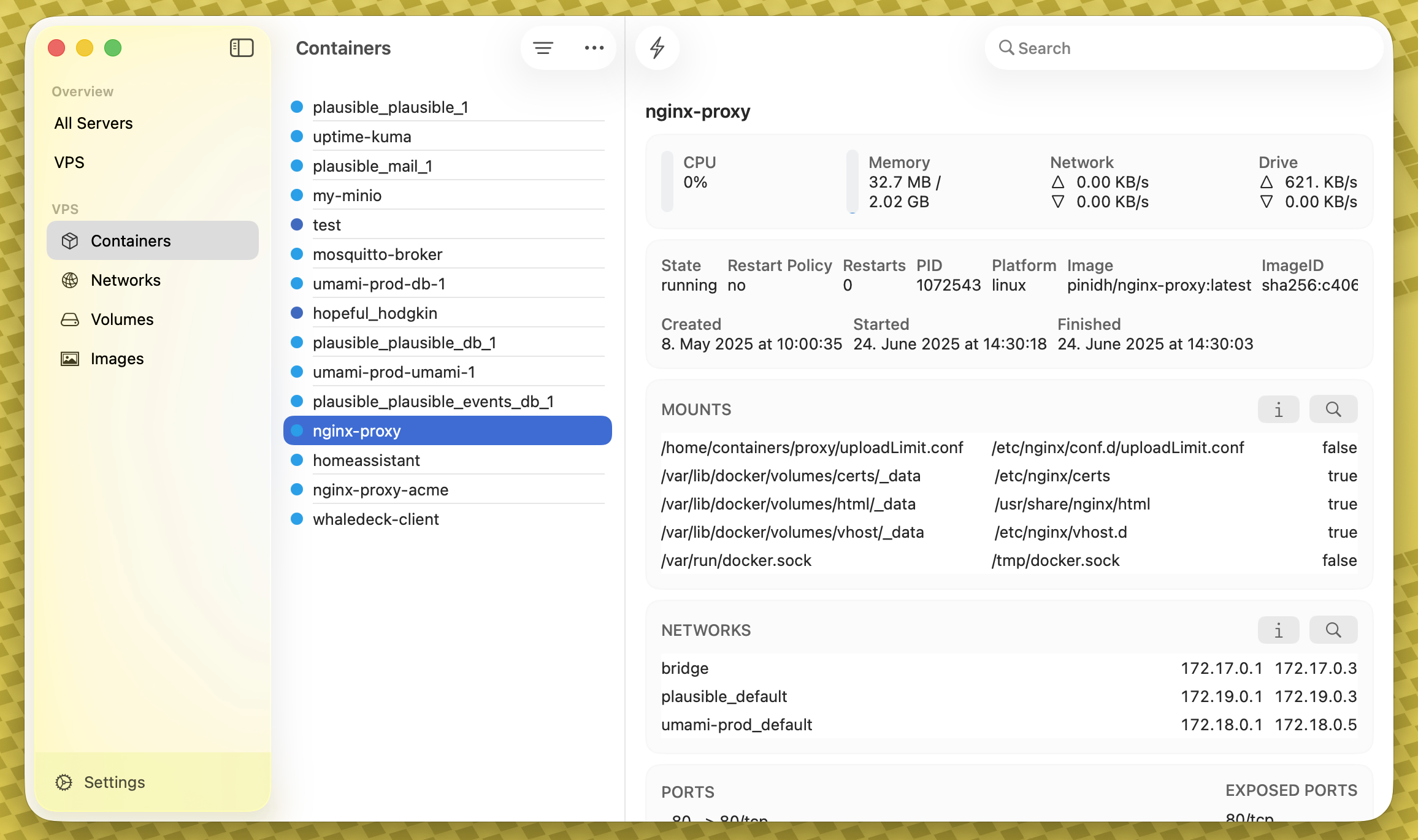
A sneak peek at what might be the completely new WhaleDeck navigation and design coming this autumn with the OS 26 releases 👀
Show Original Post
habr (@habr@zhub.link)
[Перевод] Запускаем Kali Linux в контейнере Apple
Вы слышали о новой функции Containerization, представленной Apple на WWDC 2025? В данной статье рассматривается процесс запуска Kali Linux в MacOS с использованием нового функционала контейнеров от Apple.
https://habr.com/ru/articles/932438/
#kali #linux #containerization #container #apple #wsl2 #terminal #docker #podman #wwdc2025
Show Original Post